# Welcome to AWS In Practice by IT Assist Labs!

[Facebook](https://www.facebook.com/itassistlabs) | [Linkedln](https://www.linkedin.com/company/itassistlabs) | [X (Twitter)](https://x.com/itassistlabs)

Your journey into mastering AWS starts here! AWS In Practice, powered by IT Assist Labs, is your learning, collaboration, and growth destination.

At IT Assist Labs, we don’t just provide insights; we empower you with courses and communities designed to deepen your expertise and connect you with like-minded professionals. Our blog complements these offerings with hands-on tutorials, best practices, and innovative solutions for building and managing scalable, secure, and cost-effective AWS environments.

Explore our [**courses**](https://labs.itassist.com) to gain structured knowledge, join our [communities](https://labs.itassist.com/communities) to share ideas and experiences, and leverage the resources here to put theory into action. Whether you're starting your AWS journey or advancing your cloud skills, IT Assist Labs is here to guide you every step of the way.

Let’s learn, connect, and innovate—together! 🌥️✨

***

Stay ahead in the cloud-first world with the latest insights, strategies, and best practices for mastering **AWS services** and modern application development.

{% @mailchimp/mailchimpSubscribe %}

### Jump right in

<table data-view="cards"><thead><tr><th></th><th></th><th data-hidden data-card-cover data-type="files"></th><th data-hidden></th><th data-hidden data-card-target data-type="content-ref"></th></tr></thead><tbody><tr><td><a href="/pages/zUpOlhCvHFjmA0ifMv3j"><strong>Courses</strong></a></td><td>Explore practical courses like the <strong>AWS Powered E-commerce Application: A Guided Tour</strong>, <strong>Advanced Observable Access to a Live AWS Environment</strong>, and <strong>Guided Tours of Live Environment for Certification and Interview Prep</strong>, blending practical insights with real-world AWS experience.</td><td><a href="/files/ixMbOebTDpg5ALz9tJvD">/files/ixMbOebTDpg5ALz9tJvD</a></td><td></td><td><a href="/pages/CyH2xJQs9yWJ1S8BYNav">/pages/CyH2xJQs9yWJ1S8BYNav</a></td></tr><tr><td><a href="/pages/5f39GvXqD6J3NmPRk8WX"><strong>Resources</strong></a></td><td>Expand your AWS expertise with resources for hands-on learning and real-world application. Access whitepapers, e-books, case studies, cheat sheets, and tutorials to build, deploy, and optimize AWS solutions effectively.</td><td><a href="/files/ixMbOebTDpg5ALz9tJvD">/files/ixMbOebTDpg5ALz9tJvD</a></td><td></td><td><a href="/pages/7aUFmnCMx9m4smGncsXL">/pages/7aUFmnCMx9m4smGncsXL</a></td></tr><tr><td><a href="/pages/qm7p7JEJK14PqXT565mz"><strong>AWS Certification Guide</strong></a></td><td>Master your AWS certification journey with our comprehensive guide. Gain insights into exam objectives, key topics, and practical tips to help you prepare effectively. From foundational to advanced certifications, this guide equips you with the knowledge and confidence to achieve AWS success.</td><td><a href="/files/ixMbOebTDpg5ALz9tJvD">/files/ixMbOebTDpg5ALz9tJvD</a></td><td></td><td><a href="/pages/JjjojIyKxaiBPzzLwvtg">/pages/JjjojIyKxaiBPzzLwvtg</a></td></tr></tbody></table>

### Subscribe To Our Mailing List

Subscribe to our mailing list to stay updated on recommendations to prepare effectively for your certifications. Receive valuable content, including explanations of certification concepts, scenario-based question breakdowns, study tips, and curated recommendations to support your AWS certification journey. Don’t miss out—sign up today!

{% embed url="<https://j245x6xtoz0.typeform.com/to/XGUozUZR?utm_source=xxxxx>" fullWidth="false" %}

***

📚 Ready to elevate your AWS skills? Explore content tailored to help you build, deploy, and manage cloud-native applications like a pro. [AWS Powered E-commerce Application: A Guided Tour](https://labs.itassist.com/aws-powered-ecommerce-application)


# Quickstart

<figure><img src="https://gitbookio.github.io/onboarding-template-images/quickstart-hero.png" alt=""><figcaption></figcaption></figure>

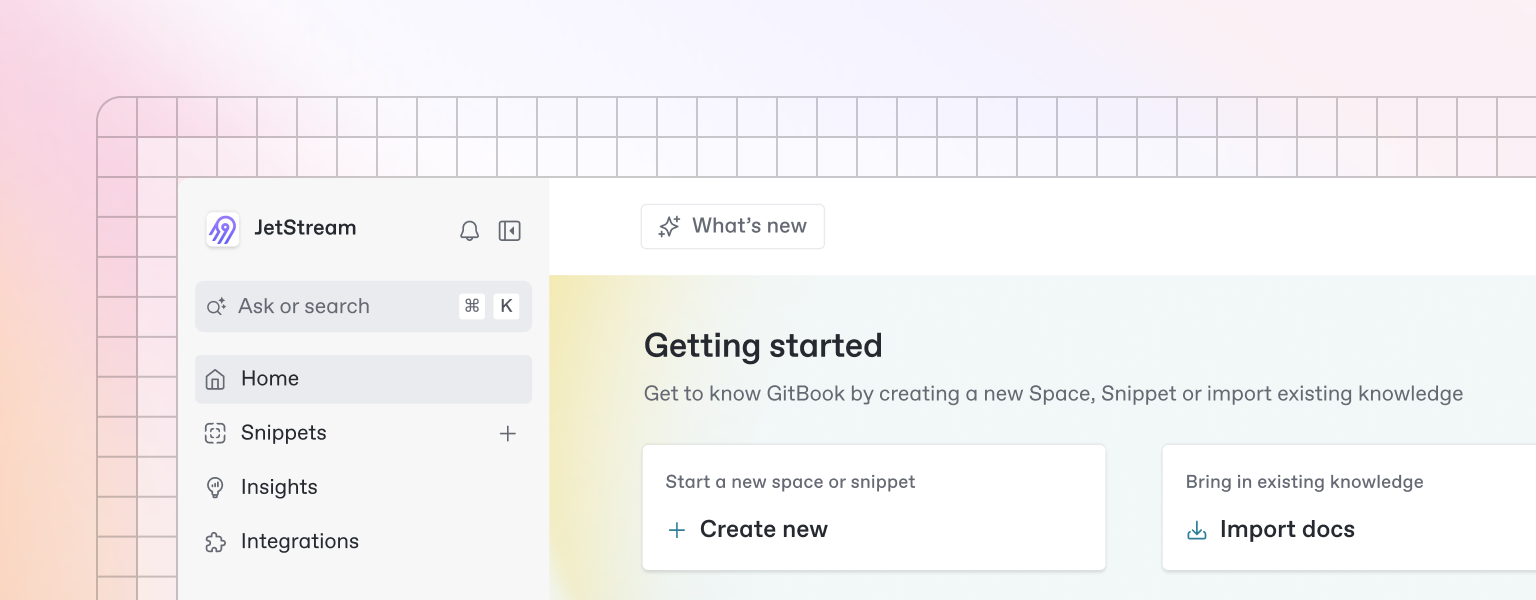
Beautiful documentation starts with the content you create — and GitBook makes it easy to get started with any pre-existing content.

{% hint style="info" %}
Want to learn about writing content from scratch? Head to the [Basics](https://github.com/GitbookIO/onboarding-template/blob/main/getting-started/broken-reference/README.md) section to learn more.
{% endhint %}

### Import

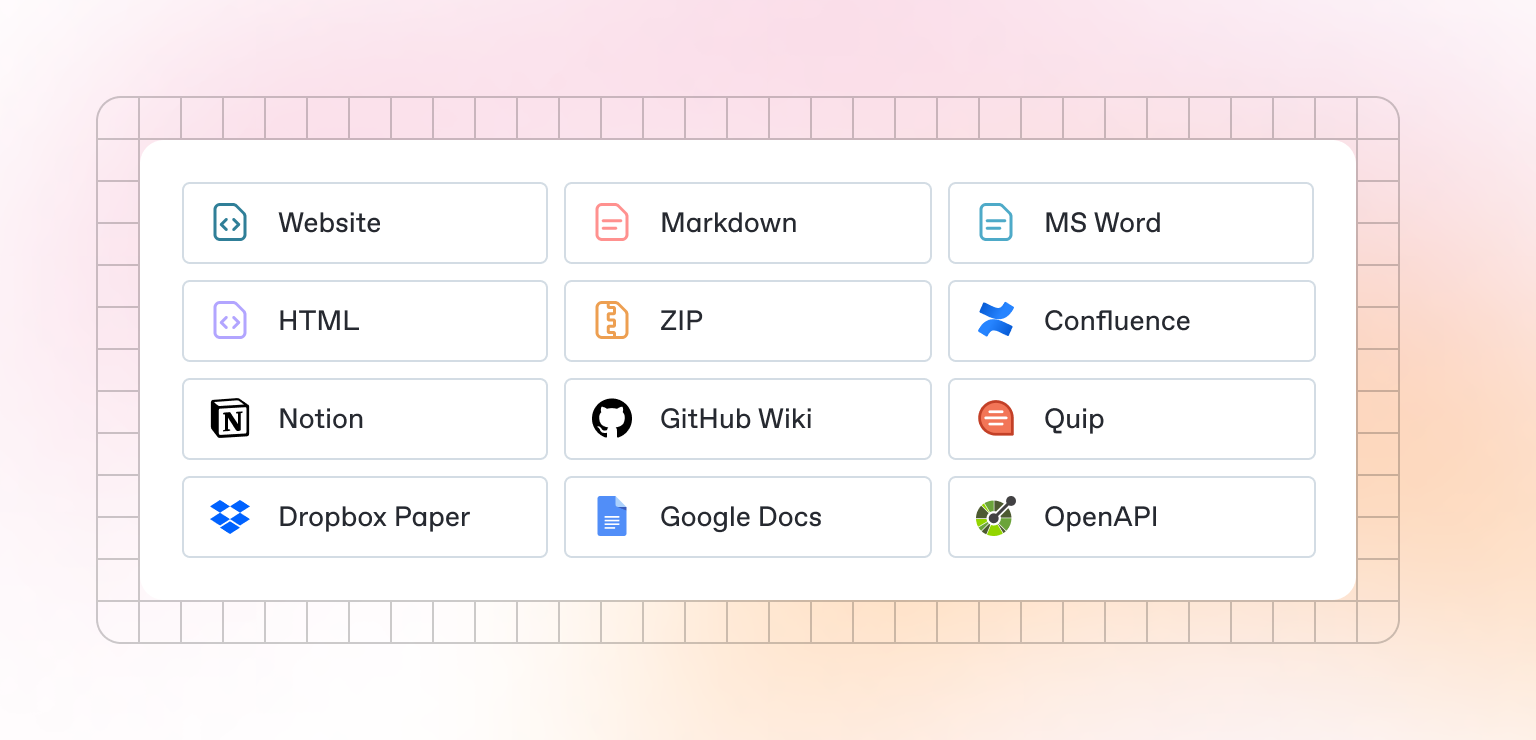
GitBook supports importing content from many popular writing tools and formats. If your content already exists, you can upload a file or group of files to be imported.

<div data-full-width="false"><figure><img src="https://gitbookio.github.io/onboarding-template-images/quickstart-import.png" alt=""><figcaption></figcaption></figure></div>

### Sync a repository

GitBook also allows you to set up a bi-directional sync with an existing repository on GitHub or GitLab. Setting up Git Sync allows you and your team to write content in GitBook or in code, and never have to worry about your content becoming out of sync.


# Publish your docs

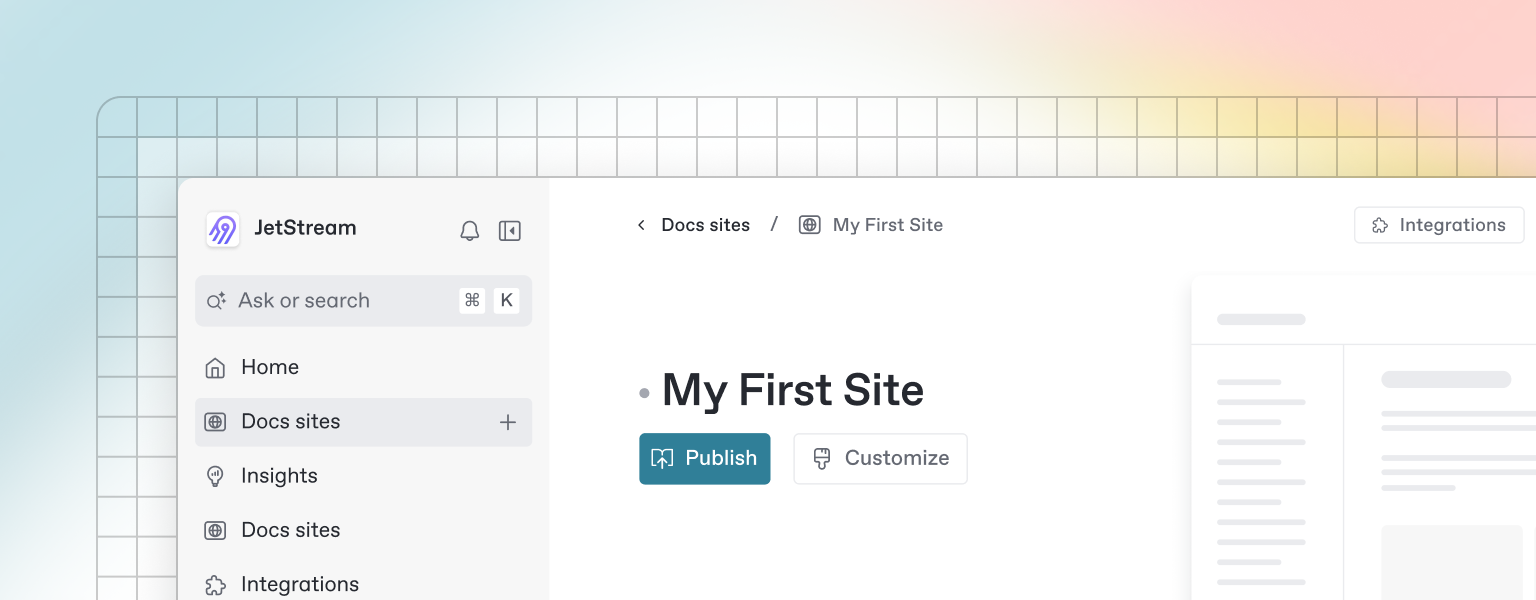
Once you’ve finished writing, editing, or importing your content, you can publish your work to the web as a docs site. Once published, your site will be accessible online only to your selected audience.

You can publish your site and find related settings from your docs site's homepage.

<figure><img src="https://gitbookio.github.io/onboarding-template-images/publish-hero.png" alt=""><figcaption></figcaption></figure>


# Editor

GitBook has a powerful block-based editor that allows you to seamlessly create, update, and enhance your content.

<figure><img src="https://gitbookio.github.io/onboarding-template-images/editor-hero.png" alt=""><figcaption></figcaption></figure>

### Writing content

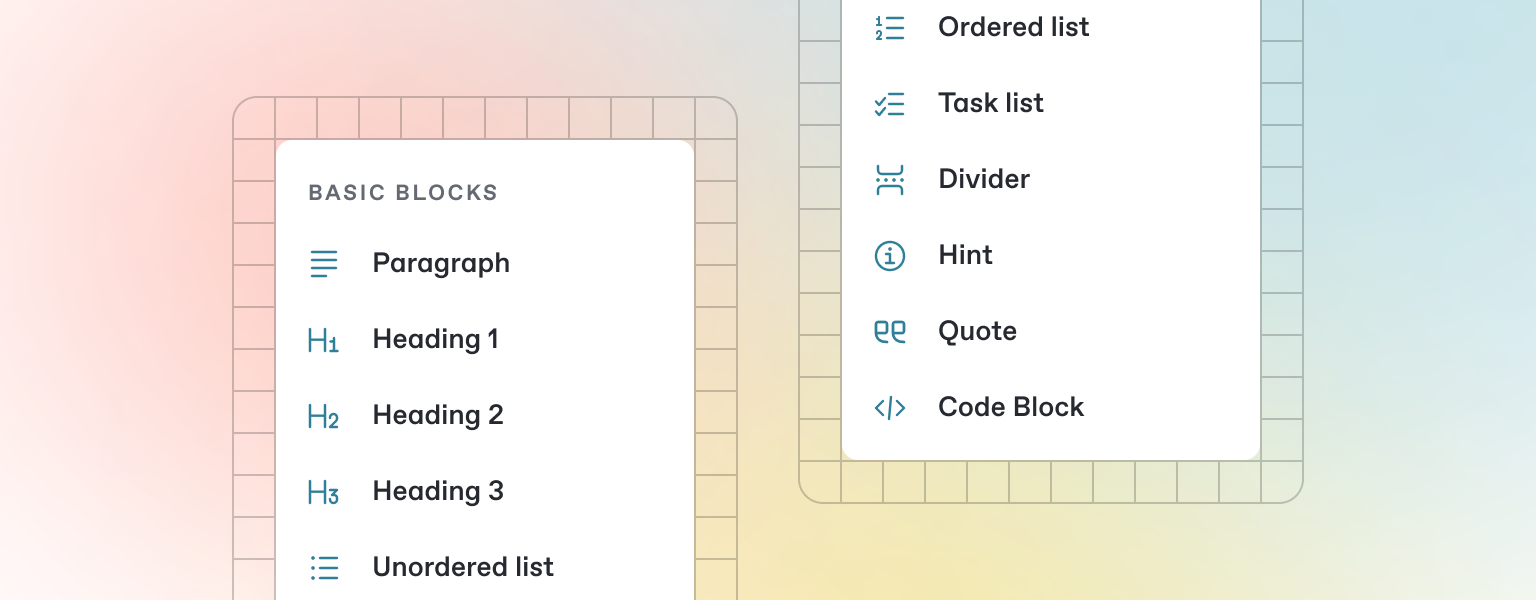
GitBook offers a range of block types for you to add to your content inline — from simple text and tables, to code blocks and more. These elements will make your pages more useful to readers, and offer extra information and context.

Either start typing below, or press `/` to see a list of the blocks you can insert into your page.

### Add a new block

{% stepper %}
{% step %}

### Open the insert block menu

Press `/` on your keyboard to open the insert block menu.
{% endstep %}

{% step %}

### Search for the block you need&#x20;

Try searching for “Stepper”, for exampe, to insert the stepper block.
{% endstep %}

{% step %}

### Insert and edit your block

Click or press Enter to insert your block. From here, you’ll be able to edit it as needed.
{% endstep %}
{% endstepper %}


# Markdown

GitBook supports many different types of content, and is backed by Markdown — meaning you can copy and paste any existing Markdown files directly into the editor!

<figure><img src="https://gitbookio.github.io/onboarding-template-images/markdown-hero.png" alt=""><figcaption></figcaption></figure>

Feel free to test it out and copy the Markdown below by hovering over the code block in the upper right, and pasting into a new line underneath.

```markdown
# Heading

This is some paragraph text, with a [link](https://docs.gitbook.com) to our docs. 

## Heading 2
- Point 1
- Point 2
- Point 3
```

{% hint style="info" %}
If you have multiple files, GitBook makes it easy to import full repositories too — allowing you to keep your GitBook content in sync.
{% endhint %}


# Images & media

GitBook allows you to add images and media easily to your docs. Simply drag a file into the editor, or use the file manager in the upper right corner to upload multiple images at once.

<figure><img src="https://gitbookio.github.io/onboarding-template-images/images-hero.png" alt=""><figcaption><p>Add alt text and captions to your images</p></figcaption></figure>

{% hint style="info" %}
You can also add images simply by copying and pasting them directly into the editor — and GitBook will automatically add it to your file manager.
{% endhint %}


# Interactive blocks

In addition to the default Markdown you can write, GitBook has a number of out-of-the-box interactive blocks you can use. You can find interactive blocks by pressing `/` from within the editor.

<figure><img src="https://gitbookio.github.io/onboarding-template-images/interactive-hero.png" alt=""><figcaption></figcaption></figure>

### Tabs

{% tabs %}
{% tab title="First tab" %}
Each tab is like a mini page — it can contain multiple other blocks, of any type. So you can add code blocks, images, integration blocks and more to individual tabs in the same tab block.
{% endtab %}

{% tab title="Second tab" %}
Add images, embedded content, code blocks, and more.

```javascript
const handleFetchEvent = async (request, context) => {
    return new Response({message: "Hello World"});
};
```

{% endtab %}
{% endtabs %}

### Expandable sections

<details>

<summary>Click me to expand</summary>

Expandable blocks are helpful in condensing what could otherwise be a lengthy paragraph. They are also great in step-by-step guides and FAQs.

</details>

### Drawings

<img alt="" class="gitbook-drawing">

### Embedded content

{% embed url="<https://www.youtube.com/watch?v=YILlrDYzAm4>" %}

{% hint style="info" %}
GitBook supports thousands of embedded websites out-of-the-box, simply by pasting their links. Feel free to check out which ones[ are supported natively](https://iframely.com).
{% endhint %}


# OpenAPI

You can sync GitBook pages with an OpenAPI or Swagger file or a URL to include auto-generated API methods in your documentation.

### OpenAPI block

GitBook's OpenAPI block is powered by [Scalar](https://scalar.com/), so you can test your APIs directly from your docs.

{% openapi src="<https://petstore3.swagger.io/api/v3/openapi.json>" path="/pet" method="post" %}
<https://petstore3.swagger.io/api/v3/openapi.json>
{% endopenapi %}


# Integrations

GitBook integrations allow you to connect your GitBook spaces to some of your favorite platforms and services. You can install integrations into your GitBook page from the *Integrations* menu in the top left.

<figure><img src="https://gitbookio.github.io/onboarding-template-images/integrations-hero.png" alt=""><figcaption></figcaption></figure>

### Types of integrations

<table data-card-size="large" data-view="cards"><thead><tr><th></th><th></th><th data-hidden data-card-target data-type="content-ref"></th><th data-hidden data-card-cover data-type="files"></th><th data-hidden></th></tr></thead><tbody><tr><td><strong>Analytics</strong></td><td>Track analytics from your docs</td><td><a href="https://www.gitbook.com/integrations#analytics">https://www.gitbook.com/integrations#analytics</a></td><td></td><td></td></tr><tr><td><strong>Support</strong></td><td>Add support widgets to your docs</td><td><a href="https://www.gitbook.com/integrations#support">https://www.gitbook.com/integrations#support</a></td><td></td><td></td></tr><tr><td><strong>Interactive</strong></td><td>Add extra functionality to your docs</td><td><a href="https://www.gitbook.com/integrations#interactive">https://www.gitbook.com/integrations#interactive</a></td><td></td><td></td></tr><tr><td><strong>Visitor Authentication</strong></td><td>Protect your docs and require sign-in</td><td><a href="https://www.gitbook.com/integrations#visitor-authentication">https://www.gitbook.com/integrations#visitor-authentication</a></td><td></td><td></td></tr></tbody></table>


# AWS Powered E-commerce Application: A Guided Tour

**Purchase** [AWS Powered E-commerce Application: A Guided Tour](https://labs.itassist.com/aws-powered-ecommerce-application) to unlock the full content.

**Add to Wishlist** [Explore a Live AWS Environment Powering an E-commerce Application](https://labs.itassist.com/live-aws-environment-exploration) and receive a notification when the environment is available.&#x20;

***

Delve into an AWS Powered E-commerce application's architecture, design, service configurations, and best practices. A precursor to the advanced observable access to the live AWS environment powering the application, offering a sneak peek into the deeper exploration ahead.

This guide introduces the architectural principles, design considerations, and key components required to build a robust e-commerce application using AWS.

***

### **Guide Content**

* **E-commerce Application Architecture on AWS**
  * Explore the essential components of an e-commerce application architecture and how AWS services support each feature. We’ll cover core design patterns, service integrations, and an overview of the infrastructure that powers a fully functional e-commerce platform.
* **AWS Services Powering the E-commerce Application**
  * Gain insight into the AWS services that power an e-commerce application, exploring each service's role and the strategic decisions behind its selection. It covers the essential AWS services across compute, storage, databases, and networking. It focuses on why each was chosen, how it supports specific e-commerce functionality and the configuration best practices that ensure optimal performance, scalability, and security.
* **AWS Well-Architected Framework in Action**
  * Discover how the AWS Well-Architected Framework supports robust application design. This section covers best practices for each of the five pillars: Operational Excellence, Security, Reliability, Performance Efficiency, and Cost Optimization.
* **CI/CD Pipeline for Application Deployment**
  * CI/CD (Continuous Integration and Continuous Deployment): Discover the design of a CI/CD pipeline crafted to streamline deployment and reduce manual work. This content dives into services like AWS CodePipeline, CodeBuild, and CodeDeploy, emphasizing strategies for automated testing, smooth source control integration, and continuous deployment.
  * Automated Testing and Quality Gates: Explore how automated testing is embedded within the CI/CD pipeline to detect issues early. This section covers unit, integration, functional testing, and quality gates for static code analysis and security scanning. These elements work together to enhance application reliability and maintain rigorous security standards.
* **Service Breakdown for Key Features**
  * Product Search: Configure Amazon OpenSearch for fast product search capabilities.
  * Product Recommendations: Set up Amazon Personalize and Lambda functions to deliver recommendations based on user behavior.
  * Wishlist Management: Use DynamoDB and API Gateway for secure and scalable wishlist storage.
  * User Reviews: Implement review storage using DynamoDB and S3 for image hosting.
  * Shopping Cart Operations: Ensure cart interactions with DynamoDB for catalog details and Amazon RDS for real-time inventory validation.
* **Data Pipelines and Analytics**
  * Data Pipelines: Explore the design of data pipelines using AWS Glue and Amazon Kinesis, transforming data from raw to structured formats to support reporting and analysis.
  * Data Analytics: Explore Amazon Redshift and Amazon QuickSight for data analysis and visualization. This module analyzes trends, user behavior, and key metrics that can drive decision-making and improve the customer experience.
* **Monitoring, Observability, and Security Best Practices**
  * Discover the fundamentals of monitoring and observability, from setting up CloudWatch to manage critical application metrics to applying security best practices with AWS Identity and Access Management (IAM), AWS Config, and AWS CloudTrail.

***

### **Value Proposition**

* Certification Preparation: Enhance your preparation for various AWS certifications, including Solutions Architect, Developer, and SysOps Administrator. The live environment is an excellent practical supplement to your certification study materials.
* Interview Preparation: Boost your readiness for AWS-focused interviews across roles like Solutions Architect, Developer, and SysOps Administrator. Our live environment provides hands-on experience that complements your study materials, helping you gain the practical skills to succeed in technical interviews.
* Supplement Your Learning: Excellent companion to your study guides, online courses, and other learning materials, offering practical applications to strengthen and reinforce your theoretical understanding.

### Subscribe to our mailing list

{% @mailchimp/mailchimpSubscribe %}


# Lesson Learning Paths


# Lesson Learning Paths - Certification Prep

**Purchase** [AWS Powered E-commerce Application: A Guided Tour](https://labs.itassist.com/aws-powered-ecommerce-application) to unlock the full content.

**Add to Wishlist** [Explore a Live AWS Environment Powering an E-commerce Application](https://labs.itassist.com/live-aws-environment-exploration) and receive a notification when the environment is available.&#x20;

***

### **Cloud Practitioner Certification**

**Focus Areas:**

* Foundational principles of the AWS Well-Architected Framework.
* Basic understanding of AWS services such as S3, DynamoDB, and Route 53.
* Introduction to security, cost management, and compliance practices.

**Key Lessons:**

* [**Application Architecture**](/courses/aws-powered-e-commerce-application-a-guided-tour/lesson-summaries/introduction/e-commerce-application-architecture): Covers foundational principles, scalability, and reliability.
* [**AWS Service by Layer**](/courses/aws-powered-e-commerce-application-a-guided-tour/lesson-summaries/aws-service-by-layer): Explains how core services integrate across layers.
* [**Presentation Layer**](/courses/aws-powered-e-commerce-application-a-guided-tour/lesson-summaries/aws-service-by-layer/presentation-layer): Teaches basic content delivery and DNS routing.

**What You'll Gain:**

* A strong foundation in AWS concepts and services.
* Confidence in understanding AWS infrastructure basics.
* Preparedness for beginner-level AWS roles.

***

### **Solutions Architect Certification**

**Focus Areas:**

* Advanced architecture design using AWS services.
* Cost optimization, scalability, and performance improvement.
* Application of the AWS Well-Architected Framework pillars.

**Key Lessons:**

* [**Multi-Account Strategy Overview**](/courses/aws-powered-e-commerce-application-a-guided-tour/lesson-summaries/multi-account-strategy/multi-account-strategy-overview): Learn governance, security, and resource isolation.
* [**AWS Service by Layer**](/courses/aws-powered-e-commerce-application-a-guided-tour/lesson-summaries/aws-service-by-layer): Explore real-world architecture designs.
* **C**[**ore Microservices Well-Architected Design Framework Application**](/courses/aws-powered-e-commerce-application-a-guided-tour/lesson-summaries/core-microservices/aws-well-architected-design-framework-application): Apply design principles across microservices.

**What You'll Gain:**

* Proficiency in designing robust, scalable, and secure AWS solutions.
* Ability to solve real-world architectural challenges.
* Expertise to guide decision-making in AWS-based projects.

***

### **DevOps Engineer Certification**

**Focus Areas:**

* Automation, CI/CD pipelines, and infrastructure as code (IaC).
* Monitoring, observability, and disaster recovery.
* Secure, scalable, and efficient operational practices.

**Key Lessons:**

* [**Core Microservices DevOps Application**](/courses/aws-powered-e-commerce-application-a-guided-tour/lesson-summaries/core-microservices/devops-application): Focus on CI/CD and IaC.
* [**Monitoring, Logging, and Observability Application**](/courses/aws-powered-e-commerce-application-a-guided-tour/lesson-summaries/core-microservices/monitoring-logging-and-observability-application): Covers end-to-end observability.
* **Disaster Recovery and Cost Management**: Learn robust recovery strategies.

**What You'll Gain:**

* Advanced knowledge of DevOps principles tailored for AWS environments.
* Skills to automate deployments and improve system reliability.
* Preparedness for managing complex cloud operations.

***

### **Security Specialist Certification**

**Focus Areas:**

* Advanced security mechanisms and compliance strategies.
* Threat detection, encryption, and governance.
* Security-focused AWS tools like Security Hub, GuardDuty, and IAM.

**Key Lessons:**

* **Security Insights on AWS**: Learn about automated security and compliance monitoring.
* **Core Accounts Security**: Focus on secure account setup and governance.
* [**Core Microservices Site Reliability Engineering**](/courses/aws-powered-e-commerce-application-a-guided-tour/lesson-summaries/core-microservices/site-reliability-engineering-application): Gain insights into securing microservices.

**What You'll Gain:**

* Expertise in protecting workloads and ensuring compliance.
* Hands-on experience with AWS security tools and practices.
* A solid foundation for handling real-world security challenges.

***

### **SysOps Administrator Certification**

**Focus Areas:**

* Operational management, monitoring, and troubleshooting.
* Resource optimization and cost management.
* Secure and efficient system operations.

**Key Lessons:**

* [**Core Accounts**](/courses/aws-powered-e-commerce-application-a-guided-tour/lesson-summaries/multi-account-strategy/core-accounts): Centralized management of security, logging, and workload accounts.
* [**Core Microservices Monitoring, Logging, and Observability**](/courses/aws-powered-e-commerce-application-a-guided-tour/lesson-summaries/core-microservices/monitoring-logging-and-observability-application): Gain hands-on skills in operational excellence.
* **Operational Excellence and Performance**: Learn monitoring and scaling practices.

**What You'll Gain:**

* Skills to manage and optimize AWS environments effectively.
* Confidence in monitoring and resolving system issues.
* Knowledge to implement efficient and secure operational practices.

***

### Subscribe To Our Mailing List

Stay ahead in the cloud-first world with the latest insights, strategies, and best practices for mastering **AWS services** and modern application development.

{% embed url="<https://j245x6xtoz0.typeform.com/to/XGUozUZR?utm_source=xxxxx>" fullWidth="false" %}

***

📚 Ready to elevate your AWS skills? Explore content tailored to help you build, deploy, and manage cloud-native applications like a pro. [AWS Powered E-commerce Application: A Guided Tour](https://labs.itassist.com/aws-powered-ecommerce-application)


# Lesson Learning Paths - Interview Prep

**Purchase** [AWS Powered E-commerce Application: A Guided Tour](https://labs.itassist.com/aws-powered-ecommerce-application) to unlock the full content.

**Add to Wishlist** [Explore a Live AWS Environment Powering an E-commerce Application](https://labs.itassist.com/live-aws-environment-exploration) and receive a notification when the environment is available.&#x20;

***

### **Cloud Architect**

**Key Responsibilities:**

* Designing and implementing cloud solutions.
* Ensuring scalability, reliability, and cost-efficiency.
* Translating business requirements into technical solutions.

**Key Lessons:**

* [**Application Architecture**](/courses/aws-powered-e-commerce-application-a-guided-tour/lesson-summaries/introduction/e-commerce-application-architecture)**:**
  * Infrastructure and Design Principles.
  * Security and Reliability: Identity management and fault tolerance.
* [**Multi-Account Strategy Overview**](/courses/aws-powered-e-commerce-application-a-guided-tour/lesson-summaries/multi-account-strategy/multi-account-strategy-overview)**:**
  * Design Principles and Core Concepts.
  * AWS Organizations Features (SCPs, Tag Policies).
* [**AWS Service by Layer**](/courses/aws-powered-e-commerce-application-a-guided-tour/lesson-summaries/aws-service-by-layer)**:**
  * Real-world integrations of AWS services across layers.

**Preparation Path:**

* **Core Areas:**
  * **Application Architecture**: AWS Well-Architected Framework pillars.
  * **Multi-Account Strategy Overview**: Governance and scalability strategies.
  * **AWS Service by Layer**: Understanding how layers interact.
* **Skills to Highlight:**
  * Designing multi-tier applications and fault-tolerant architectures.
  * Optimizing performance and cost across AWS services.
  * Implementing disaster recovery and multi-region setups.
* **Mock Question:**
  * How would you design a fault-tolerant, scalable architecture for a high-traffic e-commerce platform?

***

### **DevOps Engineer**

**Key Responsibilities:**

* Automating deployment pipelines and infrastructure.
* Ensuring system reliability and performance.
* Managing CI/CD and monitoring frameworks.

**Key Lessons:**

* [**Core Microservices DevOps Application**](#devops-engineer)**:**
  * CI/CD Pipelines: CodePipeline, CodeBuild, CodeDeploy.
  * Infrastructure Automation: CloudFormation and Terraform.
* [**Monitoring, Logging, and Observability Applications**](/courses/aws-powered-e-commerce-application-a-guided-tour/lesson-summaries/core-microservices/monitoring-logging-and-observability-application)**:**
  * CloudWatch, X-Ray, and OpenSearch for performance monitoring.
* **Disaster Recovery:**
  * Cross-region replication and automated failover.

**Preparation Path:**

* **Core Areas:**
  * **Core Microservices DevOps Application**: CI/CD workflows, IaC tools.
  * **Monitoring, Logging, and Observability Applications**: AWS X-Ray, CloudWatch.
  * **Disaster Recovery**: Automated failover and cross-region replication.
* **Skills to Highlight:**
  * Automating deployments using CodePipeline, Terraform, or CloudFormation.
  * Troubleshooting application performance issues.
  * Scaling dynamically using Auto Scaling and Elastic Load Balancers.
* **Mock Question:**
  * How would you implement a CI/CD pipeline for deploying microservices to AWS?

***

### **Security Specialist**

**Key Responsibilities:**

* Protecting cloud infrastructure and ensuring compliance.
* Setting up monitoring and automated threat detection.
* Managing access control and data encryption.

**Key Lessons:**

* **Security Insights on AWS:**
  * Automated Security Response on AWS.
  * Security Automation for AWS WAF.
* **Core Accounts Security Tooling:**
  * Security Hub, GuardDuty, AWS Config.
* [**Application Architecture**](/courses/aws-powered-e-commerce-application-a-guided-tour/lesson-summaries/introduction/e-commerce-application-architecture)**:**
  * Security and Reliability: Threat analysis and encryption.

**Preparation Path:**

* **Core Areas:**
  * **Core Accounts Security**: IAM, GuardDuty, Security Hub.
  * **Security Insights on AWS**: Threat detection and compliance monitoring.
  * **Core Microservices Well-Architected Design Framework Application**: Security pillar.
* **Skills to Highlight:**
  * Implementing IAM policies and network isolation (VPC, Security Groups).
  * Automating security compliance with AWS Config.
  * Encrypting sensitive data using AWS KMS.
* **Mock Question:**
  * How would you secure an application running on AWS, ensuring GDPR compliance?

***

### **Site Reliability Engineer (SRE)**

**Key Responsibilities:**

* Maintaining system reliability and uptime.
* Monitoring and troubleshooting production systems.
* Implementing disaster recovery and fault-tolerant designs.

**Key Lessons:**

* [**Core Microservices SRE**](#site-reliability-engineer-sre)**:**
  * Service Level Objectives (SLOs) and Resilience.
  * Observability: CloudWatch ServiceLens, X-Ray.
* **Disaster Recovery:**
  * Multi-region setups and failover strategies.
* [**Incident Response**](/courses/aws-powered-e-commerce-application-a-guided-tour/lesson-summaries/core-microservices/monitoring-logging-and-observability-application)**:**
  * Automating recovery actions using AWS Systems Manager.

**Preparation Path:**

* **Core Areas:**
  * **Core Microservices SRE**: Observability, SLOs, and fault tolerance.
  * **Disaster Recovery and Resilience**: Ensuring high availability.
  * **Incident Response**: Proactive monitoring and real-time alerting.
* **Skills to Highlight:**
  * Designing systems with high availability using multi-AZ and multi-region.
  * Monitoring health and dependencies with CloudWatch and X-Ray.
  * Automating incident response with SNS and Systems Manager.
* **Mock Question:**
  * How would you handle a sudden spike in traffic that causes application latency to increase?

***

### **SysOps Administrator**

**Key Responsibilities:**

* Managing cloud infrastructure and ensuring operational efficiency.
* Monitoring system health and performance.
* Automating repetitive operational tasks.

**Key Lessons:**

* [**Core Accounts**](/courses/aws-powered-e-commerce-application-a-guided-tour/lesson-summaries/multi-account-strategy/core-accounts)**:**
  * SharedServices and LogArchive accounts for centralized logging.
* [**Monitoring, Logging, and Observability Applications**](/courses/aws-powered-e-commerce-application-a-guided-tour/lesson-summaries/core-microservices/monitoring-logging-and-observability-application)**:**
  * Key metrics and alerting.
* [**Application Architecture**](/courses/aws-powered-e-commerce-application-a-guided-tour/lesson-summaries/introduction/e-commerce-application-architecture)**:**
  * Operational Excellence and Performance.

**Preparation Path:**

* **Core Areas:**
  * **Core Accounts**: Shared services, centralized logging.
  * **Monitoring, Logging, and Observability Applications**: CloudWatch, OpenSearch Dashboards.
  * **Operational Excellence**: Performance and cost optimization techniques.
* **Skills to Highlight:**
  * Setting up logging and monitoring systems.
  * Automating routine tasks using Systems Manager.
  * Optimizing resource utilization with cost-saving techniques.
* **Mock Question:**
  * How would you optimize costs for an AWS account with multiple EC2 instances and data processing workloads?

***

### **General Interview Preparation Tips**

1. **Scenario-Based Questions:** Be prepared to discuss real-world AWS implementations and troubleshoot challenges.
2. **Service Comparisons:** Know when to use EC2 vs. Lambda, RDS vs. DynamoDB, or other similar services.
3. **Cost Optimization:** Be ready to justify cost-saving strategies like S3 Intelligent-Tiering or DynamoDB On-Demand.
4. **Best Practices:** Familiarize yourself with AWS Well-Architected Framework and its pillars.

### Subscribe To Our Mailing List

Stay ahead in the cloud-first world with the latest insights, strategies, and best practices for mastering **AWS services** and modern application development.

{% embed url="<https://j245x6xtoz0.typeform.com/to/XGUozUZR?utm_source=xxxxx>" fullWidth="false" %}

***

📚 Ready to elevate your AWS skills? Explore content tailored to help you build, deploy, and manage cloud-native applications like a pro. [AWS Powered E-commerce Application: A Guided Tour](https://labs.itassist.com/aws-powered-ecommerce-application)


# Lesson Summaries

Purchase access to our **AWS Powered E-commerce Application: Guided Tour** and explore how to build, deploy, and manage a real-world e-commerce application using AWS services.


# Introduction


# E-commerce Application Architecture

**Purchase** [AWS Powered E-commerce Application: A Guided Tour](https://labs.itassist.com/aws-powered-ecommerce-application) to unlock the full content.

**Add to Wishlist** [Explore a Live AWS Environment Powering an E-commerce Application](https://labs.itassist.com/live-aws-environment-exploration) and receive a notification when the environment is available.&#x20;

***

### Summary

The lessons explore modern application development and management using AWS services and best practices. The content is divided into the following key areas:

1. **Infrastructure and Design Principles**
   1. Learn the foundational principles of the AWS Well-Architected Framework, focusing on scalability, reliability, and cost-efficiency. Understand the importance of applying design principles to create resilient and high-performing systems.
2. **Client Layer and Backend Services**
   1. Explore the client-side user interface and authentication mechanisms to ensure a seamless user experience. Dive into backend services, covering architectural patterns, data storage strategies, and effective communication models to build robust backend systems.
3. **Data Pipeline and Analytics**
   1. Understand data pipeline concepts and the AWS services involved, including data ingestion, transformation, and storage. Learn real-time and batch processing techniques for actionable insights and analytics, leveraging AWS analytics and data pipeline tools.
4. **Security and Reliability**
   1. Gain insights into securing applications through identity management, threat analysis, and vulnerability detection. Explore methods to ensure data integrity, fault tolerance, and high availability in applications.
5. **Operational Excellence and Performance**
   1. Gain insights into operational excellence through monitoring, logging, observability, and CI/CD pipelines. Focus on performance optimization by improving latency, throughput, scalability, and cost-efficiency, applying industry-standard tools and techniques.

***

### Learning Outcomes

By the end of this lesson, learners will be able to:

1. **Understand Infrastructure Design Principles**
   1. Apply foundational principles of the AWS Well-Architected Framework to create highly available, scalable, and cost-efficient systems.
   2. Recognize the significance of design decisions in achieving resilience and performance.
2. **Build Robust Client and Backend Systems**
   1. Develop a seamless client-side user interface with effective authentication mechanisms.
      * Architect backend services using modern patterns and AWS best practices for data storage, API design, and inter-service communication.
3. **Implement Data Pipelines and Analytics**
   1. Design data pipelines for ingestion, transformation, and storage using AWS tools.
   2. Utilize real-time and batch processing to generate actionable business insights.
4. **Enhance Security and Reliability**
   1. Secure applications through effective identity management and threat detection.
   2. Implement strategies for fault tolerance and high availability to ensure application reliability.
5. **Achieve Operational Excellence and Optimize Performance**
   1. Monitor, log, and observe application metrics for continuous improvement.
   2. Optimize application performance, reducing latency and improving scalability while adhering to cost-efficient practices.

***

### Benefits of the Lesson

1. **Comprehensive Understanding of Modern Architectures**
   1. Gain a holistic view of how AWS services integrate to form a reliable and efficient e-commerce application infrastructure.
   2. Learn industry-standard practices for scalable and secure architectures.
2. **Operational Skills**
   1. Develop the ability to manage and monitor applications effectively using CI/CD pipelines, logging, and monitoring tools.
   2. Improve operational excellence by implementing robust observability practices.
3. **Data-Driven Decision Making**
   1. Understand data processing workflows, enabling teams to make data-driven decisions using real-time and historical insights.
   2. Leverage AWS analytics tools to enhance business intelligence.
4. **Application Security**
   1. Protect sensitive user and application data through advanced security mechanisms like identity management, threat detection, and encryption.
   2. Build resilient systems capable of handling potential vulnerabilities and failures.
5. **Performance Optimization and Cost Efficiency**
   1. Learn techniques to optimize application latency, throughput, and resource utilization while keeping costs low.
   2. Balance performance and budget through AWS services and best practices.

### Core Microservices[​](https://aws-exploration.vercel.app/architecture#core-microservices)

The architecture consists of several microservices, each handling a specific business function; the following are just a few examples:

* **Product Service:** Manages product catalog, inventory, and search functionality.
* **Order Service:** Handles shopping cart management, checkout, order processing, and order status tracking.
* **Inventory Service:** Updates stock levels based on order events.
* **User Service:** Manages user profiles, authentication, authorization, and wishlist functionalities.
* **Review Service:** Manages product reviews and ratings submitted by users.
* **Payment Service:** Processes transactions securely and integrates with external payment gateways.
* **Notification Service:** Sends order confirmations, shipment updates, and promotional notifications.
* **Shipping Service:** Manages shipping processes, including address validation, shipping cost calculation, and delivery tracking.
* **Recommendation Service:** Provides personalized product recommendations based on user behavior, browsing history, and purchase data.
* **Analytics Service:** Tracks user activity, sales performance, and other key metrics to generate reports and insights.
* **Promotion Service**: Manages discounts, promotional codes, and special offers for products and categories.
* **Product Catalog Service:** Handles categorization, tagging, and metadata management for the product catalog.
* **Fraud Detection Service:** Monitors transactions for suspicious activity and flags or blocks potentially fraudulent orders.
* **Returns and Refunds Service:** Manages product return requests, refund processing, and associated logistics.

###

***

### Subscribe To Our Mailing List

Stay ahead in the cloud-first world with the latest insights, strategies, and best practices for mastering **AWS services** and modern application development.

{% embed url="<https://j245x6xtoz0.typeform.com/to/XGUozUZR?utm_source=xxxxx>" fullWidth="false" %}

***

📚 Ready to elevate your AWS skills? Explore content tailored to help you build, deploy, and manage cloud-native applications like a pro. [AWS Powered E-commerce Application: A Guided Tour](https://labs.itassist.com/aws-powered-ecommerce-application)


# Multi-Account Strategy


# Multi-Account Strategy Overview

**Purchase** [AWS Powered E-commerce Application: A Guided Tour](https://labs.itassist.com/aws-powered-ecommerce-application) to unlock the full content.

**Add to Wishlist** [Explore a Live AWS Environment Powering an E-commerce Application](https://labs.itassist.com/live-aws-environment-exploration) and receive a notification when the environment is available.&#x20;

***

This lesson provides information on designing and implementing a multi-account strategy using AWS Organizations. It focuses on best practices for managing resources, security, and operational efficiency in a scalable cloud environment. Learners gain insights into a well-structured multi-account setup's foundational concepts and practical implementations.

### **Key Areas Covered**

1. **Design Principles and Core Concepts**
   1. Design Principles:
      1. Emphasis on scalability, security, isolation, and compliance.
      2. How multi-account setups support operational excellence and governance.
2. **Core Concepts**
   1. Overview of AWS Organizations, Organizational Units (OUs), and Account Hierarchy.
   2. Key benefits include workload isolation, cost tracking, and access control.
3. **Implementation Details**
   1. Implementation Summary:
      * A high-level overview of implementing a multi-account strategy.
      * Steps to create and organize accounts effectively.
   2. Corporate and Non-Corporate Organizational Units (OUs):
      * Segregating accounts for corporate governance and specialized workloads.
      * Example structures for governance, workload accounts, and sandbox environments.
   3. Core Accounts:
      * Importance of dedicated accounts for critical services such as logging, security tooling, and shared resources.
4. **AWS Organizations Features**
   1. Service Control Policies (SCPs): Overview of policy-based governance and restricting access to specific actions or services.
   2. Tag Policies: Enforcing consistent tagging across accounts to improve resource management and cost allocation.
5. **Benefits, Best Practices, and Use Cases**
   1. Benefits: Enhanced security, compliance, cost tracking, and simplified management.
   2. Best Practices: Using tagging, SCPs, and centralized monitoring for effective governance.
   3. Use Cases: Real-world examples of multi-account strategies for various business scenarios.

***

### Learning Outcomes

By the end of this lesson, learners will be able to:

1. **Understand the Principles of Multi-Account Strategies**
   1. Grasp the importance of scalability, security, isolation, and compliance in a multi-account setup.
   2. Learn how multi-account strategies enhance governance and operational excellence.
2. **Familiarize with AWS Organizations Core Concepts**
   1. Understand key components like Organizational Units (OUs), Service Control Policies (SCPs), and account hierarchy.
   2. Identify the benefits of workload isolation, cost tracking, and access control.
3. **Implement a Multi-Account Strategy**
   1. Learn step-by-step processes for creating and organizing accounts effectively.
   2. Gain insights into structuring Corporate and Non-Corporate OUs for governance and specialized workloads.
4. **Leverage AWS Organizations Features**
   1. Understand the role of SCPs in enforcing policy-based governance.
   2. Learn how Tag Policies improve resource management and cost allocation across accounts.
5. **Apply Best Practices and Use Cases**
   1. Explore real-world examples of multi-account strategies tailored to different business needs.
   2. Apply best practices such as centralized monitoring, tagging, and policy enforcement for effective governance.
6. **Optimize for Security and Operational Efficiency**
   1. Learn how dedicated core accounts for logging, security tooling, and shared services strengthen the multi-account strategy.
   2. Understand how multi-account setups simplify management and ensure compliance.

***

### Benefits of the Lesson

1. **Understanding of Multi-Account Strategies:** Equip learners with the knowledge to design and implement a scalable and secure multi-account setup.
2. **Governance and Security:** Learn strategies to improve governance using SCPs, Tag Policies, and centralized account structures.
3. **Operational Efficiency:** Understand how multi-account strategies simplify resource management, monitoring, and cost tracking.
4. **Scalability and Compliance:** Gain insights into scaling cloud environments while maintaining compliance with industry standards.
5. **Practical Knowledge and Implementation:** Acquire actionable steps and examples to apply multi-account strategies effectively in real-world scenarios.
6. **Resource Optimization:** Learn techniques for enforcing consistent tagging and utilizing dedicated core accounts for streamlined operations.
7. **Adaptable Framework for Various Use Cases:** Explore flexible strategies to meet diverse business needs, including governance, workload isolation, and sandbox environments.

***

### Subscribe To Our Mailing List

Stay ahead in the cloud-first world with the latest insights, strategies, and best practices for mastering **AWS services** and modern application development.

{% embed url="<https://j245x6xtoz0.typeform.com/to/XGUozUZR?utm_source=xxxxx>" fullWidth="false" %}

***

📚 Ready to elevate your AWS skills? Explore content tailored to help you build, deploy, and manage cloud-native applications like a pro. [AWS Powered E-commerce Application: A Guided Tour](https://labs.itassist.com/aws-powered-ecommerce-application)


# Organization Units

**Purchase** [AWS Powered E-commerce Application: A Guided Tour](https://labs.itassist.com/aws-powered-ecommerce-application) to unlock the full content.

**Add to Wishlist** [Explore a Live AWS Environment Powering an E-commerce Application](https://labs.itassist.com/live-aws-environment-exploration) and receive a notification when the environment is available.&#x20;

***

This lesson provides an **introductory overview** of AWS Organization Units (OUs) and their role in creating a structured and scalable multi-account environment. Learners will understand how OUs help segregate accounts based on operational needs, governance requirements, and workload isolation.

### **Key Areas Covered**

1. **Infrastructure Organizational Units**
   * **Backup OU:**
     * Dedicated for managing backup and recovery operations across accounts.
     * Ensures compliance with data retention policies.
   * **SharedServices OU:**
     * Contains shared resources such as networking or central IT services that multiple accounts utilize.
2. **Security Organizational Units**
   * **SecurityTooling OU:**
     * Hosts security-related services and tools, such as AWS Security Hub and GuardDuty, for centralized monitoring.
   * **LogArchive OU:**
     * Centralized location for storing logs from all accounts to ensure auditability and compliance.
3. **Workload and Sandbox Organizational Units**
   * **Workload Accounts OU:**
     * Contains production and non-production workload accounts, supporting isolation and governance for business-critical applications.
   * **Sandbox Accounts OU:**
     * Designated for experimentation and testing. Isolated from production environments to prevent unintentional disruptions.

### **Key Learning Objectives**

* **Understand the Purpose of OUs:**
  * Learn how OUs enhance security, operational control, and account isolation within an AWS multi-account structure.
* **Explore Governance Features:**
  * Explore how OUs interact with tools like Service Control Policies (SCPs) and Tag Policies to enforce organizational rules and best practices.
* **Leverage Use Cases:**
  * Real-world scenarios demonstrate how organizations use OUs for scalability, compliance, and operational efficiency.

### **Learning Outcomes**

By the end of this lesson, learners will be able to:

1. **Understand the Purpose and Structure of Organizational Units (OUs):**
   * Learn the foundational concepts of AWS Organizational Units and their role in building a structured, scalable multi-account environment.
   * Recognize how OUs contribute to security, operational control, and workload isolation.
2. **Identify Key Types of OUs and Their Functions:**
   * Understand the purpose of **Backup OU**, **SharedServices OU**, **SecurityTooling OU**, and **LogArchive OU** in ensuring operational efficiency and compliance.
   * Explore how **Workload Accounts OU** and **Sandbox Accounts OU** support workload isolation and governance.
3. **Leverage Governance Features with OUs:**
   * Gain insights into how OUs interact with AWS governance tools like Service Control Policies (SCPs) and Tag Policies.
   * Learn to enforce organizational rules and best practices across accounts using these governance tools.
4. **Apply OUs to Real-World Use Cases:**
   * Explore practical scenarios showcasing how organizations utilize OUs for scalability, compliance, and centralized operations.
   * Understand the benefits of segregating accounts for specific purposes like testing, production workloads, and security.
5. **Design Scalable and Efficient Multi-Account Structures:**
   * Learn best practices for structuring OUs to support business-critical applications, compliance requirements, and experimentation environments.

### **Benefits of the Lesson**

1. **Comprehensive Understanding of OUs**
   * Gain foundational knowledge of AWS Organizational Units and their role in building a scalable and secure multi-account setup.
2. **Enhanced Governance and Compliance**
   * &#x20;Learn how to use OUs in combination with SCPs and Tag Policies to enforce consistent rules and ensure regulatory compliance.
3. **Operational Efficiency**
   * &#x20;Discover how segregating accounts into specialized OUs simplifies management and enhances operational control.
4. **Improved Security Posture**
   * Understand how SecurityTooling and LogArchive OUs centralize monitoring and ensure auditability across accounts.
5. **Scalability for Diverse Workloads:**
   * Learn to design multi-account structures that scale with organizational growth while maintaining workload isolation and governance.
6. **Practical Insights from Real-World Use Cases:**
   * Explore actionable examples of how businesses use OUs to enhance efficiency, security, and compliance.
7. **Readiness for Advanced AWS Multi-Account Strategies:**
   * Establish a strong foundation for understanding and implementing more advanced multi-account strategies using AWS Organizations.

***

### Subscribe To Our Mailing List

Stay ahead in the cloud-first world with the latest insights, strategies, and best practices for mastering **AWS services** and modern application development.

{% embed url="<https://j245x6xtoz0.typeform.com/to/XGUozUZR?utm_source=xxxxx>" fullWidth="false" %}

***

📚 Ready to elevate your AWS skills? Explore content tailored to help you build, deploy, and manage cloud-native applications like a pro. [AWS Powered E-commerce Application: A Guided Tour](https://labs.itassist.com/aws-powered-ecommerce-application)


# Core Accounts

**Purchase** [AWS Powered E-commerce Application: A Guided Tour](https://labs.itassist.com/aws-powered-ecommerce-application) to unlock the full content.

**Add to Wishlist** [Explore a Live AWS Environment Powering an E-commerce Application](https://labs.itassist.com/live-aws-environment-exploration) and receive a notification when the environment is available.&#x20;

***

This lesson explores the **AWS services deployed across core accounts** and their roles in supporting e-commerce use cases. It highlights best practices, their roles within the account, and how they interact with various layers of an e-commerce architecture, such as presentation, business logic, and data layers.

**SharedServices Account**

This account hosts shared infrastructure components used across all environments, ensuring reusability, cost efficiency, and streamlined management.

* **AWS CodePipeline,**&#x20;
* **CodeBuild**
* **CodeDeploy**
* &#x20;**Amazon ECR**
* &#x20;**Amazon S3, AWS CodeArtifact**

**SecurityTooling Account**

This account centralizes security monitoring, compliance, and threat detection tools.

* **Amazon Security Hub**
* **Amazon GuardDuty**
* **Amazon Macie**
* **AWS Config**

**LogArchive Account**

Central repository for logs from all accounts, critical for audit and analysis.

* **AWS CloudTrail**
* **Amazon S3 (Logs Storage)**
* **Amazon OpenSearch and QuickSight**

**Workload Accounts**

These accounts host application workloads segregated by environment.&#x20;

### **Learning Outcomes** <a href="#id-5z28uibkqpzl" id="id-5z28uibkqpzl"></a>

By the end of this lesson, learners will be able to:

1. **Understand the Role of Core Accounts in E-Commerce Architectures:**
   * Gain insights into the purpose and responsibilities of SharedServices, SecurityTooling, LogArchive, and Workload Accounts.
   * Learn how each account supports key aspects of the architecture, including security, governance, and workload management.
2. **Identify AWS Services and Their Roles Across Architecture Layers:**
   * Understand the AWS services deployed within core accounts and their roles in the **presentation**, **business logic**, and **data** layers.
   * Explore the use cases and integration of services such as Amazon S3, DynamoDB, AWS Lambda, and Amazon GuardDuty.
3. **Apply Best Practices for Core AWS Services:**
   * Learn to implement best practices for security, cost efficiency, and operational excellence across AWS services like CodePipeline, S3, Route 53, and Security Hub.
   * Understand strategies like encryption, cross-account monitoring, and lifecycle policies for resource optimization.
4. **Design Centralized Security and Logging Strategies:**
   * Learn to leverage SecurityTooling and LogArchive accounts to centralize security monitoring and log management.
   * Explore tools like AWS Config, CloudTrail, OpenSearch, and QuickSight to maintain compliance and analyze operational performance.
5. **Facilitate Effective Workload Management:**
   * Understand how workload accounts support application environments, ensuring segregation and scalability for production and non-production workloads.
   * Learn to optimize workload performance with services like CloudFront, DynamoDB, and Lambda.
6. **Enhance Operational Efficiency and Scalability:**
   * Discover how centralized resources in SharedServices and best practices for workload accounts streamline operations and improve scalability.

### **Benefits of the Lesson** <a href="#a2npaythn577" id="a2npaythn577"></a>

1. **Comprehensive Understanding of Core Accounts:**
   * Learn how different AWS accounts work together to create a secure, scalable, and efficient e-commerce environment.
2. **Enhanced Governance and Security:**
   * Gain the knowledge to design centralized security strategies using tools like Security Hub, GuardDuty, and Macie to protect workloads across layers.
3. **Optimized Workload Performance:**
   * Discover how to use AWS services like DynamoDB, Aurora, and Lambda for scalable, high-performing workloads in segregated environments.
4. **Improved Logging and Analysis:**
   * Understand how to centralize logs in the LogArchive account and use OpenSearch and QuickSight for operational insights and auditing.
5. **Cost Efficiency Through Best Practices:**
   * Learn to implement cost-saving strategies such as lifecycle policies, cross-account resource sharing, and workload-specific scaling.
6. **Real-World Application:**
   * Explore actionable use cases for deploying AWS services across core accounts to meet architectural and operational goals.
7. **Scalability and Maintainability:**
   * Gain the skills to design an architecture that supports growth, maintains security, and simplifies resource management.

***

### Subscribe To Our Mailing List

Stay ahead in the cloud-first world with the latest insights, strategies, and best practices for mastering **AWS services** and modern application development.

{% embed url="<https://j245x6xtoz0.typeform.com/to/XGUozUZR?utm_source=xxxxx>" fullWidth="false" %}

***

📚 Ready to elevate your AWS skills? Explore content tailored to help you build, deploy, and manage cloud-native applications like a pro. [AWS Powered E-commerce Application: A Guided Tour](https://labs.itassist.com/aws-powered-ecommerce-application)


# Core Microservices


# Services Overview

**Purchase** [AWS Powered E-commerce Application: A Guided Tour](https://labs.itassist.com/aws-powered-ecommerce-application) to unlock the full content.

**Add to Wishlist** [Explore a Live AWS Environment Powering an E-commerce Application](https://labs.itassist.com/live-aws-environment-exploration) and receive a notification when the environment is available.&#x20;

***

This lesson focuses on the **core microservices architecture** of an e-commerce application, providing an in-depth understanding of how each service contributes to the overall functionality. It highlights the **AWS services involved**, their roles, dependencies between microservices, and the communication patterns that ensure seamless integration. Each microservice is meticulously designed to handle specific responsibilities, promoting **modularity, scalability, and maintainability**.

#### **Sections Covered** <a href="#pdt87r8r9dqq" id="pdt87r8r9dqq"></a>

* **Overview of Core Microservices:**
  * Explains the modular structure of the e-commerce platform, with each microservice addressing specific business needs such as product catalog management, order processing, cart interactions, and user accounts.
  * Introduces the principles of microservices architecture, including **loose coupling**, **independent scaling**, and **domain-driven design**.
* **AWS Services and Their Roles:**
  * Details the AWS services used by each microservice and their specific functions. For example:
    * **Product Catalog Service:** Uses **DynamoDB** for storing product metadata, **OpenSearch** for search functionality, **S3** for media storage, and **ECS Fargate** for API processing.
    * **Cart Service:** Relies on **DynamoDB** for cart data storage and **ElastiCache (Redis)** for quick access to frequently queried data.
  * Highlights how AWS services like **S3**, **MSK**, and **RDS** support key features across the application.
* **Microservice Roles:**
  * Discusses the responsibilities of each service:
    * **Product Catalog Service:**\
      Manages product details and integrates with other services like Cart and Order for data synchronization.
    * **Order Management Service:**\
      Handles order creation, updates, and history.
    * **Inventory Service:**\
      Tracks stock availability and ensures real-time updates.
    * **Recommendation Engine:**\
      Provides personalized product suggestions.
    * **Notification Service:**\
      Sends alerts, such as price drops or order updates.
* **Dependencies and Communication Patterns:**
  * **Dependencies:**
    * Explains inter-service dependencies, such as the Cart Service fetching product details from the Product Catalog Service.
    * Discusses data synchronization requirements for services like Inventory and Pricing.
  * **Communication Patterns:**
    * Describes synchronous and asynchronous communication methods:
      * **REST over HTTPS:** For real-time data requests (e.g., Cart fetching product details).
      * **Event-Driven Architecture:** For propagating changes across services using **Kafka** or **SQS**.
    * Provides examples of fallback mechanisms, such as using\
      **cached data** when upstream services are unavailable.
* **Scalability and Performance:**
  * Discusses how each microservice leverages AWS capabilities to scale independently based on demand.
  * Examples include auto-scaling **ECS tasks**, **DynamoDB on-demand mode**, and caching with **ElastiCache** to reduce latency.
* **Resilience and Fault Tolerance:**
  * Covers strategies like multi-region replication (e.g., **DynamoDB Global Tables**) and disaster recovery mechanisms for critical services.
  * Highlights the use of **dead-letter queues (DLQs)** for unprocessed events and **retry logic** to manage transient failures.
* **Sample Microservice Breakdown:**
  * Provides a detailed example of how the **Product Catalog Service** operates:
    * **AWS Services:** DynamoDB, OpenSearch, S3, ECS Fargate.
    * **Roles:** Manages product metadata and supports search functionality.
    * **Dependencies:** Integrates with Cart, Order, and Inventory services.
    * **Communication Patterns:** Uses synchronous API calls and asynchronous updates via Kafka.

#### **Learning Outcomes** <a href="#id-7t3w15mdfbhm" id="id-7t3w15mdfbhm"></a>

* **Understanding Microservices Architecture:** Gain insights into designing modular, independent services that interact seamlessly.
* **AWS Service Integrations:** Learn how AWS services are selected and configured to address specific requirements of each microservice.
* **Scalability and Performance:** Understand strategies to handle dynamic workloads and reduce latency across services.
* **Resilience and Reliability:** Explore fault-tolerant designs that ensure high availability and robust disaster recovery.
* **Communication Patterns:** Learn best practices for synchronous and asynchronous communication between services.

#### **Benefits of This Lesson** <a href="#bqj7974a94gf" id="bqj7974a94gf"></a>

* **Comprehensive Understanding:** Learners will grasp how microservices architecture supports scalability, maintainability, and modularity.
* **Practical Knowledge:** Detailed examples of AWS services and their integrations offer actionable insights for real-world applications.
* **Reliability and Performance:** Gain expertise in designing systems that are both performant and resilient, even under heavy loads.
* **Application to Real-World Scenarios:** Learn how to apply these principles to build scalable and reliable e-commerce platforms.

***

### Subscribe To Our Mailing List

Stay ahead in the cloud-first world with the latest insights, strategies, and best practices for mastering **AWS services** and modern application development.

{% embed url="<https://j245x6xtoz0.typeform.com/to/XGUozUZR?utm_source=xxxxx>" fullWidth="false" %}

***

📚 Ready to elevate your AWS skills? Explore content tailored to help you build, deploy, and manage cloud-native applications like a pro. [AWS Powered E-commerce Application: A Guided Tour](https://labs.itassist.com/aws-powered-ecommerce-application)


# AWS Well-Architected design framework application

**Purchase** [AWS Powered E-commerce Application: A Guided Tour](https://labs.itassist.com/aws-powered-ecommerce-application) to unlock the full content.

**Add to Wishlist** [Explore a Live AWS Environment Powering an E-commerce Application](https://labs.itassist.com/live-aws-environment-exploration) and receive a notification when the environment is available.&#x20;

***

This lesson explains how the **AWS Well-Architected Framework (WAF)** is applied to e-commerce microservices. Each microservice is evaluated through the lens of the six WAF pillars—**Operational Excellence, Security, Reliability, Performance Efficiency, Cost Optimization, and Sustainability**—focusing on **AWS Services Used, Design Principles, and Implementation** for each pillar. The goal is to showcase a comprehensive approach to building scalable, secure, and high-performing microservices.

### **Sections Covered** <a href="#id-23dv83g8l877" id="id-23dv83g8l877"></a>

1. **Operational Excellence:**
   * Focuses on automating operations, monitoring system health, and managing changes efficiently.
   * Explains the use of AWS services such as **CloudWatch**, **X-Ray**, and **CodePipeline** to support proactive monitoring, deployment automation, and tracing.
   * Outlines design principles like **infrastructure-as-code**, **proactive monitoring**, and **incident preparedness**.
   * Implementation highlights include CI/CD pipelines, distributed tracing, and operational runbooks.
2. **Security:**
   * Covers the protection of data, workloads, and infrastructure against threats.
   * Describes how AWS services such as **IAM**, **KMS**, **VPC Endpoints**, and **AWS WAF** are used for encryption, access control, and threat detection.
   * Design principles emphasize **least privilege access**, **network isolation**, and **continuous security monitoring**.
   * Implementation details include fine-grained IAM policies, data encryption with KMS, and private networking through VPC endpoints.
3. **Reliability:**
   * Explores strategies for ensuring high availability and fault tolerance across microservices.
   * Details AWS services like **DynamoDB Global Tables**, **S3 Versioning**, and **ECS Fargate** for data durability, fault tolerance, and elastic scaling.
   * Design principles focus on **failover readiness**, **data integrity**, and **resilience testing**.
   * Implementation examples include multi-region replication, disaster recovery drills, and S3 versioning for product data.
4. **Performance Efficiency:**
   * Focuses on delivering high throughput and low latency for e-commerce services.
   * Highlights AWS services like **ElastiCache**, **OpenSearch**, and **DynamoDB Auto-Scaling** to optimize data retrieval and search operations.
   * Design principles include **resource right-sizing**, **efficient data retrieval**, and **monitor-and-adjust strategies**.
   * Implementation includes caching frequently accessed data, load testing, and optimizing OpenSearch indices.
5. **Cost Optimization:**
   * Provides strategies for balancing performance and resource usage while reducing costs.
   * Explains how services like **DynamoDB On-Demand**, **S3 Intelligent-Tiering**, and **Spot Instances** help manage costs.
   * Design principles emphasize **pay-for-use models**, **continuous optimization**, and **cost visibility**.
   * Implementation covers the use of DynamoDB on-demand mode, S3 tiered storage, and regular cost audits with AWS Trusted Advisor.
6. **Sustainability:**
   * Highlights efforts to reduce the environmental impact of running workloads.
   * Discusses services like **AWS Graviton2** and **S3 Lifecycle Policies** for energy efficiency and storage optimization.
   * Design principles include **energy-efficient compute**, **data minimization**, and **resource optimization**.
   * Implementation involves migrating to Graviton2 instances, archiving unused data with S3 lifecycle policies, and optimizing resource utilization.

### **Learning Outcomes** <a href="#id-2zf5ab753p1x" id="id-2zf5ab753p1x"></a>

By the end of this lesson, learners will be able to:

1. **Understand the AWS Well-Architected Framework (WAF):**
   * Gain a comprehensive understanding of the six WAF pillars—Operational Excellence, Security, Reliability, Performance Efficiency, Cost Optimization, and Sustainability—and their relevance to e-commerce microservices.
2. **Apply WAF Design Principles to Microservices Architecture:**
   * Learn to design microservices that align with best practices, ensuring scalability, security, and cost efficiency.
   * Incorporate infrastructure-as-code, proactive monitoring, and data protection into service design.
3. **Leverage AWS Services for High-Performing Microservices:**
   * Utilize AWS tools like CloudWatch, X-Ray, DynamoDB, ElastiCache, and Graviton2 to achieve service reliability, performance efficiency, and sustainability.
   * Implement practical strategies for data encryption, disaster recovery, and load balancing.
4. **Optimize Cost and Resource Utilization:**
   * Understand how to apply cost-saving techniques, including on-demand scaling, tiered storage, and resource right-sizing, without compromising performance or reliability.
5. **Integrate Sustainability into Workloads:**
   * Learn strategies for minimizing the environmental impact of microservices by using energy-efficient compute resources and archiving unused data effectively.
6. **Implement Real-World Solutions Across Microservices:**
   * Develop actionable plans for CI/CD pipelines, observability, fault tolerance, and disaster recovery tailored to e-commerce applications.

### **Benefits of the Lesson** <a href="#pfkq2bdzgthg" id="pfkq2bdzgthg"></a>

1. **Practical Insights into the WAF Framework:**
   * Gain actionable knowledge of how to apply WAF principles to design and optimize scalable, secure, and reliable microservices.
2. **Comprehensive AWS Service Integration:**
   * Understand the role of AWS services in meeting WAF objectives, from operational excellence to cost optimization and sustainability.
3. **Enhanced Service Reliability and Security:**
   * Learn best practices for improving service uptime, fault tolerance, and data protection, ensuring a secure and reliable e-commerce platform.
4. **Improved Performance and Cost Efficiency:**
   * Master techniques to deliver high-performing microservices while reducing operational costs through optimized resource allocation and intelligent scaling.
5. **Sustainability Mindset:**
   * Explore how to integrate sustainability practices into system design, contributing to environmentally conscious technology solutions.
6. **Real-World Application of Best Practices:**
   * Develop skills to implement CI/CD pipelines, disaster recovery plans, and scalable architectures, enabling immediate application to real-world projects.

***

### Subscribe To Our Mailing List

Stay ahead in the cloud-first world with the latest insights, strategies, and best practices for mastering **AWS services** and modern application development.

{% embed url="<https://j245x6xtoz0.typeform.com/to/XGUozUZR?utm_source=xxxxx>" fullWidth="false" %}

***

📚 Ready to elevate your AWS skills? Explore content tailored to help you build, deploy, and manage cloud-native applications like a pro. [AWS Powered E-commerce Application: A Guided Tour](https://labs.itassist.com/aws-powered-ecommerce-application)


# Site Reliability Engineering Application

**Purchase** [AWS Powered E-commerce Application: A Guided Tour](https://labs.itassist.com/aws-powered-ecommerce-application) to unlock the full content.

**Add to Wishlist** [Explore a Live AWS Environment Powering an E-commerce Application](https://labs.itassist.com/live-aws-environment-exploration) and receive a notification when the environment is available.&#x20;

***

The lesson outlines **AWS Services Used, Value Goals, Strategies**, and **Implementation Plans** for each microservice. Below is a breakdown of how these principles apply to the **Product Catalog Service**, followed by an overview of the other services.

The lesson evaluates each microservice through the following **key sections**:

### **Sections Covered** <a href="#id-6mnsq6vm7j0b" id="id-6mnsq6vm7j0b"></a>

1. **Service Level Objectives (SLOs):**
   * Defines measurable objectives for service reliability, availability, and performance.
   * Sets **value goals**, such as API latency thresholds, error rate limits, and uptime percentages.
   * Provides strategies for achieving these goals, such as caching, resource optimization, and load testing.
2. **Resilience and Fault Tolerance:**
   * Focuses on maintaining service availability during failures or high loads.
   * Covers strategies such as **multi-AZ deployments**, retry mechanisms, and circuit breakers.
   * Highlights AWS services like **DynamoDB Global Tables** for data durability and **SQS DLQs** for error handling.
3. **Observability:**
   * Explains how to gain real-time insights into system behavior and dependencies.
   * Describes tools like **AWS X-Ray**, **CloudWatch ServiceLens**, and **OpenSearch Dashboards** for distributed tracing, log aggregation, and dependency health monitoring.
   * Provides actionable insights into request flows, anomaly detection, and system utilization trends.
4. **Incident Response:**
   * Details processes for efficient issue detection, alerting, and resolution.
   * Outlines tools like **CloudWatch Alarms**, **SNS Notifications**, and **AWS Systems Manager** for automated recovery actions and notification workflows.
   * Includes runbooks and postmortem reviews to improve incident handling.
5. **Performance Optimization:**
   * Covers strategies for improving throughput and reducing latency across services.
   * Describes how to use **ElastiCache**, **OpenSearch**, and **auto-scaling** to optimize performance.
   * Includes AWS services and techniques for caching, indexing, and monitoring query execution times.
6. **Disaster Recovery (DR):**
   * Explains how to implement robust DR plans to ensure data availability and minimal downtime during disasters.
   * Highlights cross-region replication with **DynamoDB Global Tables** and automated failover using **Route 53**.
   * Provides DR testing methodologies to validate recovery strategies.
7. **Capacity Planning:**
   * Discusses how to scale services dynamically to handle traffic growth.
   * Describes the use of **auto-scaling** for ECS tasks, DynamoDB tables, and other resources.
   * Covers stress testing and resource utilization monitoring to predict capacity needs.
8. **Security and Compliance:**
   * Focuses on protecting data and ensuring compliance with security standards like GDPR and PCI DSS.
   * Details security practices, including **IAM least privilege policies**, **data encryption with KMS**, and **network isolation with VPC endpoints**.
   * Explains how **GuardDuty** and **Security Hub** are used for continuous compliance and threat detection.
9. **Cost Management:**
   * Explains cost-saving strategies while maintaining service quality and performance.
   * Includes techniques like **DynamoDB on-demand scaling**, **S3 Intelligent-Tiering**, and using **Spot Instance** for batch processing.
   * Encourages proactive cost monitoring with tools like **AWS Budgets** and **Trusted Advisor**.
10. **Continuous Improvement:**
    * Encourages regular reviews and feedback loops to refine SRE practices.
    * Explains how to use tools like the **Well-Architected Tool** and **CloudWatch Dashboards** to identify improvement areas.
    * Focuses on rolling out updates and feature enhancements through CI/CD pipelines.

### **Benefits of This Lesson** <a href="#id-8j5sj6w24s3b" id="id-8j5sj6w24s3b"></a>

1. **Practical SRE Insights:** Learn how to implement SRE principles in real-world e-commerce microservices.
2. **Structured Framework:** Gain a systematic approach to achieving reliability, scalability, and security.
3. **Comprehensive AWS Integration:** Understand the role of AWS services in supporting SRE goals across microservices.
4. **Improved Operational Excellence:** Develop skills to enhance service quality, reduce downtime, and optimize costs.
5. **Actionable Strategies:** Apply the outlined SLOs, resilience techniques, and observability tools to strengthen platform reliability.

### **Learning Outcomes** <a href="#fkzeqzcqvgb2" id="fkzeqzcqvgb2"></a>

* **Define and Apply Service Level Objectives (SLOs):**
  * Understand how to set measurable objectives for reliability, availability, and performance.
  * Learn to define and implement value-driven goals like API latency thresholds, uptime percentages, and error rate limits.
  * Develop strategies to achieve these goals through caching, resource optimization, and load testing.
* **Implement Resilience and Fault Tolerance Strategies:**
  * Gain knowledge of maintaining service availability during failures or high loads.
  * Apply techniques like multi-AZ deployments, retry mechanisms, circuit breakers, and dead-letter queues for error handling.
  * Leverage AWS services like DynamoDB Global Tables and Amazon SQS for data durability and fault tolerance.
* **Achieve Observability Across Microservices:**
  * Learn to gain real-time insights into system behavior and dependencies.
  * Utilize tools like AWS X-Ray, CloudWatch ServiceLens, and OpenSearch Dashboards for distributed tracing, log aggregation, and anomaly detection.
  * Monitor request flows, dependency health, and utilization trends to optimize system performance.
* **Optimize Incident Response Processes:**
  * Build effective processes for issue detection, alerting, and resolution.
  * Automate recovery actions with tools like AWS Systems Manager, CloudWatch Alarms, and SNS Notifications.
  * Enhance incident response with detailed runbooks and conduct postmortem reviews to identify improvement areas.
* **Enhance Performance and Scalability:**
  * Learn strategies to improve throughput and reduce latency using caching, indexing, and auto-scaling.
  * Apply performance optimization techniques with services like ElastiCache, OpenSearch, and DynamoDB.
  * Monitor and fine-tune query execution and resource utilization to handle dynamic traffic growth.
* **Develop Robust Disaster Recovery (DR) Plans:**
  * Implement cross-region replication and automated failover to ensure data availability during disasters.
  * Use services like DynamoDB Global Tables and Route 53 to build resilient architectures.
  * Validate recovery strategies through disaster recovery testing methodologies.
* **Plan and Scale for Capacity Needs:**
  * Learn dynamic scaling techniques using ECS tasks, DynamoDB tables, and auto-scaling groups.
  * Conduct stress testing to predict capacity requirements and ensure resources match traffic growth.
  * Optimize resource allocation to maintain high utilization without overprovisioning.
* **Ensure Security and Compliance:**
  * Understand the application of security best practices, including IAM least privilege policies, data encryption, and network isolation.
  * Use AWS services like GuardDuty, Security Hub, and KMS to protect data and ensure compliance with regulations like GDPR and PCI DSS.
  * Implement continuous compliance monitoring to mitigate security risks proactively.
* **Optimize Costs While Maintaining Service Quality:**
  * Apply cost-saving strategies such as using DynamoDB on-demand scaling, S3 Intelligent-Tiering, and Spot Instances.
  * Leverage AWS Budgets and Trusted Advisor to track and optimize costs.
  * Balance cost efficiency with operational reliability through resource and budget monitoring.
* **Foster Continuous Improvement:**
  * Establish regular feedback loops to refine SRE practices and enhance service quality.
  * Use the AWS Well-Architected Tool and CloudWatch Dashboards to identify areas for improvement.
  * Implement CI/CD pipelines to roll out updates, ensure continuous learning, and evolve platform reliability.

***

### Subscribe To Our Mailing List

Stay ahead in the cloud-first world with the latest insights, strategies, and best practices for mastering **AWS services** and modern application development.

{% embed url="<https://j245x6xtoz0.typeform.com/to/XGUozUZR?utm_source=xxxxx>" fullWidth="false" %}

***

📚 Ready to elevate your AWS skills? Explore content tailored to help you build, deploy, and manage cloud-native applications like a pro. [AWS Powered E-commerce Application: A Guided Tour](https://labs.itassist.com/aws-powered-ecommerce-application)


# DevOps Application

**Purchase** [AWS Powered E-commerce Application: A Guided Tour](https://labs.itassist.com/aws-powered-ecommerce-application) to unlock the full content.

**Add to Wishlist** [Explore a Live AWS Environment Powering an E-commerce Application](https://labs.itassist.com/live-aws-environment-exploration) and receive a notification when the environment is available.&#x20;

***

This lesson delves into the **DevOps practices** tailored for each microservice within the e-commerce platform. It emphasizes automation, reliability, security, scalability, and continuous improvement, providing a detailed framework for ensuring high availability, optimal performance, and seamless integration across microservices. The lesson includes a comprehensive breakdown of the following key sections:

### **Sections Covered** <a href="#id-2tmnqqr17p0" id="id-2tmnqqr17p0"></a>

1. **CI/CD Pipelines:**
   * Explains how to implement Continuous Integration and Continuous Delivery (CI/CD) pipelines for automating the build, test, and deployment processes.
   * Details the tools used, such as **CodePipeline, CodeBuild, CodeDeploy**, and version control with GitHub.
   * Outlines pipeline stages, including source code management, automated testing, approvals, and deployment strategies (e.g., blue/green deployments).
2. **Infrastructure Automation:**
   * Discusses the use of **infrastructure-as-code (IaC)** tools like **AWS CloudFormation** and **Terraform** to define and provision AWS resources.
   * Covers automated resource provisioning, parameterized templates for multi-environment consistency, and state management.
3. **Monitoring and Logging:**
   * Details the tools and strategies for monitoring and logging microservices, such as **CloudWatch**, **X-Ray**, and **OpenSearch Dashboards**.
   * Highlights key metrics monitored, including CPU/memory utilization, API latency, DynamoDB throughput, and Kafka message health.
   * Explains log aggregation and analysis for debugging and performance optimization.
4. **Security Implementation:**
   * Covers security best practices, including **IAM roles and policies**, encryption with **AWS KMS**, and network isolation with **VPC Endpoints**.
   * Discusses continuous compliance monitoring with **AWS Config** and **Security Hub** and proactive threat detection using **GuardDuty**.
   * Emphasizes the principle of least privilege and secure communication (e.g., TLS 1.2+).
5. **Scalability Strategies:**
   * Explains auto-scaling configurations for ECS tasks, DynamoDB tables, and other services to handle dynamic workloads.
   * Discusses load balancing with **ALB** and caching strategies with **ElastiCache** to optimize performance.
   * Highlights batch processing using SQS and Lambda for efficient bulk updates.
6. **Disaster Recovery (DR):**
   * Describes disaster recovery strategies to ensure data durability and high availability, such as cross-region replication and automated failover mechanisms.
   * Discusses tools like **Route 53** for DNS-based failover and **DynamoDB Global Tables** for multi-region replication.
   * Emphasizes regular DR testing and recovery planning.
7. **Cost Management:**
   * Details cost optimization strategies, including **on-demand pricing models**, tiered storage with **S3 Intelligent-Tiering**, and auto-scaling to prevent over-provisioning.
   * Explains how to monitor costs with **AWS Budgets** and use tools like **Trusted Advisor** to identify cost-saving opportunities.
8. **Continuous Improvement:**
   * Encourages feedback loops and regular retrospectives to refine DevOps practices.
   * Explains how to use tools like the **Well-Architected Tool** and **CodePipeline** for automating updates and feature rollouts.
   * Highlights ongoing training and updates to tooling for maintaining best practices.

### **Learning Outcomes** <a href="#uezozjskos9f" id="uezozjskos9f"></a>

By the end of this lesson, learners will be able to:

1. **Understand DevOps Principles and Practices:**
   * Gain insights into the foundational elements of DevOps and its application in automating, securing, and scaling e-commerce microservices.
2. **Implement CI/CD Pipelines:**
   * Learn to design and configure CI/CD pipelines using tools like CodePipeline, CodeBuild, and CodeDeploy to automate build, test, and deployment processes.
3. **Utilize Infrastructure Automation:**
   * Master the use of infrastructure-as-code (IaC) tools such as AWS CloudFormation and Terraform for defining and provisioning scalable, consistent environments.
4. **Monitor and Log Microservices:**
   * Develop skills in setting up monitoring and logging frameworks with AWS CloudWatch, X-Ray, and OpenSearch Dashboards to track system health and troubleshoot efficiently.
5. **Ensure Security and Compliance:**
   * Apply best practices in access control, data encryption, and network isolation to secure microservices and ensure compliance with security standards.
6. **Design Scalable and Fault-Tolerant Architectures:**
   * Implement strategies for auto-scaling, load balancing, and caching to optimize performance and manage dynamic workloads effectively.
7. **Develop Robust Disaster Recovery Plans:**
   * Learn to design and test disaster recovery strategies, ensuring data durability and high availability using tools like DynamoDB Global Tables and Route 53.
8. **Optimize Costs Without Compromising Performance:**
   * Understand cost-saving techniques such as tiered storage, on-demand scaling, and AWS cost management tools.
9. **Foster Continuous Improvement:**
   * Establish feedback loops and retrospectives to refine DevOps practices, ensuring ongoing updates to tools and processes.

### **Benefits of the Lesson** <a href="#q4jzmuhld4hf" id="q4jzmuhld4hf"></a>

1. **Practical DevOps Framework:**
   * Gain a structured approach to designing and managing DevOps pipelines and practices tailored for microservices.
2. **Improved Automation and Efficiency:**
   * Learn to automate repetitive tasks, reducing manual errors and increasing deployment velocity.
3. **Enhanced Reliability and Performance:**
   * Understand strategies to ensure high availability, low latency, and optimal resource utilization across services.
4. **Comprehensive Security Coverage:**
   * Develop secure systems with encryption, IAM best practices, and proactive threat detection.
5. **Scalability and Resilience:**
   * Learn to design systems that scale seamlessly and recover quickly from failures or disasters.
6. **Cost-Efficient Solutions:**
   * Gain insights into reducing infrastructure costs while maintaining service quality and performance.
7. **Continuous Delivery of Value:**
   * Implement CI/CD pipelines and feedback mechanisms to ensure rapid and reliable delivery of new features and updates.
8. **Real-World Application:**
   * Acquire actionable knowledge that can be directly applied to building and managing DevOps pipelines for complex e-commerce platforms.

***

### Subscribe To Our Mailing List

Stay ahead in the cloud-first world with the latest insights, strategies, and best practices for mastering **AWS services** and modern application development.

{% embed url="<https://j245x6xtoz0.typeform.com/to/XGUozUZR?utm_source=xxxxx>" fullWidth="false" %}

***

📚 Ready to elevate your AWS skills? Explore content tailored to help you build, deploy, and manage cloud-native applications like a pro. [AWS Powered E-commerce Application: A Guided Tour](https://labs.itassist.com/aws-powered-ecommerce-application)


# Monitoring, Logging and Observability Application

**Purchase** [AWS Powered E-commerce Application: A Guided Tour](https://labs.itassist.com/aws-powered-ecommerce-application) to unlock the full content.

**Add to Wishlist** [Explore a Live AWS Environment Powering an E-commerce Application](https://labs.itassist.com/live-aws-environment-exploration) and receive a notification when the environment is available.&#x20;

***

This lesson provides a comprehensive overview of **Monitoring, Logging, and Observability** for individual microservices in an e-commerce architecture. It highlights the tools, strategies, and implementations required to ensure system reliability, enhance performance, and streamline debugging efforts. The following sections are covered:

### **Sections Covered** <a href="#kke1uylcazkk" id="kke1uylcazkk"></a>

1. **Logging:** This section delves into how logs are captured for tracking system activities, identifying errors, and debugging issues effectively. It outlines the services used for logging (e.g., CloudWatch Logs, OpenSearch Logs) and key types of logs captured, such as API request/response data, DynamoDB operations, and Kafka event logs.
2. **Monitoring:** Focused on setting up metrics and alarms to ensure proactive detection of issues, this section explores tools like **Amazon CloudWatch, AWS X-Ray, and OpenSearch Metrics** to monitor system health, latency, and resource utilization. It also covers critical metrics monitored for ECS tasks, DynamoDB, and other services.
3. **Observability:** This section explains how observability provides end-to-end visibility into microservices, enabling root cause analysis and performance optimization. Learners will explore tools such as **AWS X-Ray and OpenSearch Dashboards** to visualize request flows and track dependencies.
4. **Error Handling and Alerts:** Learners are introduced to best practices for automated error handling and alerting. Topics include retry mechanisms, dead-letter queues, and CloudWatch alarms to notify operators and ensure system resilience during failures.
5. **Summary of Features:** This section provides a tabular summary of the tools and services used in logging, monitoring, and observability, alongside their purpose. It serves as a quick reference for learners to understand the capabilities of each tool.
6. **Benefits Achieved:** The final section discusses the outcomes of implementing these practices, such as improved reliability, enhanced performance, efficient debugging, and operational excellence.

### **Learning Outcomes** <a href="#nks74wwyj9zl" id="nks74wwyj9zl"></a>

By the end of this lesson, learners will be able to:

1. **Understand Logging, Monitoring, and Observability Principles:**
   * Gain insights into how these practices ensure the reliability, performance, and resilience of microservices.
2. **Implement Logging Frameworks:**
   * Learn to configure logging systems using tools like CloudWatch Logs, OpenSearch Logs, and MSK Broker Logs for tracking system activities and debugging errors.
3. **Set Up Monitoring for System Health:**
   * Develop skills in creating metrics and alarms using Amazon CloudWatch, X-Ray, and OpenSearch Metrics to monitor API latency, resource utilization, and overall system health.
4. **Leverage Observability for End-to-End Visibility:**
   * Explore how observability tools like AWS X-Ray and OpenSearch Dashboards enable tracing request flows and analyzing dependencies for root cause identification.
5. **Handle Errors and Configure Alerts:**
   * Understand error-handling mechanisms, such as retry policies, dead-letter queues (DLQs), and automated alerting with CloudWatch Alarms and SNS notifications.
6. **Summarize Tools and Features:**
   * Learn to summarize and evaluate the logging, monitoring, and observability tools used in microservices architectures for quick reference and decision-making.
7. **Achieve Operational Excellence:**
   * Discover best practices to enhance system reliability, streamline debugging, and optimize resource utilization.

### **Benefits of the Lesson** <a href="#id-9at7ml2epkcn" id="id-9at7ml2epkcn"></a>

1. **Practical Insights into Observability Practices:**
   * Gain actionable knowledge of tools and strategies to achieve comprehensive observability for microservices.
2. **Improved System Reliability:**
   * Learn to detect and resolve issues proactively with robust monitoring and alerting mechanisms.
3. **Enhanced Performance Optimization:**
   * Understand how to monitor and analyze metrics to improve API latency, throughput, and system responsiveness.
4. **Efficient Debugging Processes:**
   * Develop skills to leverage logs and traces for faster troubleshooting and root cause analysis.
5. **Scalable and Resilient Architectures:**
   * Discover error-handling strategies to maintain system resilience and minimize downtime.
6. **Operational Excellence:**
   * Equip learners with the ability to create proactive monitoring systems, ensuring a high level of operational performance.
7. **Real-World Applications:**
   * Acquire knowledge that can be applied directly to monitoring, logging, and observability in real-world e-commerce platforms.

***

### Subscribe To Our Mailing List

Stay ahead in the cloud-first world with the latest insights, strategies, and best practices for mastering **AWS services** and modern application development.

{% embed url="<https://j245x6xtoz0.typeform.com/to/XGUozUZR?utm_source=xxxxx>" fullWidth="false" %}

***

📚 Ready to elevate your AWS skills? Explore content tailored to help you build, deploy, and manage cloud-native applications like a pro. [AWS Powered E-commerce Application: A Guided Tour](https://labs.itassist.com/aws-powered-ecommerce-application)


# AWS Service By Layer


# AWS Service By Layer Overview

**Purchase** [AWS Powered E-commerce Application: A Guided Tour](https://labs.itassist.com/aws-powered-ecommerce-application) to unlock the full content.

**Add to Wishlist** [Explore a Live AWS Environment Powering an E-commerce Application](https://labs.itassist.com/live-aws-environment-exploration) and receive a notification when the environment is available.&#x20;

***

This lesson provides a detailed overview of how AWS services are used across different layers of an e-commerce application architecture. Each layer—Presentation, Delivery, Business Logic, Integration, Data, and Security—is analyzed for its specific purpose and the AWS services best suited to support it. The lesson emphasizes the functional roles of each service, their interactions across layers, and the best practices for deployment, monitoring, and scaling. It also explores the architectural design principles that enable modularity, scalability, security, and operational efficiency in e-commerce platforms.

Learners gain a comprehensive understanding of how services like Amazon S3, Lambda, DynamoDB, Route 53, and CloudFront fit into the overall architecture, interact with one another, and address common challenges like high traffic, low latency, and secure data handling. Real-world use cases are discussed for each service, highlighting their practical applications and contributions to an efficient, scalable, and secure e-commerce system.

### **Learning Outcomes** <a href="#sqk5gwcpbyp4" id="sqk5gwcpbyp4"></a>

1. **Understand the Role of Each Layer**:
   * Identify and articulate the purpose of each layer in an e-commerce architecture.
   * Understand how services within each layer contribute to the overall system functionality.
2. **Learn AWS Service Integration**:
   * Discover how services like Amazon S3, Lambda, API Gateway, DynamoDB, and Route 53 integrate to form a seamless application workflow.
3. **Apply Best Practices**:
   * Gain insights into best practices for AWS services, including auto-scaling, fault tolerance, security, and cost optimization.
4. **Design Scalable and Secure Architectures**:
   * Learn to design architectures that can handle high traffic, ensure data consistency, and protect sensitive information.
5. **Optimize Performance Across Layers**:
   * Use caching, database optimization, and content delivery strategies to minimize latency and maximize throughput.
6. **Develop Monitoring and Troubleshooting Skills**:
   * Utilize tools like CloudWatch, X-Ray, and OpenSearch Dashboards to monitor performance, detect anomalies, and resolve issues efficiently.
7. **Master Real-World Use Cases**:
   * Understand how AWS services are applied to scenarios like order management, user authentication, and content delivery.

### **Benefits of the Lesson** <a href="#pb3e179s2c0n" id="pb3e179s2c0n"></a>

1. **Comprehensive Understanding of AWS Layers**:
   * Gain a structured understanding of how AWS services align with the core architectural layers of an e-commerce system.
2. **Enhanced Problem-Solving Skills**:
   * Learn to solve common challenges in e-commerce architectures, such as high availability, low latency, and secure data handling.
3. **Real-World Applications**:
   * Apply knowledge of AWS services to real-world e-commerce use cases, bridging the gap between theory and practice.
4. **Improved Security Awareness**:
   * Understand how to secure each layer of the architecture using IAM, VPC, KMS, and other AWS security tools.
5. **Operational Excellence**:
   * Learn to automate deployment, optimize resource usage, and monitor systems to ensure smooth operations and high performance.
6. **Cost Efficiency**:
   * Explore strategies to reduce costs using tools like S3 Intelligent-Tiering, DynamoDB auto-scaling, and Spot Instances.
7. **Career-Ready Skills**:
   * Build confidence and practical knowledge in AWS services, preparing learners for roles in cloud architecture and operations.


# Presentation Layer

**Purchase** [AWS Powered E-commerce Application: A Guided Tour](https://labs.itassist.com/aws-powered-ecommerce-application) to unlock the full content.

**Add to Wishlist** [Explore a Live AWS Environment Powering an E-commerce Application](https://labs.itassist.com/live-aws-environment-exploration) and receive a notification when the environment is available.&#x20;

***

This lesson provides a comprehensive overview of the AWS services used at the **Presentation Layer** of an e-commerce architecture. It focuses on delivering static and dynamic content, optimizing performance, securing data, and enabling edge-level customization to enhance user experiences. The lesson covers essential concepts, best practices, and implementation strategies for building a robust and scalable presentation layer that seamlessly integrates with other architectural components.

### **Services Covered** <a href="#w89br4uo0rbu" id="w89br4uo0rbu"></a>

1. **Amazon S3**:
   * Use Case: Static content delivery for assets like images, videos, and HTML files.
   * Key Features: Object storage, versioning, lifecycle policies, and encryption.
   * Role: Core component for storing and delivering static website content.
2. **Amazon CloudFront**:
   * Use Case: Global content delivery network for static and dynamic content.
   * Key Features: Caching, latency optimization, and DDoS protection.
   * Role: Accelerates content delivery to end-users while ensuring security.
3. **AWS Lambda\@Edge**:
   * Use Case: Edge-level customizations for content requests and responses.
   * Key Features: Dynamic content transformation, header modifications, and API request handling.
   * Role: Customizes and enhances content delivery based on user needs.
4. **Amazon Route 53**:
   * Use Case: Domain name system (DNS) service for managing application endpoints.
   * Key Features: DNS health checks, routing policies, and latency optimization.
   * Role: Ensures users are routed to the optimal application endpoint.

### **Sections Covered** <a href="#mm7pxbsesrxx" id="mm7pxbsesrxx"></a>

1. **Key Features and Concepts**:
   * Overview of the functionalities offered by each service.
   * Explanation of how these services address the challenges of delivering content at scale.
2. **Networking**:
   * Configuration of routing and caching policies for efficient data flow.
   * Use of latency-based routing and health checks with Amazon Route 53.
3. **Security and Compliance**:
   * Best practices for securing the Presentation Layer.
   * Data encryption, access controls, and integration with AWS Web Application Firewall (WAF).
4. **Monitoring and Metrics**:
   * Tracking key performance indicators (KPIs) for the Presentation Layer.
   * Tools like CloudWatch for real-time monitoring and troubleshooting.

### **Learning Outcomes** <a href="#ai1a5q16i18b" id="ai1a5q16i18b"></a>

By the end of this lesson, learners will be able to:

1. **Understand the Role of Presentation Layer Services**:
   * Explain how Amazon S3, CloudFront, Lambda\@Edge, and Route 53 work together to deliver an optimized user experience.
2. **Design a Secure and Scalable Presentation Layer**:
   * Implement a globally distributed and fault-tolerant content delivery system.
3. **Apply Performance Optimization Strategies**:
   * Leverage caching, edge-level customization, and latency-based routing to minimize response times.
4. **Implement Best Practices for Security and Compliance**:
   * Configure services to ensure data integrity, encryption, and compliance with industry standards.
5. **Monitor and Troubleshoot the Presentation Layer**:
   * Use AWS monitoring tools to track performance, detect anomalies, and resolve issues promptly.

### **Benefits of the Lesson** <a href="#o8xkjpbe97tu" id="o8xkjpbe97tu"></a>

1. **Knowledge of Presentation Layer Services**:
   * Gain a clear understanding of AWS services like S3, CloudFront, Lambda\@Edge, and Route 53, and their integration in e-commerce platforms.
2. **Improved Content Delivery**:
   * Learn how to build a fast, reliable, and secure Presentation Layer for delivering content globally.
3. **Security and Compliance**:
   * Master techniques to protect data and meet security standards using encryption and AWS tools.
4. **Performance Insights**:
   * Acquire the skills to monitor key metrics and optimize system performance for a better user experience.
5. **Practical Implementation Skills**:
   * Develop confidence in applying these concepts to real-world scenarios, building a scalable and efficient Presentation Layer.


# Business Logic Layer

**Purchase** [AWS Powered E-commerce Application: A Guided Tour](https://labs.itassist.com/aws-powered-ecommerce-application) to unlock the full content.

**Add to Wishlist** [Explore a Live AWS Environment Powering an E-commerce Application](https://labs.itassist.com/live-aws-environment-exploration) and receive a notification when the environment is available.&#x20;

***

This lesson provides a deep dive into the Business Logic Layer of an e-commerce architecture, detailing how AWS services such as Amazon EC2, AWS Lambda, AWS ECS Fargate, and AWS Elastic Beanstalk are utilized to implement and manage core application logic. The lesson emphasizes best practices for deployment, monitoring, scalability, and security, ensuring a robust and efficient architecture capable of handling complex business processes.

### **Sections Covered** <a href="#piqdkvxgubyx" id="piqdkvxgubyx"></a>

1. **AWS Well-Architected Framework (WAF):**
   * Application of the WAF pillars (Operational Excellence, Security, Reliability, Performance Efficiency, Cost Optimization, and Sustainability) to services in the Business Logic Layer.
   * Guidance on designing scalable, secure, and maintainable solutions aligned with AWS best practices.
2. **Monitoring and Metrics:**
   * Tools and strategies for monitoring resource usage, application performance, and system health.
   * Key metrics like CPU utilization, memory usage, response times, and error rates across EC2, Lambda, Fargate, and Elastic Beanstalk.
3. **Patching and Maintenance:**
   * Automated and manual patching processes for underlying infrastructure to maintain security and compliance.
   * Implementation of maintenance windows for updates with minimal application downtime.
4. **Backup and Recovery:**
   * Strategies for ensuring data resilience and availability during failures or disasters.
   * Tools and techniques for automated backups and recovery testing in a multi-service environment.
5. **VPC and Networking:**
   * Networking configurations for secure and efficient communication within the Business Logic Layer.
   * Use of VPCs, subnets, and security groups to isolate workloads and ensure compliance.
6. **Resilience and High Availability:**
   * Deployment strategies like Multi-AZ (Availability Zone) setups and auto-scaling to ensure application uptime.
   * Design patterns for failover and redundancy to handle high traffic and unexpected failures.
7. **Security and Compliance:**
   * Role of IAM policies, encryption, and network isolation in securing business logic services.
   * Continuous compliance monitoring with AWS Config and other security tools.
8. **Comparison of Compute Options:**
   * Evaluation of EC2, Lambda, ECS Fargate, and Elastic Beanstalk for various use cases in the Business Logic Layer.
   * Pros and cons of each service in terms of cost, scalability, and operational overhead.
9. **Deployment and Automation:**
   * CI/CD pipelines and tools for automating the deployment of business logic.
   * Blue/green and canary deployment strategies to minimize risk during updates.

### **Services Covered:** <a href="#uf7atfjcpqk1" id="uf7atfjcpqk1"></a>

1. **Amazon EC2:**
   * Flexible virtual server configurations for hosting custom applications.
   * Use cases: High-performance, stateful workloads requiring direct OS-level control.
2. **AWS Lambda:**
   * Serverless compute for running business logic without managing servers.
   * Use cases: Event-driven workflows and lightweight, stateless functions.
3. **AWS ECS Fargate:**
   * Managed container service for deploying and scaling microservices.
   * Use cases: Containerized applications requiring low operational overhead.
4. **AWS Elastic Beanstalk:**
   * Managed service for deploying applications with minimal infrastructure management.
   * Use cases: Quick deployment of web applications and APIs.

### **Learning Outcomes:** <a href="#gf3q61tfjczo" id="gf3q61tfjczo"></a>

* **Understand Service Roles:** Gain a clear understanding of how each AWS service fits into the Business Logic Layer and interacts with other architectural components.
* **Apply Best Practices:** Learn to implement AWS best practices for scalability, security, and operational excellence.
* **Select the Right Tool:** Develop the ability to evaluate and choose the appropriate compute service for specific use cases.
* **Optimize Performance:** Learn to monitor key metrics, troubleshoot issues, and enhance application performance using AWS tools.
* **Enhance Resilience:** Gain knowledge on building fault-tolerant applications using AWS multi-region and multi-AZ setups.
* **Ensure Security:** Understand strategies for securing compute services and meeting compliance requirements.

### **Benefits of the Lesson:** <a href="#j75qo1b7vdqf" id="j75qo1b7vdqf"></a>

* **Practical Insights:** Provides real-world examples and strategies for deploying and managing the Business Logic Layer.
* **Comprehensive Coverage:** Includes all essential aspects such as monitoring, backup, security, and performance optimization.
* **AWS Service Mastery:** Equips learners with a deep understanding of AWS services critical to the Business Logic Layer.
* **Improved Decision-Making:** Enables informed decisions on service selection based on application requirements.
* **Enhanced Operational Excellence:** Prepares learners to design and operate business logic services with minimal downtime and optimal performance.


# Data Layer

**Purchase** [AWS Powered E-commerce Application: A Guided Tour](https://labs.itassist.com/aws-powered-ecommerce-application) to unlock the full content.

**Add to Wishlist** [Explore a Live AWS Environment Powering an E-commerce Application](https://labs.itassist.com/live-aws-environment-exploration) and receive a notification when the environment is available.&#x20;

***

This lesson provides an in-depth exploration of the Data Layer in an e-commerce architecture, emphasizing the role of core AWS services in data storage, retrieval, and management. It focuses on how these services support critical application requirements such as performance, scalability, security, and reliability. Learners will understand how to effectively integrate and leverage these services while adhering to best practices.

### **Key Services Explored** <a href="#wuyz78ywywh5" id="wuyz78ywywh5"></a>

* **Amazon DynamoDB:** A fully managed NoSQL database service for high-performance and scalable data storage.
* **Amazon RDS:** A managed relational database service suitable for structured data and transactional operations.
* **Amazon Aurora:** A high-performance, fully managed relational database compatible with MySQL and PostgreSQL.
* **Amazon OpenSearch:** A search and analytics engine for real-time data exploration.
* **Amazon ElastiCache:** A caching solution that boosts application performance with low-latency data retrieval.

### **Sections Covered** <a href="#id-2idapwov9nkq" id="id-2idapwov9nkq"></a>

1. **Overview of Each Service:**
   * Introduction to the purpose, key features, and e-commerce use cases for each service.
2. **Key Features & Concepts:**
   * Highlights the distinguishing features of the services, such as DynamoDB's NoSQL capabilities, RDS's relational data support, and OpenSearch's search indexing.
3. **Integration with E-commerce Use Cases:**
   * Examples include DynamoDB for session management, RDS for order processing, and OpenSearch for product catalog search functionality.
4. **Performance and Scalability:**
   * Explores scaling techniques such as DynamoDB's on-demand scaling, RDS read replicas, and Aurora's high-throughput capabilities.
5. **Networking and Security:**
   * Focuses on secure data transmission, network isolation with VPC, and access management using IAM.
6. **Patching, Maintenance, and Monitoring:**
   * Details on automating updates, monitoring key metrics with CloudWatch, and leveraging Performance Insights for optimization.
7. **Backup and Recovery:**
   * Discusses tools and techniques for ensuring data durability and recovery, such as DynamoDB backups and Aurora snapshots.
8. **AWS Well-Architected Framework Application:**
   * Application of framework principles such as Security, Reliability, and Cost Optimization to the Data Layer.

### **Learning Outcomes** <a href="#kzya0dude3c" id="kzya0dude3c"></a>

* **Understand Service Roles:** Gain a clear understanding of how DynamoDB, RDS, Aurora, OpenSearch, and ElastiCache contribute to e-commerce data management.
* **Implement Scalable Solutions:** Learn strategies for scaling data storage and retrieval to support high-traffic scenarios.
* **Enhance Data Security:** Understand how to secure data using encryption, IAM policies, and network isolation.
* **Optimize Performance:** Leverage caching, indexing, and database optimization techniques to enhance application responsiveness.
* **Apply Best Practices:** Learn to integrate these services into the data layer while adhering to AWS's Well-Architected Framework principles.

### **Benefits of the Lesson** <a href="#id-4cfecwpkv6v6" id="id-4cfecwpkv6v6"></a>

* **Improved Data Management:** Gain insights into structuring and managing data effectively using AWS services.
* **Enhanced Reliability:** Learn strategies for ensuring high availability and fault tolerance in data storage.
* **Streamlined Integration:** Understand how to integrate data services seamlessly with other architectural layers.
* **Operational Efficiency:** Learn to leverage AWS tools for monitoring, backups, and automated updates, reducing operational overhead.
* **Scalable Architecture:** Acquire the skills to build a data layer that supports growth and high-demand scenarios.


# E-commerce Application Use Cases


# E-commerce Application Use Cases

**Purchase** [AWS Powered E-commerce Application: A Guided Tour](https://labs.itassist.com/aws-powered-ecommerce-application) to unlock the full content.

**Add to Wishlist** [Explore a Live AWS Environment Powering an E-commerce Application](https://labs.itassist.com/live-aws-environment-exploration) and receive a notification when the environment is available.&#x20;

***

This lesson focuses on understanding the request flow for various customer use cases in an e-commerce architecture, with a detailed example of the **Inventory** use case. The content breaks down how requests are processed at different layers, showcasing the seamless orchestration of AWS services to fulfill requests efficiently. The objective is to provide learners with a clear understanding of how various components interact to handle requests while maintaining scalability, security, and performance.

### **Key Areas Covered:** <a href="#aivxohc37bfk" id="aivxohc37bfk"></a>

* **Use Cases Overview**:
  * **Backoffice Use Cases**: Examples include Inventory, Shipping, Product Management, and Invoice Processing.
  * **Storefront Use Cases**: Examples include Product Search, Cart Operations, Customer Reviews, and Checkout.
  * **Account Use Cases**: Examples include User Registration, Authentication, and Profile Management.
* **Request Flow Layers**:
  * **Request Layer**: Initial request handling, validation, and routing.
    * Services: Amazon ECS Fargate, Amazon RDS, Kafka.
  * **Processing Layer**: Business logic execution to process requests.
    * Services: Amazon ECS Fargate, Kafka, and Amazon RDS for transactional integrity.
  * **Data Layer**: Data storage and retrieval for request fulfillment.
* **Monitoring and Logging**:
  * Monitoring request flow using **Amazon CloudWatch** and **AWS X-Ray** for end-to-end visibility.
  * Analyzing logs with **Amazon OpenSearch** to optimize processing.
* **Security and Compliance**:
  * Leveraging **AWS IAM**, **VPC**, and **encryption at rest and in transit** to secure requests and data flow.

### **Learning Outcomes:** <a href="#bdb174l3yrrr" id="bdb174l3yrrr"></a>

* **Request Flow Analysis**: Understand the flow of customer requests across architectural layers, from initiation to data processing.
* **Service Integration**: Gain insights into how AWS services like Amazon ECS Fargate, Kafka, and Amazon RDS collaborate to deliver seamless functionality.
* **Practical Use Case Understanding**: Learn how specific use cases like Inventory are implemented, ensuring availability and consistency in an e-commerce context.
* **Performance and Optimization**: Develop skills to optimize request handling for high throughput and low latency using monitoring and logging tools.
* **Security Best Practices**: Learn how to secure request flows and maintain compliance with industry standards.

### **Benefits of the Lesson:** <a href="#caczyaoan3re" id="caczyaoan3re"></a>

* **End-to-End Visibility**: Build a comprehensive understanding of how e-commerce requests are processed and managed.
* **Practical Application**: Gain actionable knowledge to implement similar request flows in real-world architectures.
* **Secure Processing**: Understand best practices for ensuring secure and compliant request handling.
* **Enhanced Scalability**: Learn how to scale request flows for high-demand scenarios.
* **Secure Processing**: Understand best practices for ensuring secure and compliant request handling.


# Roles

**Purchase** [AWS Powered E-commerce Application: A Guided Tour](https://labs.itassist.com/aws-powered-ecommerce-application) to unlock the full content.

**Add to Wishlist** [Explore a Live AWS Environment Powering an E-commerce Application](https://labs.itassist.com/live-aws-environment-exploration) and receive a notification when the environment is available.&#x20;

***

This lesson explores how various organizational roles interact with AWS services to support and enhance an e-commerce application. It provides detailed examples for business stakeholders, development teams, operations teams, and analytics roles, showcasing each role's responsibilities and required AWS solutions.

### **Key Areas Covered**

1. **Business Stakeholders:**
   * *Product Managers and Marketing Teams* leverage AWS services for campaign management, product performance tracking, and customer behavior insights.
   * AWS Services Used: Amazon OpenSearch Service, Amazon QuickSight, AWS Glue, Amazon Redshift, and Amazon Pinpoint.
2. **Engineering and Development Teams:**
   * *Frontend & Backend Developers* integrate services into customer-facing applications.
   * *DevOps Engineers* manage CI/CD pipelines, infrastructure as code, and ensure secure deployments.
   * *Machine Learning Engineers* build intelligent features using AWS machine learning tools.
   * AWS Services Used: AWS CodePipeline, AWS CloudFormation, Elastic Load Balancers, and Amazon CloudWatch.
3. **Operations and Monitoring Teams:**
   * *Site Reliability Engineers (SREs)* maintain system reliability and handle incident responses.
   * *Security Teams* ensure compliance and protect infrastructure from vulnerabilities.
   * AWS Services Used: Amazon CloudWatch, AWS Systems Manager, AWS Trusted Advisor, AWS Backup, and Elastic Load Balancers.
4. **Data and Analytics Teams:**
   * *Data Analysts* generate business insights and refine strategies using historical data.
   * *SEO/Analytics Specialists* optimize customer engagement through behavioral analysis.
   * AWS Services Used: Amazon OpenSearch, Amazon Redshift, Amazon Athena, and Amazon QuickSight.

### **Learning Outcomes**

* Understand the specific responsibilities of different organizational roles in maintaining an e-commerce system.
* Learn how AWS services are utilized to address role-specific requirements for scalability, reliability, and analytics.
* Develop strategies to align AWS solutions with organizational objectives.

### **Benefits of the Lesson**

* **Enhanced Collaboration:** Encourages better integration between technical and business teams.
* **Improved Productivity:** Helps stakeholders and engineers leverage AWS tools effectively for their domain-specific needs.
* **Operational Excellence:** Streamlines processes for monitoring, development, and analytics, ensuring a robust e-commerce infrastructure.
* **Cost Optimization:** Demonstrates how role-specific AWS services reduce operational overhead and optimize resources.


# Lesson Content Navigation Demonstration

{% embed url="<https://youtu.be/vaHW5mvUJgc>" %}


# Explore a Live AWS Environment Powering an E-commerce Application

**Add to Wishlist** [Explore a Live AWS Environment Powering an E-commerce Application](https://labs.itassist.com/live-aws-environment-exploration) and receive a notification when the environment is available.&#x20;

***

Gain advanced observable access to a live AWS environment that powers a fully operational e-commerce application. This unique opportunity allows learners to navigate various AWS services, providing an in-depth understanding of how real-world applications are built, deployed, and managed on the AWS platform.

***

### Exploration

* **Configuration and Setup:** Learners will get hands-on experience with important settings and configurations for different AWS services using the AWS Management Console. This section covers basic setup steps similar to real-world setups, helping learners understand how things work in a practical, easy-to-follow way.
* **AWS Well-Architected Framework Implementation:** This exploration highlights how the AWS environment powering the e-commerce application aligns with the AWS Well-Architected Framework, applying best practices across the five pillars: Operational Excellence, Security, Reliability, Performance Efficiency, and Cost Optimization. Learners will gain insights into service configurations and diagrams demonstrating how these principles support resilient and optimized infrastructure design.
* **Monitoring, Management, and Observability:** This exploration highlights the monitoring, logging, and observability of an e-commerce application. It allows learners to interpret critical metrics, troubleshoot potential issues, and provide insights into the day-to-day monitoring needed to maintain application stability and performance.
* **E-commerce Application User Actions:** This area showcases user-driven actions, helping learners understand the backend processes that enable e-commerce functionality and the AWS services involved. The following are just a sample.
  * Product Search: Explore how Amazon OpenSearch indexes product catalogs, enabling fast and efficient search functionality.
  * Viewing Product Recommendations: Understand how Amazon Personalize and Lambda functions deliver personalized product recommendations based on user behavior.
  * Managing Wishlists: Inspect how DynamoDB stores user wishlists and API Gateway facilitates secure access.
  * Submitting Reviews: Discover how DynamoDB manages reviews, including associated images, with S3 for media storage.
  * Shopping Cart Interactions: Observe how the shopping cart service interacts with DynamoDB for product details via the product catalog service and RDS to validate real-time inventory levels via the inventory management service

***

### Value Proposition

* Certification Preparation: Enhance your preparation for various AWS certifications, including Solutions Architect, Developer, and SysOps Administrator. The live environment is an excellent practical supplement to your certification study materials.
* Interview Preparation: Boost your readiness for AWS-focused interviews across roles like Solutions Architect, Developer, and SysOps Administrator. Our live environment provides hands-on experience that complements your study materials, helping you gain the practical skills to succeed in technical interviews.
* Supplement Your Learning: Excellent companion to your study guides, online courses, and other learning materials, offering practical applications to strengthen and reinforce your theoretical understanding.


# AWS Certification Guide


# AWS Certified Cloud Practitioner


# Curated Content


# AWS Certified Security - Specialty


# Curated Content


# AWS Certified DevOps Engineer - Professional


# Curated Content


# AWS Certified SysOps Administrator - Associate


# Curated Content


# AWS Certified Solutions Architect - Associate


# Curated Content


# Concepts


# Security, Identity & Compliance


# AWS IAM-Related Concepts in Certification Exams

[Facebook](https://www.facebook.com/itassistlabs) | [Linkedln](https://www.linkedin.com/company/itassistlabs) | [X (Twitter)](https://x.com/itassistlabs)

AWS certifications at all levels—Foundational, Associate, Professional, and Specialty—frequently include questions about AWS Identity and Access Management (IAM). Below is an overview of the most common IAM-related concepts you will likely encounter, grouped by certification level.

***

### **General IAM Concepts (Foundational & Associate Levels)**

#### **What is IAM?**

* IAM controls access to AWS resources by defining who can access what and under which conditions.
* Differentiates **authentication** (verifying identity) from **authorization** (defining allowed actions).

#### **IAM Users, Groups, and Roles:**

* **IAM User vs. IAM Role:** Users have long-term credentials; roles provide temporary credentials.
* Benefits of using **IAM Groups**:
  * Simplifies permissions management by assigning policies to groups instead of individual users.

#### **IAM Policies**

* **Types:**
  * Identity-based (attached to users, groups, or roles).
  * Resource-based (attached to resources like S3 buckets).
* **Policy Structure:** Composed of `Effect`, `Action`, `Resource`, and `Condition`.
* **Explicit Deny:** Overrides all allow rules, ensuring restrictive security.

#### **Principle of Least Privilege**

* Grant only the permissions needed for a task.

#### **Authentication Methods**

* **Programmatic Access:** Using access keys for CLI, SDK, or API calls.
* **Management Console Access:** Passwords for browser-based access.
* **Multi-Factor Authentication (MFA):** Adds an extra layer of security.

***

### **Roles and Temporary Credentials (Associate & Professional Levels)**

#### **IAM Roles**

* Use cases:
  * Cross-account access.
  * Applications on EC2, Lambda, or ECS needing temporary credentials.
* Roles include trust policies and require assumptions by users or services.

#### **AWS Security Token Service (STS)**

* Provides temporary, limited-privilege credentials.
* Common APIs:
  * `AssumeRole` and `AssumeRoleWithSAML`.
  * `GetSessionToken`.

***

### **Policy and Access Management (All Levels)**

**Policy Types**

* **Identity-based Policies:** Attached to users, groups, or roles.
* **Resource-based Policies:** Attached directly to AWS resources.
* **Service Control Policies (SCPs):** Applied at the organizational level.
* **Permissions Boundaries:** Set maximum permissions.
* **Session Policies:** Provide temporary access.

#### **Policy Evaluation Flow**

{% file src="/files/KryGqGV9NLdXu10RcRnA" %}

1. Default deny.
2. Explicit allow (if policy allows the action).
3. Explicit deny (overrides all allows).

**Condition Keys:**

* Refine access by setting conditions (e.g., IP ranges, MFA, tags).

***

### **Advanced IAM Features (Professional & Specialty Levels)**

#### **Service Control Policies (SCPs):**

* Enforce account-wide permissions in AWS Organizations.
* Restrict actions even if identity policies allow them.

#### **Permissions Boundaries**

* Define the maximum permissions an IAM user or role can have.

#### **Cross-Account Access:**

* Use roles and trust policies for secure interactions across accounts.

#### **Federation and Identity Providers:**

* Enable SSO using SAML or OpenID Connect.
* Grant federated users temporary access.

***

### **Monitoring and Auditing IAM (All Levels)**

#### **IAM Access Analyzer**

* Detects resources with external access.
* Provides actionable findings.

#### **Credential Report**

* Lists IAM users, password policies, and access key activity.

#### **CloudTrail Integration**

* Tracks IAM changes, API calls, and policy updates.

***

### **Best Practices for Security and Governance (All Levels)**

#### **IAM Best Practices:**

* Enable MFA for all users.
* Avoid using the root user except for account setup.
* Use roles instead of embedding credentials in applications.
* Rotate access keys regularly.

#### **Tag-Based Access Control**

* Manage permissions dynamically using resource tags.

#### **Managing Shared Accounts**

* Assign unique roles or groups for distinct teams or functions.

***

### **Example Exam Scenarios**

1. **Scenario:** An application on EC2 needs access to an S3 bucket.
   * **Answer:** Use an IAM role attached to the EC2 instance.
2. **Scenario:** Restrict access to an S3 bucket to a specific IP range.
   * **Answer:** Use a bucket policy with an IP condition.
3. **Scenario:** Provide secure, temporary access for external users.
   * **Answer:** Use AWS STS for temporary credentials.
4. **Scenario:** Which IAM policy element explicitly denies access?
   * **Answer:** Explicit Deny.

***

### **Relevant Certifications**

* **AWS Certified Cloud Practitioner (CLF-C01):**
  * Basic IAM concepts: Users, Groups, Policies.
* **AWS Certified Solutions Architect – Associate (SAA-C03):**
  * IAM roles, policies, and advanced access management.
* **AWS Certified Developer – Associate (DVA-C02):**
  * Temporary credentials, programmatic access.
* **AWS Certified Security – Specialty (SCS-C01):**
  * Advanced IAM features: SCPs, federation, permissions boundaries.
* **AWS Certified Solutions Architect – Professional (SAP-C02):**
  * Complex IAM scenarios, organizational security, governance.

### Subscribe To Our Mailing List

Subscribe to our mailing list to stay updated on recommendations to prepare effectively for your certifications. Receive valuable content, including explanations of certification concepts, scenario-based question breakdowns, study tips, and curated recommendations to support your AWS certification journey. Don’t miss out—sign up today!

{% embed url="<https://j245x6xtoz0.typeform.com/to/XGUozUZR?utm_source=xxxxx>" fullWidth="false" %}

***

📚 Ready to elevate your AWS skills? Explore content tailored to help you build, deploy, and manage cloud-native applications like a pro. [AWS Powered E-commerce Application: A Guided Tour](https://labs.itassist.com/aws-powered-ecommerce-application)


# Design High-Performing Architectures


# Designing a high-performing architecture with EC2 and Auto Scaling Groups (ASGs)

[Facebook](https://www.facebook.com/itassistlabs) | [Linkedln](https://www.linkedin.com/company/itassistlabs) | [X (Twitter)](https://x.com/itassistlabs)

When designing a high-performing architecture with EC2 and Auto Scaling Groups (ASGs), thinking beyond traditional EC2-based metrics like CPU utilization or memory is essential. Instead, consider the business-driven data points that indicate when you need more compute power or when it’s safe to scale down. These could include application-specific metrics, service-level indicators, or workflow-related triggers that truly reflect your workload demands.

Here are some examples of **non-EC2 metrics** that can drive Auto Scaling decisions:

***

### **Queue Depth**

* **Metric:** `ApproximateNumberOfMessages` (from Amazon SQS)
* **Scenario:** You’re processing messages from an SQS queue. When the queue grows beyond a certain threshold (e.g., 100 messages), it signals the need for more workers to handle the load. Similarly, when the queue is nearly empty, you can safely reduce the number of EC2 instances.

***

### **User-Driven Traffic**

* **Metric:** `RequestCountPerTarget` (from Application Load Balancer)
* **Scenario:** Scale out your instances when incoming HTTP requests to your backend services exceed, say, 1,000 requests per second. Scale in when traffic drops below 500 requests per second.

***

### **Application Latency**

* **Metric:** `TargetResponseTime` (from Application Load Balancer or custom metrics)
* **Scenario:** If your backend application takes too long to respond (e.g., average latency exceeds 300 ms), it might indicate a need for additional capacity to meet demand.

***

### **Database Performance**

* **Metric:** `WriteThroughput` or `ReadThroughput` (from Amazon RDS or DynamoDB)
* **Scenario:** Scale out compute when database write operations spike beyond the normal threshold (e.g., 1,000 writes per second) and scale in when activity normalizes.

***

### **Cache Performance**

* **Metric:** `CacheMissCount` (from Amazon ElastiCache)
* **Scenario:** If your cache misses increase, it might indicate that the backend application is under pressure, requiring additional compute resources to handle the increased database lookups or recomputation of cached values.

***

### **Stream Processing Load**

* **Metric:** `GetRecords.IteratorAgeMilliseconds` (from Amazon Kinesis Data Streams)
* **Scenario:** If the age of records in the Kinesis stream increases, it indicates your processing application is lagging, and you need to add more compute instances.

***

### **Custom Business Metrics**

* **Metric:** `OrdersProcessedPerMinute` or `ActiveSessions`
* **Scenario:** You might track the number of orders being processed or active user sessions in real-time. If these numbers exceed your defined thresholds, scale out your compute to ensure a smooth user experience.

***

### **Storage or I/O Pressure**

* **Metric:** `DiskReadOps` or `DiskWriteOps` (from EC2 or EBS)
* **Scenario:** For applications with heavy I/O workloads, high disk read/write operations might require scaling out instances to distribute the workload.

***

### **Error Rates**

* **Metric:** `4XXErrorCount` or `5XXErrorCount` (from Application Load Balancer or API Gateway)
* **Scenario:** A sudden spike in error rates could indicate that your application instances are overloaded. Scaling out can help alleviate the pressure and reduce errors.

***

### **Event-Driven Scaling**

* **Metric:** Custom event counters (e.g., `TasksInProgress` or `TransactionsPending`)
* **Scenario:** Scale-out when the number of pending tasks or unprocessed transactions exceeds a set threshold, ensuring critical workflows remain on schedule.

***

### **Reframing the Mindset**

When thinking about Auto Scaling Groups, the key is to align scaling decisions with the data points that best represent your workload's behavior—not just the underlying infrastructure. By focusing on meaningful metrics like application performance, user activity, or workflow-specific indicators, you ensure that your scaling strategy directly supports your business objectives.

***

### **The Takeaway**

Don’t limit yourself to EC2-centric metrics. Look at your application as a whole and identify metrics that truly reflect the demand on your system. Whether it’s queue depth, database throughput, cache misses, or custom business metrics, these are the indicators that drive intelligent scaling decisions. With this broader perspective, you’ll design an architecture that not only performs well but also adapts dynamically to real-world demands.

### Subscribe To Our Mailing List

Subscribe to our mailing list to stay updated on recommendations to prepare effectively for your certifications. Receive valuable content, including explanations of certification concepts, scenario-based question breakdowns, study tips, and curated recommendations to support your AWS certification journey. Don’t miss out—sign up today!

{% embed url="<https://j245x6xtoz0.typeform.com/to/XGUozUZR?utm_source=xxxxx>" fullWidth="false" %}

***

📚 Ready to elevate your AWS skills? Explore content tailored to help you build, deploy, and manage cloud-native applications like a pro. [AWS Powered E-commerce Application: A Guided Tour](https://labs.itassist.com/aws-powered-ecommerce-application)


# Insights

### The Modern Application Development Lifecycle

Modern application development emphasizes deploying new features and fixing bugs frequently—sometimes multiple times a day. To achieve this, deployment processes must be **stable and predictable**. This means that end users should not encounter updated versions of the application until those updates are verified to work as intended.

Various deployment strategies are available to ensure seamless updates. Among these, **blue/green deployments** stand out as a highly effective method.

***

### What are Blue/Green Deployments?

At a high level, the blue/green deployment strategy works as follows:

1. **Blue Group:**
   * Represents the current, stable version of the application.
   * This group of instances (e.g., containers) is actively serving user traffic.
2. **Green Group:**
   * Represents the updated version of the application.
   * This group of instances is spun up separately to avoid disrupting the current user experience.

***

### How It Works

1. **Application Updates:**
   * When a new application update is ready, the green group is deployed without interfering with the blue group.
2. **Testing the Green Group:**
   * Before switching user traffic to the green group, tests are run to ensure the new version behaves as expected.
   * Example: For web applications, an HTTP GET request to an endpoint can validate the green group’s functionality.
3. **Handling Failures:**
   * If the tests fail, traffic remains directed to the blue group, ensuring users experience no disruptions.
4. **Switching Traffic:**
   * If the tests succeed, traffic is gradually switched from the blue group to the green group.
   * The blue group instances are then gradually terminated.

***

### Key Benefits

* **Minimized Downtime:**\
  Blue/green deployments significantly reduce downtime, often achieving zero downtime deployment when executed correctly.
* **User Experience:**\
  Users are shielded from incomplete or faulty updates, maintaining a seamless experience.

### AWS Workshop - Blue/Green Deployments on ECS Fargate

{% embed url="<https://ecsworkshop.com/blue_green_deployments/>" %}


# Zero Trust Architecture (ZTA)

A security framework that assumes no user, device, or system—inside or outside the network—should be inherently trusted

[Facebook](https://www.facebook.com/itassistlabs) | [Linkedln](https://www.linkedin.com/company/itassistlabs) | [X (Twitter)](https://x.com/itassistlabs)

Zero Trust Architecture (ZTA) is a security framework that assumes no user, device, or system—inside or outside the network—should be inherently trusted. Every access request is continuously verified based on identity, context, and adherence to security policies.

### **Key Characteristics of Zero Trust Architecture**

1. "Never Trust, Always Verify"
   * Authentication and authorization are required for every access request, regardless of the user's location.
2. Least-Privilege Access
   * Users and devices are granted only the permissions necessary for their tasks.
3. Continuous Monitoring
   * Security is an ongoing process with real-time visibility into user behavior, device health, and network activity.
4. Micro-Segmentation
   * Networks are divided into smaller segments, limiting lateral movement if a breach occurs.
5. Secure Resource Access
   * Resources are protected with encryption, secure tunnels, and dynamic policies based on real-time context.

### **Why is Zero Trust Architecture Important**

1. Evolving Threat Landscape
   * Modern attacks, such as phishing and insider threats, can bypass traditional perimeter defenses.
2. Cloud and Remote Work
   * Traditional perimeter security is ineffective in hybrid and multi-cloud environments or for remote workers.
3. Data Protection
   * Zero Trust ensures sensitive data is accessed securely, mitigating risks of breaches or unauthorized access.
4. Regulatory Compliance
   * Frameworks like GDPR and PCI DSS emphasize strong access controls and data protection, which Zero Trust supports.
5. Minimizing Breach Impact
   * Micro-segmentation and least-privilege access reduce the scope and impact of security incidents.

### How Does Zero Trust Differ from Traditional Network Security Models?

| Aspect                    | Traditional Network Security                                              | Zero Trust Architecture                                                                    |
| ------------------------- | ------------------------------------------------------------------------- | ------------------------------------------------------------------------------------------ |
| Trust Model               | Assumes trust for devices and users inside the network perimeter.         | Assumes no trust for any entity, whether inside or outside the network.                    |
| Perimeter-Based Security  | Relies on a secure network perimeter (firewalls, VPNs) to control access. | Eliminates the concept of a trusted perimeter; every access is authenticated and verified. |
| Access Control            | Broad, static access based on IP addresses or locations.                  | Granular, dynamic access based on identity, device posture, and context.                   |
| Authentication Frequency  | Single authentication (e.g., at login).                                   | Continuous authentication and authorization for every resource request.                    |
| Network Design            | Flat or segmented networks with weak isolation.                           | Micro-segmented networks to isolate workloads and limit lateral movement.                  |
| User Access               | Implicit trust once a user gains network access.                          | Continuous verification of user, device, and session integrity.                            |
| Device Verification       | Minimal or no device health checks.                                       | Enforces strong verification of device health and security posture.                        |
| Visibility and Monitoring | Limited visibility; reactive response to threats.                         | Continuous monitoring and real-time threat detection with proactive incident response.     |
| Scalability               | Struggles with scaling in hybrid or multi-cloud environments.             | Adapts easily to cloud, hybrid environments, and remote work scenarios.                    |

<br>

### **Origins of Zero Trust**

* **2009**: The term "Zero Trust" was first coined by John Kindervag, a Forrester Research analyst. The model emphasized the "never trust, always verify" principle to reduce the implicit trust granted to users and devices within an organization's network.
* **Early Adoption**: Organizations with high-security requirements, such as government agencies and financial institutions, began exploring ZTA principles during the 2010s.

### **Factors Leading to Prevalence**

* **Rise of Cloud and Remote Work**: The adoption of cloud-based services and increased remote work forced organizations to rethink traditional perimeter-based security models, as traditional firewalls were insufficient for securing remote access.
* **Sophistication of Threats**: Advanced Persistent Threats (APTs), ransomware, and insider threats highlighted the need for more granular access controls and real-time monitoring.
* **Regulatory Pressure**: Compliance standards like GDPR, HIPAA, and CCPA have driven organizations to adopt architectures that enforce strict data security and access controls.
* **Technology Advancements**: Innovations in identity and access management (IAM), multifactor authentication (MFA), and micro-segmentation have made Zero Trust easier to implement.

### **Modern Prevalence**

* **2020s Surge**: The COVID-19 pandemic accelerated Zero Trust adoption due to the rapid shift to remote work and the need for secure, scalable remote access.
* **Government Endorsements**:
  * The U.S. government formally adopted Zero Trust principles in **Executive Order 14028** in May 2021, mandating federal agencies to implement ZTA as part of their cybersecurity strategies.
  * The National Institute of Standards and Technology (NIST) released its ZTA guidelines in **SP 800-207** in August 2020, solidifying its importance in modern security practices.
* **Enterprise Adoption**: Large tech companies (e.g., Google with BeyondCorp) and security vendors have embraced ZTA as a core component of their offerings, further driving its adoption across industries.

***

### Subscribe To Our Mailing List

Stay ahead in the cloud-first world with the latest insights, strategies, and best practices for mastering **AWS services** and modern application development.

Stay ahead in the cloud-first world with the latest insights, strategies, and best practices for mastering **AWS services** and modern application development.

{% embed url="<https://j245x6xtoz0.typeform.com/to/XGUozUZR?utm_source=xxxxx>" fullWidth="false" %}

***

📚 Ready to elevate your AWS skills? Explore content tailored to help you build, deploy, and manage cloud-native applications like a pro. [AWS Powered E-commerce Application: A Guided Tour](https://labs.itassist.com/aws-powered-ecommerce-application)


# Implementing a Zero Trust Architecture(ZTA) with AWS

[Facebook](https://www.facebook.com/itassistlabs) | [Linkedln](https://www.linkedin.com/company/itassistlabs) | [X (Twitter)](https://x.com/itassistlabs)

## **Core Principles**

* **Identity-based access control**: Access is granted based on verified identities.
* **Least privilege**: Limit access to only what's necessary for each entity.
* **Micro-segmentation**: Break down the network into small, isolated segments.
* **Continuous monitoring**: Validate and enforce security policies in real-time.
* **Encryption**: Use encryption for data in transit and at rest.
* **Proactive vulnerability management**: Identify and address vulnerabilities in workloads and container images with **Amazon Inspector**.

***

## **Architecture Overview**

### **Networking**

* **Amazon VPC with Subnets**:
  * Private subnets for backend services (databases, application logic).
  * Public subnets for load balancers and public-facing services.
  * Segmentation via security groups and Network ACLs.
* **AWS Transit Gateway**: To connect multiple VPCs securely.

### **Identity and Access**

* **AWS IAM**:
  * Fine-grained roles and policies.
  * Use **IAM roles** for service-to-service communication.
  * Enforce **MFA** for all administrative access.
* **AWS Cognito**:
  * For user authentication and federated access (e.g., social logins, SSO).
  * Multi-factor authentication (MFA) for customers.
* **AWS IAM Access Analyzer**:
  * Identifies overly permissive policies for resources such as S3 buckets, IAM roles, and Lambda functions.
  * Ensures access policies follow least privilege principles.
* **AWS Single Sign-On (AWS SSO)**:
  * Centralized identity management across accounts and applications.
  * Provides MFA and integrates with enterprise identity providers like Azure AD.

### **Zero Trust Networking**

* **AWS PrivateLink**: Secure access to sensitive services without exposing them to the public internet.
* **AWS Network Firewall**: Protect against unauthorized traffic and detect anomalies.
* **AWS WAF (Web Application Firewall)**:
  * Prevent common attacks (e.g., SQL injection, XSS).
* **AWS Shield Advanced**: DDoS protection.

### **Application Layer**

* **Application Load Balancer (ALB)**:
  * Enforce HTTPS with TLS for end-to-end encryption.
  * Use ALB rules for fine-grained traffic routing.
* **ECS with Fargate or EKS**:
  * Host microservices with isolated tasks or pods.
  * Enforce network policies via **AWS App Mesh** for service-to-service encryption and monitoring.

### **Data Layer**

* **Amazon RDS** or **DynamoDB**:
  * Encrypted with AWS KMS for data at rest.
  * Use private endpoints to restrict access.
* **Amazon S3**:
  * Enforce bucket policies to allow access only via specific VPC endpoints.
  * Encrypt objects with KMS or S3-managed keys.
* **Amazon ElastiCache**:
  * Use for caching with VPC-only access and encryption.

### **Monitoring and Analytics**

* **Amazon CloudWatch**:
  * Real-time monitoring and alerts.
  * Log all access and API calls via CloudWatch Logs.
* **AWS Config**:
  * Ensure continuous compliance with security best practices.
* **AWS Security Hub**:
  * Centralized view of security and compliance checks.
* **Amazon GuardDuty**:
  * Threat detection via anomaly-based monitoring.
* **Amazon Macie**:
  * Detect and protect sensitive data, such as PII, in S3 buckets.

### **Proactive Security with Amazon Inspector**

* **Inspector Scans for EC2 Instances**:
  * Automatically identifies vulnerabilities, unpatched software, and CVEs on EC2 instances.
  * Provides recommendations for remediation.
* **Inspector for Container Security**:
  * Scans container images in **Amazon Elastic Container Registry (ECR)** for vulnerabilities and misconfigurations.
  * Ensures container images are compliant before deployment to **ECS** or **EKS**.
* **Inspector Findings Integration**:
  * Findings are sent to **AWS Security Hub** for centralized visibility and automated response workflows.

### **Zero Trust Policy Enforcement**

* **AWS Systems Manager Session Manager**:
  * Secure remote management of instances without SSH.
* **AWS KMS**:
  * Key management and encryption for sensitive data.
* **AWS Resource Access Manager (RAM)**:
  * Securely share resources across accounts without weakening access controls.

***

### **Security Flow Example**

#### **User Authentication**

1. A customer logs in through **Amazon Cognito**, which enforces MFA and integrates with third-party identity providers.
2. Cognito issues a short-lived JWT token for authenticated API calls.

#### **API Access**

1. **Amazon API Gateway** validates the JWT token and routes traffic to backend services.
2. **AWS WAF** inspects requests for malicious payloads.
3. Traffic is routed through **ALB**, which ensures HTTPS termination and routes traffic to ECS services.

#### **Service Communication**

1. Backend services (e.g., ECS tasks, RDS, S3) communicate using **VPC endpoints** and **AWS PrivateLink**.
2. Encryption in transit is enforced using TLS certificates via ACM.

#### **Database Access**

1. Application services access **RDS** through IAM authentication instead of hardcoding credentials.
2. **AWS Secrets Manager** securely manages database credentials for dynamic secret rotation.

#### **Continuous Vulnerability Scanning**

1. **Amazon Inspector** scans EC2 instances, container images in **ECR**, and Lambda functions.
2. Findings are sent to **Security Hub**, which consolidates insights from Inspector, GuardDuty, Config, and Macie for unified visibility.
3. Teams take action on high-severity findings using **AWS Systems Manager** to automate patch deployment.

***

### **Tools and Technologies**

* **IAM and Cognito**: Centralized identity verification.
* **AWS WAF and Shield**: Layer 7 security and DDoS protection.
* **CloudTrail and GuardDuty**: Monitoring and anomaly detection.
* **Amazon Inspector**: Vulnerability management and compliance validation.
* **PrivateLink**: Private communication between services.
* **AWS Security Hub**: Unified security view for compliance and alerts.
* **AWS Macie**: Sensitive data detection and protection.
* **AWS IAM Access Analyzer**: Policy validation and access risk identification.
* **AWS Systems Manager**: Centralized management and automation.

***

### **Benefits**

* **Reduced Attack Surface**: Private communication between services and secure endpoints.
* **Granular Access Controls**: Policy-based access for users and services.
* **Real-time Threat Detection**: Continuous monitoring with automated threat responses.
* **Proactive Risk Management**: Identifies and remediates vulnerabilities before exploitation with **Amazon Inspector**.
* **Enhanced Compliance**: Aligns with industry standards like PCI DSS, GDPR, and ISO 27001.
* **Sensitive Data Protection**: Automated discovery and monitoring of PII with **Amazon Macie**.

***

### Subscribe To Our Mailing List

Stay ahead in the cloud-first world with the latest insights, strategies, and best practices for mastering **AWS services** and modern application development.

Stay ahead in the cloud-first world with the latest insights, strategies, and best practices for mastering **AWS services** and modern application development.

{% embed url="<https://j245x6xtoz0.typeform.com/to/XGUozUZR?utm_source=xxxxx>" fullWidth="false" %}

***

📚 Ready to elevate your AWS skills? Explore content tailored to help you build, deploy, and manage cloud-native applications like a pro. [AWS Powered E-commerce Application: A Guided Tour](https://labs.itassist.com/aws-powered-ecommerce-application)


# The Modern Application Development Lifecycle - Blue/Green Deployments

[Facebook](https://www.facebook.com/itassistlabs) | [Linkedln](https://www.linkedin.com/company/itassistlabs) | [X (Twitter)](https://x.com/itassistlabs)

### The Modern Application Development Lifecycle

Modern application development emphasizes deploying new features and fixing bugs frequently—sometimes multiple times a day. To achieve this, deployment processes must be **stable and predictable**. This means that end users should not encounter updated versions of the application until those updates are verified to work as intended.

Various deployment strategies are available to ensure seamless updates. Among these, **blue/green deployments** stand out as a highly effective method.

***

### What are Blue/Green Deployments?

At a high level, the blue/green deployment strategy works as follows:

1. **Blue Group:**
   * Represents the current, stable version of the application.
   * This group of instances (e.g., containers) is actively serving user traffic.
2. **Green Group:**
   * Represents the updated version of the application.
   * This group of instances is spun up separately to avoid disrupting the current user experience.

***

<figure><img src="/files/Pg2kCCkYqTKggtlJVZn0" alt=""><figcaption></figcaption></figure>

***

### How It Works

1. **Application Updates:**
   * When a new application update is ready, the green group is deployed without interfering with the blue group.
2. **Testing the Green Group:**
   * Before switching user traffic to the green group, tests are run to ensure the new version behaves as expected.
   * Example: For web applications, an HTTP GET request to an endpoint can validate the green group’s functionality.
3. **Handling Failures:**
   * If the tests fail, traffic remains directed to the blue group, ensuring users experience no disruptions.
4. **Switching Traffic:**
   * If the tests succeed, traffic is gradually switched from the blue group to the green group.
   * The blue group instances are then gradually terminated.

***

### Key Benefits

* **Minimized Downtime:** Blue/green deployments significantly reduce downtime, often achieving zero downtime deployment when executed correctly.
* **User Experience:** Users are shielded from incomplete or faulty updates, maintaining a seamless experience.

### How AWS Supports Blue/Green Deployments for ECS Fargate

Amazon ECS (Elastic Container Service) with Fargate simplifies blue/green deployments by leveraging managed services and features, ensuring minimal downtime, easy rollback, and automated traffic management during application updates. Below is an explanation of how AWS supports blue/green deployments for ECS Fargate.

***

<figure><img src="/files/7e1RIrebZ66b8UU4Htma" alt=""><figcaption></figcaption></figure>

### Key AWS Services Supporting Blue/Green Deployments for ECS Fargate

1. **AWS CodeDeploy**
   * **Purpose:** Automates the deployment process for ECS services, including Fargate tasks.
   * **Blue/Green Deployment Features**
     * Manages the creation of blue (current) and green (new) task sets.
     * Automatically shifts traffic between task sets using an Application Load Balancer (ALB).
     * Supports pre- and post-deployment hooks for validation tests.
     * Automatically rolls back to the blue task set if deployment fails.
2. **Elastic Load Balancer (ALB/NLB)**
   * **Purpose:** Routes traffic to ECS task sets.
   * **Blue/Green Deployment Features**
     * ALB dynamically adjusts target group weights to shift traffic from blue to green tasks.
     * Gradual traffic shifting ensures that the green environment is stable before taking full control.
3. **Amazon ECS Service**
   * **Purpose:** Manages the lifecycle of containerized applications.
   * **Blue/Green Deployment Features**
     * Allows task definitions for blue and green environments.
     * Monitors health checks for tasks to ensure stability before completing the deployment.
4. **Amazon CloudWatch**
   * **Purpose:** Provides monitoring and logging for ECS services.
   * **Blue/Green Deployment Features**
     * Tracks performance metrics during deployments (e.g., CPU, memory, and request latencies).
     * Enables alarms to trigger rollbacks automatically if predefined thresholds are breached.

***

### Workflow of Blue/Green Deployments for ECS Fargate

1. **Create and Configure ECS Services**
   * Define the blue environment (current version of the application) with a task definition.
   * Use an ALB to route traffic to the blue task set.
2. **Prepare the Green Environment**
   * Create a new task definition with the updated application.
   * ECS spins up a green task set in parallel to the blue task set.
3. **Run Validation Tests**
   * Use AWS CodeDeploy hooks to execute pre- and post-deployment tests on the green task set.
   * Examples include sending HTTP requests or performing end-to-end integration tests.
4. **Shift Traffic Gradually**
   * CodeDeploy gradually shifts traffic from the blue task set to the green task set.
   * Weighted traffic shifting ensures a controlled transition and minimizes risk.
5. **Monitor and Verify**
   * Use CloudWatch metrics and alarms to monitor the green task set’s performance during the transition.
   * If issues arise, traffic is redirected back to the blue task set, and the green task set is terminated.
6. **Finalize Deployment**
   * If all tests pass and metrics are stable, CodeDeploy completes the deployment.
   * The blue task set is terminated, leaving the green task set as the active environment.

### AWS Workshop - Blue/Green Deployments on ECS Fargate

{% embed url="<https://ecsworkshop.com/blue_green_deployments/>" %}

***

### Stay tuned for our next article.

Stay tuned for our next article, where we’ll dive into the **complexities of blue/green deployments when dealing with stateful systems like Amazon RDS**. Managing state introduces unique challenges, including data synchronization, schema migrations, and rollback strategies, but with the right approach and AWS tools, it’s possible to achieve seamless transitions with minimal downtime. Don't miss it!

***

### Subscribe To Our Mailing List

Stay ahead in the cloud-first world with the latest insights, strategies, and best practices for mastering **AWS services** and modern application development.

{% embed url="<https://j245x6xtoz0.typeform.com/to/XGUozUZR?utm_source=xxxxx>" fullWidth="false" %}

***

📚 Ready to elevate your AWS skills? Explore content tailored to help you build, deploy, and manage cloud-native applications like a pro. [AWS Powered E-commerce Application: A Guided Tour](https://labs.itassist.com/aws-powered-ecommerce-application)


# Microservices Communication Patterns

These communication patterns ensure the microservices-based system's scalability, resilience, security, and observability. It uses API Gateway for external requests, ALB for internal communication, and Kafka (MSK) for asynchronous event-driven workflows, with an optional service mesh for enhanced security and monitoring.

***

| Pattern                   | Technology        | Use Case                                                   |
| ------------------------- | ----------------- | ---------------------------------------------------------- |
| Synchronous (API Gateway) | API Gateway + ALB | User-facing requests (e.g., product search, checkout)      |
| Internal Communication    | ALB + ECS Fargate | Service-to-service calls (e.g., Order to Payment)          |
| Event Streaming           | MSK (Kafka)       | Asynchronous workflows (e.g., order events, stock updates) |
| Service Mesh              | AWS App Mesh      | mTLS, traffic control, observability                       |

***

### **Synchronous Communication Using API Gateway**

**Amazon API Gateway**

* Responsibilities
  * Acts as the centralized entry point for external and internal clients.
  * Routes client requests to appropriate microservices based on path-based routing or header-based routing.
  * Manages authentication using JWT tokens (e.g., Amazon Cognito).
  * Handles rate limiting, request throttling, and caching to ensure reliability and prevent abuse.
* How API Gateway Facilitates Communication
  * Use Case: The Product Service exposes APIs through API Gateway to provide product details or search results.
  * Example
    * Client Request: A user searches for products, triggering a `GET /products?category=electronics` request.
    * API Gateway Routing: API Gateway forwards the request to the Product Service deployed on ECS Fargate via ALB.
    * Response: The Product Service responds with the search results, which API Gateway sends back to the user.
* Benefits
  * Centralized management of security, authentication, and authorization policies.
  * Decouples clients from internal services, protecting microservices from direct exposure to the internet.
  * Supports cross-origin requests with CORS configuration.

***

### **Load Balancer for Service-to-Service Communication**

**Application Load Balancer (ALB)**

* Responsibilities
  * Distributes traffic to microservices running on ECS Fargate or EC2.
  * Ensures high availability and automatic failover.
  * Supports path-based routing for different microservices.
  * Provides health checks to ensure traffic is only routed to healthy instances.
* How Load Balancer Facilitates Communication
  * Use Case: The Order Service needs to interact with the Payment Service during checkout.
  * Example:
    * Request: The Order Service sends a request to `https://service.cloudexploration.com/payments` to initiate payment.
    * ALB Routing: The ALB forwards the request to the Payment Service instance running on ECS Fargate.
    * Response: The Payment Service returns a success or failure response to the Order Service.
* Benefits
  * Enables internal communication between microservices that are not directly exposed to the internet.
  * Path-based and host-based routing makes service discovery simpler.
  * Provides automatic scaling and traffic management for microservices.

***

### **Asynchronous Communication with Event Streaming**

**Amazon MSK (Managed Streaming for Apache Kafka)**

* Responsibilities
  * Acts as the central event bus for inter-service communication.
  * Allows microservices to publish and subscribe to events in real-time.
  * Enables loose coupling between services, supporting independent development and deployment.
  * Supports asynchronous workflows with message delivery at least once.
* Sample
  * Event Producers
    * Order Service: Publishes an OrderPlaced event to the `order-events` Kafka topic when a user places an order.
    * Payment Service: Publishes PaymentProcessed events to the `payment-events` Kafka topic after a successful payment.
    * Inventory Service: Publishes LowStockAlert events to the `inventory-events` Kafka topic if stock levels are below the threshold.
  * Event Consumers
    * Inventory Service: Subscribes to `order-events` the topic and updates stock levels based on the order details.
    * Notification Service: Subscribes to multiple topics (`order-events`, `payment-events`) and sends notifications to users about order confirmations and payment statuses.
* Example Workflow
  1. The Order Service publishes an `OrderPlaced` event.
  2. The Inventory Service consumes the event and updates stock levels.
  3. The Notification Service consumes the same event and sends an order confirmation email to the user.
* Benefits of MSK
  * Decouples microservices: Services do not need to know about each other’s implementations.
  * Scalable: Kafka topics can handle high-throughput events.
  * Resilient: Supports replayability and persistence of events to handle downtime or errors.

***

### **Service Mesh for Service-to-Service Security and Observability**

* Service Mesh (e.g., AWS App Mesh) provides additional security and control for service-to-service communication:
  * mTLS (Mutual TLS) to ensure encrypted communication and authentication between microservices.
  * Traffic Routing and Control: Fine-grained control over routing traffic between services.
  * Observability: Collects detailed telemetry data, such as request latency and error rates across microservices.

***

### Error Handling and Retry Logic

* API Gateway: Implements circuit breakers to prevent cascading failures and retry logic with exponential backoff for transient errors.
* MSK Consumers: If a consumer fails to process a message, the message remains on the topic until successfully processed (at least once delivery).

***

### Example Communication Flows

1. Synchronous Flow (Using API Gateway and ALB)
   1. User Request: A user makes a checkout request through API Gateway.
   2. Order Service: API Gateway routes the request to the Order Service via ALB.
   3. Payment Service Call: The Order Service calls the Payment Service through ALB to process the payment.
   4. Response: Payment Service responds to the Order Service, completes the checkout process, and returns a successful response to the user.
2. Asynchronous Flow (Using Kafka with MSK):
   1. Order Service Event: The Order Service publishes an OrderPlaced event to the Kafka `order-events` topic.
   2. Inventory Service Consumer: The Inventory Service consumes the event to update stock levels.
   3. Notification Service Consumer: The Notification Service consumes the same event to send a confirmation notification to the user.
   4. Payment Service Event: After processing the payment, the Payment Service publishes a PaymentProcessed event.
   5. Notification Service: The Notification Service listens to the payment event and notifies the user of payment success.

### Subscribe To Our Mailing List

Stay ahead in the cloud-first world with the latest insights, strategies, and best practices for mastering **AWS services** and modern application development.

{% embed url="<https://j245x6xtoz0.typeform.com/to/XGUozUZR?utm_source=xxxxx>" fullWidth="false" %}


# Interview Preparation


# AWS Solutions Archictect


# AWS Certificaton Preparation


# Use Cases


# Multi-Region Resiliency with Active-Active Setup

## **Global E-Commerce Platform**

Imagine you have an **e-commerce website** that serves customers worldwide. To ensure **high availability**, **low latency**, and **disaster recovery**, you decide to implement an **Active-Active AWS Architecture** across multiple regions.

### **How It Works**

1. **Duplicate Infrastructure in Two or More AWS Regions**
   * Your application is deployed in **Region A** (e.g., US-East-1) and **Region B** (e.g., US-West-2).
   * Each region has **EC2, ECS, RDS, DynamoDB, S3, API Gateway, and Lambda** to handle requests.
2. **Traffic Distribution with Amazon Route 53**
   * A global customer visits your website.
   * **Amazon Route 53 (DNS)** directs them to the closest and healthiest region (A or B) based on **latency-based routing**.
3. **Data Synchronization**
   * If a user updates their **shopping cart** in Region A, changes must reflect in Region B.
   * You can achieve this via **multi-region databases** like **DynamoDB Global Tables**, **Amazon Aurora Global Database**, or data replication methods.
4. **Load Balancing and Auto Scaling**
   * **Application Load Balancers (ALB) + Auto Scaling Groups (ASG)** ensure traffic is evenly distributed within each region.
   * If traffic spikes in one region, it can scale up automatically.
5. **Failover and Disaster Recovery**
   * If **Region A** goes down (e.g., due to an outage), traffic is automatically rerouted to **Region B** via **Route 53 health checks**.
   * Since both regions are active, there is no downtime.

### Multi-Region Active/Active Architecture <a href="#multi-region-active-active-architecture" id="multi-region-active-active-architecture"></a>

The following architecture demonstrates a **Multi-Region active/active setup** using AWS Regions as active sites. While the example shows two Regions, the architecture can scale to include more Regions.Comment

<figure><img src="/files/CfxYe7gDB7Lwa0i3lRpO" alt=""><figcaption></figcaption></figure>

## **Multi-Region Design Highlights**

* **Traffic Distribution**: Route 53 ensures requests are routed based on latency or geolocation for optimal performance and compliance.
* **High Availability**: Each Region operates independently, supporting both compute and database operations locally.
* **Low Latency**
  * DynamoDB Global Tables handle local read/write operations in each Region.
  * Aurora Global Database ensures low-latency reads via replicas in secondary Regions.
* **Disaster Recovery**: Supports active/active configuration for high resilience, with mechanisms to route traffic away from impacted Regions.

### **Benefits**

* **Low Recovery Time Objective (RTO)**: Minimal downtime in case of failure.
* **Low Recovery Point Objective (RPO)**: Minimal data loss during recovery.
* **Global Low-Latency Access**: Optimized for geographically distributed users.
* **Site Independence**: Each Region operates independently, providing separation between sites.

### **Challenges**

* **Increased Complexity:** Managing **data synchronization**, **traffic routing**, and **read/write patterns**.
* **Higher Costs:** Running active resources in multiple Regions.

## **Services**

### **Route 53**

* Acts as the DNS service for highly available and scalable traffic routing.
* Directs user requests to the appropriate API Gateway based on configured routing policies (e.g., latency or geolocation).
* While failover routing is not explicitly configured in active-active setups, health checks, and Route 53's inherent traffic management ensure failover.
  * Route 53 Health Check with CloudWatch Alarm based  on
    * API Gateway Metrics that monitor aggregated API Gateway performance metrics like 5XXError to detect high-level issues across all APIs.
    * CloudWatch Synthetic Canary for custom health check endpoints for each API behind the API Gateway

***

### **API Gateway**

* Serves as the primary entry point for application traffic in each Region.
* Routes requests to
  1. **AWS Lambda**: For serverless workloads requiring minimal infrastructure management.
  2. **Application Load Balancer (ALB)**: For workloads hosted on ECS Fargate.
* **Universal across Single-Region and Multi-Region Setups:** The distinction between single-region and multi-region setups comes from how **other AWS services** (e.g., Route 53) are integrated with API Gateway to manage global traffic distribution and failover. These services add layers of functionality, but the API Gateway itself remains unchanged.

***

### **Application Load Balancer (ALB)**

* Distributes incoming traffic to ECS Fargate tasks within its Region.
* Provides fault tolerance and scalability for containerized workloads.
* **Universal across Single-Region and Multi-Region Setups:** The distinction between single-region and multi-region setups comes from how **other AWS services** (e.g., Route 53) are integrated with ALBs to manage global traffic distribution and failover. These services add layers of functionality, but the ALB itself remains unchanged.

***

### **DynamoDB Global Tables**

* Supports the **Read-Local/Write-Local pattern**, allowing each Region to handle reads and writes locally for low-latency access.
* Data is asynchronously replicated across Regions to maintain eventual consistency.
* Provides high availability and fault tolerance for distributed workloads.
* Supports **Read-Local/Write-Local Pattern**: In this pattern, requests routed to a Region are handled entirely within that Region for both reads and writes. This approach minimizes latency and potential network errors.
  * DynamoDB global tables enable live data replication across Regions within seconds, supporting the read-local/write-local model. However, concurrent updates to the same item in different Regions may lead to write contention, with the most recent update prevailing (the last writer wins). If this behavior is unsuitable, alternative write strategies may be necessary.

***

### **Aurora Global Database**

* Implements the **Read-Local/Write-Global pattern**
  * **Region 1** contains the primary cluster for global writes.
  * **Region 2** hosts a read replica for low-latency reads.
* Data replication between Regions occurs with a typical latency of less than a second.
* Backups are maintained to guard against
  * **Accidental deletions**
  * **Data corruption**
* Backups allow restoration to the **last known good state**.
* Support Read-Local/Write-Global Pattern
  * Aurora Global Database provides a primary cluster for global writes and read-only replicas in other Regions. Using Aurora's write-forwarding feature, write requests from replicas are routed to the primary cluster over the AWS network, reducing latency.

***


# Exploration Summary

* **Route 53**&#x20;
  * **Latency-Based Routing**: Inspect Route 53 records for latency-based routing policies for API Gateway endpoints.
  * **Health Checks**: Review health checks linked to CloudWatch alarms.
  * **Canaries**: Analyze canaries monitoring API Gateway endpoints and creating alarms for Route 53 health checks.
* **API Gateway**
  * **Endpoints and Integration**: Review regional API Gateway endpoints and their integration with backend services.
  * **Caching and Throttling**: Explore caching and throttling configurations.
  * **Logs and Monitoring**: Analyze API Gateway logs in CloudWatch
* **DynamoDB Global Tables**
  * **Replication Settings**: Check replication settings and ensure tables are properly configured across regions.
  * **Replication Status**: Review the health and synchronization status of global tables.
  * **Query Data Consistency**: Analyze data consistency settings (eventual or strong) across regions to meet application requirements.
  * **Latency**: Monitor replication latency between regions to ensure timely data synchronization.
  * **Conflict Resolution**: Inspect mechanisms for resolving simultaneous updates in different regions.
  * **Monitoring**: Review CloudWatch metrics such as replication errors, consumed capacity, and throttling rates.
  * **Backup and Restore**: Verify backup policies and cross-region restore capabilities for disaster recovery.
* **Aurora Global Database**
  * **Global Clusters**: Inspect the global clusters. Review details about primary and secondary region configurations.
  * **Replication Status**: Check the replication status and lag between regions. View associated metrics in the cluster details.
  * **Failover Readiness**: Explore the failover settings and verify the designated failover region.
  * **Reader Endpoints**: Review regional reader endpoints for low-latency reads and ensure their availability.
  * **Monitoring Metrics**: Open **CloudWatch** from the console to monitor replication lag, write IOPS, and other performance metrics.
  * **Data Consistency**: View Aurora's real-time consistency features in the cluster properties.
  * **Backups**: Inspect automated backup and snapshot settings across regions.
* **CloudWatch**
  * **API Gateway**: Monitor key metrics (latency, error rates, request counts) and review logs for performance and troubleshooting insights.
  * **Canaries**: Inspect canary execution results, success rates, and logs to validate endpoint performance and uptime.
  * **Alarms**: Review alarms for API Gateway and canary metrics, ensuring thresholds, notifications, and automated actions are properly configured.


# Foundational Solutions Architect Use Cases

## **Web & API Solutions**

### Static Website Hosting with HTTPS

* **Services**: S3, CloudFront, ACM, Route 53
* **Objective**: Host a static website with a custom domain and SSL certificate.
* **Learning**: Understand global content delivery, DNS setup, and how to secure static content delivery at scale.

### Basic REST API with Authentication

* **Services**: API Gateway, Lambda, Cognito
* **Objective**: Build a simple serverless API protected by user authentication.
* **Learning**: Learn API management, integrating authentication, and managing serverless compute for APIs.

### HTTP Redirects via Lambda\@Edge

* **Services**: CloudFront, Lambda\@Edge
* **Objective**: Create URL redirection rules at the edge for legacy paths.
* **Learning**: Explore edge compute, latency reduction, and custom logic deployment close to users.

***

### Global Multi-Region Web App Deployment

* **Services**: CloudFront, Route 53, Global Accelerator, Lambda
* **Objective**: Deliver a high-availability web app with global failover.
* **Learning**: Design for global availability, failover, and performance optimization.

### GraphQL API with Real-Time Subscriptions

* **Services**: AppSync, DynamoDB Streams, Lambda
* **Objective**: Serve real-time data updates via GraphQL subscriptions.
* **Learning**: Architect real-time APIs and understand event-driven integration.

### Multi-Tenant SaaS API with Rate Limiting

* **Services**: API Gateway, Lambda, Cognito, Usage Plans
* **Objective**: Provide controlled API access for multiple tenants.
* **Learning**: Design for multi-tenancy, usage throttling, and security boundaries.

***

## **Automation & Event Workflows**

### Scheduled File Cleanup in S3

* **Services**: EventBridge, Lambda
* **Objective**: Automate file deletion from S3 on a schedule.
* **Learning**: Understand serverless automation and event-driven scheduling.

### Image Upload Trigger for Thumbnail Creation

* **Services**: S3, Lambda
* **Objective**: Automatically create image thumbnails upon upload.
* **Learning**: Implement reactive workflows using S3 event triggers.

### Send Notification on EC2 Start

* **Services**: CloudTrail, EventBridge, SNS
* **Objective**: Notify admins when EC2 instances start.
* **Learning**: Build event-driven monitoring with proactive alerting.

***

### Order Processing with Dead Letter Queue (DLQ)

* **Services**: SQS, Lambda, DynamoDB
* **Objective**: Process customer orders asynchronously with failure handling.
* **Learning**: Architect for resilience, decoupling, and error recovery.

### CI/CD Event Triggers Across Accounts

* **Services**: EventBridge (Cross-account), Lambda
* **Objective**: Trigger actions in one AWS account based on events in another.
* **Learning**: Cross-account event orchestration and governance.

### Automated Compliance Remediation

* **Services**: Config Rules, Lambda, SNS
* **Objective**: Detect and fix non-compliant resources automatically.
* **Learning**: Implement self-healing infrastructure and governance automation.

***

## **Data & Storage Use Cases**

### S3 Lifecycle Management for Archiving

* **Services**: S3, Glacier
* **Objective**: Automatically archive old files to Glacier.
* **Learning**: Optimize storage cost and design data lifecycle strategies.

### Pre-Signed URL Generation for File Access

* **Services**: S3, Lambda, API Gateway
* **Objective**: Secure temporary access to private files.
* **Learning**: Implement secure, scalable file access control.

### Basic CRUD with DynamoDB

* **Services**: API Gateway, Lambda, DynamoDB
* **Objective**: Store and manage items using serverless architecture.
* **Learning**: Model NoSQL data and understand API integration.

***

### Serverless Data Lake with Querying

* **Services**: S3, Glue, Athena, QuickSight
* **Objective**: Store and analyze large datasets without servers.
* **Learning**: Design data lakes and implement serverless analytics.

### Data Replication and Backup Across Regions

* **Services**: S3 Replication, DynamoDB Global Tables
* **Objective**: Ensure data availability across multiple AWS regions.
* **Learning**: Build for disaster recovery and high availability.

### Data Ingestion Pipeline with ETL

* **Services**: Kinesis, Lambda, Glue, Redshift
* **Objective**: Stream and transform data into a warehouse.
* **Learning**: Design scalable, real-time ETL pipelines.

***

## **Security & Identity Management**

### IAM Role with Least Privilege

* **Services**: IAM
* **Objective**: Create a secure, minimal access policy.
* **Learning**: Apply principle of least privilege and access control.

***

### Centralized Security Monitoring Hub

* **Services**: Security Hub, GuardDuty, Config
* **Objective**: Aggregate security alerts across accounts.
* **Learning**: Centralize governance and threat detection.

### Federated Access with SAML and SSO

* **Services**: IAM Identity Center, SAML Provider
* **Objective**: Enable external identity federation.
* **Learning**: Architect for cross-organization identity management.

### Multi-Tenant Identity Isolation with Cognito

* **Services**: Cognito, KMS, IAM
* **Objective**: Secure user data in a multi-tenant app.
* **Learning**: Design identity isolation and tenant-level security.

***

## **Monitoring & Operational Insights**

### CloudWatch Alarm on EC2 Metrics

* **Services**: CloudWatch, EC2
* **Objective**: Alert on high CPU usage.
* **Learning**: Implement monitoring and proactive alerting.

### Log Processing and Alerting

* **Services**: CloudWatch Logs, Lambda
* **Objective**: Analyze logs and trigger actions.
* **Learning**: Design reactive log-based workflows.

### Resource Monitoring Dashboard

* **Services**: CloudWatch Dashboards
* **Objective**: Visualize system health in one view.
* **Learning**: Aggregate metrics for operational awareness.

***

### Distributed Tracing Across Microservices

* **Services**: X-Ray, API Gateway, Lambda, ECS
* **Objective**: Trace user requests across services.
* **Learning**: Identify performance bottlenecks and trace flow.

### Real-Time Alerting and Auto-Remediation

* **Services**: CloudWatch, EventBridge, Lambda
* **Objective**: Auto-heal resources based on alerts.
* **Learning**: Build self-healing architectures.

### Log Aggregation and Analysis with OpenSearch

* **Services**: CloudWatch Logs, Firehose, OpenSearch
* **Objective**: Search and analyze large-scale logs.
* **Learning**: Design centralized log analytics.

***

## **Deployment & Infrastructure Automation**

### Deploy Lambda with CloudFormation

* **Services**: CloudFormation, Lambda
* **Objective**: Automate serverless deployments.
* **Learning**: Apply infrastructure-as-code (IaC).

### CI/CD Pipeline for Web App

* **Services**: CodeCommit, CodeBuild, CodePipeline
* **Objective**: Automate app build and deployment.
* **Learning**: Design pipelines for repeatable deployments.

### Infrastructure Provisioning with CDK

* **Services**: AWS CDK
* **Objective**: Provision infra using TypeScript/Python.
* **Learning**: Use code for scalable infra management.

***

### Multi-Account CI/CD Pipeline

* **Services**: CodePipeline, StackSets
* **Objective**: Deploy apps across multiple AWS accounts.
* **Learning**: Manage complex environments and governance.

### Blue/Green Deployment for ECS

* **Services**: ECS, ALB, CodeDeploy
* **Objective**: Deploy updates with zero downtime.
* **Learning**: Implement safe deployment strategies.

### Parameterized CloudFormation Stacks

* **Services**: CloudFormation, SSM
* **Objective**: Deploy reusable templates across environments.
* **Learning**: Build modular and flexible IaC.


# Security Engineer / Cloud Security Architect Use Cases


# DevOps / Site Reliability Engineer (SRE) Use Cases


# Cloud Engineer / Cloud Developer


# Data Engineer Use Cases


# Machine Learning Engineer / AI Practitioner Use Cases


# Network Engineer (Cloud) Use Cases


# Cost Optimization / FinOps Practitioner Use Cases


# IT Operations / Systems Administrator Use Cases


# AWS Certified Solutions Architect - Associate


# Study Guide Introduction

## **Welcome to the AWS Certified Solutions Architect - Associate Study Guide**

In this study guide, we will explore real-world AWS architecture challenges, leveraging SecureCart, an e-commerce platform, as our use case to guide discussions, hands-on exercises, and scenario-based learning.

SecureCart will serve as a practical example to help us apply AWS best practices in security, scalability, performance, and cost optimization across multiple domains.

***

## **The SecureCart Use Case: A Cloud-Native E-Commerce Platform**

SecureCart is a modern, cloud-native e-commerce application built on AWS, supporting millions of users globally. The company wants to:

* **Secure AWS resources and applications** against potential threats
* **Design highly available and fault-tolerant architectures** to handle peak shopping seasons
* **Optimize compute, storage, and database performance** while maintaining cost efficiency
* **Implement cost-saving strategies** while maintaining performance and reliability in AWS

We will solve real-world challenges that SecureCart faces as they scale their infrastructure, optimize operations, and secure customer data.

***

## **Study Guide Overview – Domains & Focus Areas**

## **Domain 1: Design Secure Architectures**

SecureCart must protect customer data, prevent security breaches, and ensure compliance with AWS security best practices while maintaining operational efficiency.

* **Design Secure Access to AWS Resources:** Implement robust IAM strategies, including role-based access control (RBAC), IAM policies, AWS IAM Identity Center (SSO), and multi-account security using AWS Organizations and Service Control Policies (SCPs). Apply the principle of least privilege and enforce multi-factor authentication (MFA) to secure access.
* **Secure Application Workloads:** Strengthen VPC security with security groups, network ACLs, and AWS Web Application Firewall (WAF). Detect and mitigate threats using Amazon GuardDuty, AWS Shield for DDoS protection, and AWS Security Hub for centralized security management. Ensure secure external connectivity via AWS PrivateLink and VPN solutions.
* **Data Security & Encryption:** Protect sensitive customer data with AWS Key Management Service (KMS) for encryption, AWS Certificate Manager (ACM) for TLS certificates, and data lifecycle policies for secure retention and deletion. Enforce access controls with IAM roles and resource-based policies to restrict unauthorized access.

**Example Challenge:** SecureCart wants to restrict developers from accessing production data while maintaining operational efficiency. What IAM strategy should they use?

***

## **Domain 2: Design Resilient Architectures**

SecureCart must handle high-traffic loads, prevent outages, and ensure service availability by leveraging AWS best practices for resilience and fault tolerance.

* **Scalable and Loosely Coupled Architectures:** Design event-driven, microservices, and multi-tier architectures using Amazon SQS, Amazon SNS, AWS Step Functions, API Gateway, and AWS Lambda. Utilize horizontal and vertical scaling, content delivery networks (CDN), and container orchestration with Amazon ECS/EKS to ensure elasticity and flexibility.
* **Highly Available & Fault-Tolerant Systems:** Implement Multi-AZ and Multi-Region deployments, disaster recovery (DR) strategies (e.g., backup and restore, pilot light, warm standby, active-active failover), and automated scaling. Use Amazon Route 53 for DNS failover, Application Load Balancer (ALB) for traffic distribution, and Amazon RDS Proxy to enhance database availability.

**Example Challenge:** During Black Friday, SecureCart’s database experiences a traffic spike, causing slow response times. How can we implement auto-scaling, caching (Amazon ElastiCache), and read replicas to ensure high availability and low latency while maintaining cost efficiency?

**Solution:** SecureCart can handle Black Friday traffic spikes by implementing Amazon RDS Auto Scaling with read replicas, ElastiCache for caching frequently accessed data, and EC2 Auto Scaling with an Application Load Balancer to distribute traffic efficiently. Additionally, Route 53 failover, CloudFront CDN, AWS Global Accelerator, and CloudWatch monitoring ensure high availability, fault tolerance, and optimized performance while maintaining cost efficiency.

***

## **Domain 3: Design High-Performing Architectures**

SecureCart must optimize compute, storage, database, and networking performance to ensure low latency, high throughput, and scalability under varying workloads.

* **High-Performance Compute & Storage Solutions:** Optimize compute performance using Amazon EC2 Auto Scaling, AWS Lambda for serverless applications, and AWS Fargate for containerized workloads. Improve storage efficiency with Amazon S3, Amazon EFS, and Amazon FSx, selecting the appropriate storage type based on workload requirements.
* **Database Performance Optimization:** Enhance database responsiveness with Amazon Aurora read replicas, DynamoDB global tables, and ElastiCache (Redis/Memcached) for in-memory caching to reduce query latency and improve scalability.
* **High-Performance Network Architectures:** Minimize latency and optimize data transfer by leveraging Amazon CloudFront for content caching, AWS Global Accelerator for dynamic traffic routing, and AWS Direct Connect for high-speed, low-latency hybrid network connectivity.

**Example Challenge:** SecureCart’s global customers experience slow page loads in certain regions. How can AWS edge networking improve latency?

\
**Solution:** Deploy Amazon CloudFront to cache static and dynamic content closer to users, use AWS Global Accelerator to route traffic to the optimal AWS region, and enable Amazon Route 53 latency-based routing to direct users to the nearest, most responsive application endpoint.

***

## **Domain 4: Design Cost-Optimized Architectures**

SecureCart must optimize AWS costs while ensuring high performance, availability, and security by selecting the right pricing models, storage tiers, and networking strategies.

* **Cost-Optimized Compute & Storage:** Reduce compute costs by using EC2 Spot Instances for fault-tolerant workloads, Savings Plans and Reserved Instances for predictable workloads, and AWS Lambda for serverless computing. Optimize storage costs with Amazon S3 Intelligent-Tiering, Amazon EFS Infrequent Access, and Amazon FSx with data deduplication.
* **Cost-Effective Databases:** Lower database expenses by leveraging Amazon Aurora Serverless for variable workloads, DynamoDB On-Demand mode for unpredictable traffic, and read replicas to scale reads without provisioning larger database instances.
* **Cost-Optimized Network Design:** Minimize data transfer fees with VPC endpoints instead of NAT Gateways for private connectivity, VPC peering to reduce inter-VPC traffic costs, and Amazon CloudFront to cache content at edge locations, reducing origin load and outbound traffic.

**Example Challenge:** SecureCart’s NAT Gateway costs are increasing with multi-AZ deployments. What alternative cost-effective strategy can reduce data transfer fees?

\
**Solution:** Replace NAT Gateways with VPC endpoints for direct private connectivity to AWS services, consolidate traffic through a centralized NAT Gateway per Region, or use AWS Transit Gateway to efficiently route multi-VPC communication while reducing inter-AZ data transfer costs.


# Copy of Use Case Introduction

## **Welcome to the AWS Certified Solutions Architect - Associate Study Guide**

In this study guide, we will explore real-world AWS architecture challenges, leveraging SecureCart, an e-commerce platform, as our use case to guide discussions, hands-on exercises, and scenario-based learning.

SecureCart will serve as a practical example to help us apply AWS best practices in security, scalability, performance, and cost optimization across multiple domains.

***

## **The SecureCart Use Case: A Cloud-Native E-Commerce Platform**

SecureCart is a modern, cloud-native e-commerce application built on AWS, supporting millions of users globally. The company wants to:

* **Secure AWS resources and applications** against potential threats
* **Design highly available and fault-tolerant architectures** to handle peak shopping seasons
* **Optimize compute, storage, and database performance** while maintaining cost efficiency
* **Implement cost-saving strategies** while maintaining performance and reliability in AWS

We will solve real-world challenges that SecureCart faces as they scale their infrastructure, optimize operations, and secure customer data.

***

## **Study Guide Overview – Domains & Focus Areas**

### **Domain 1: Design Secure Architectures**

SecureCart must protect customer data, prevent security breaches, and ensure compliance while using AWS services.

* **Design Secure Access to AWS Resources** (IAM, SSO, Multi-Account Security)
* **Secure Application Workloads** (VPC Security, GuardDuty, WAF, Threat Protection)
* **Data Security & Encryption** (KMS, ACM, Data Retention, IAM Policies)

**Example Challenge:** *SecureCart wants to restrict developers from accessing production data while maintaining operational efficiency. What IAM strategy should they use?*

***

### **Domain 2: Design Resilient Architectures**

SecureCart must handle high-traffic loads, prevent outages, and ensure service availability.

* **Scalable and Loosely Coupled Architectures** (Microservices, Event-Driven Design)
* **Highly Available & Fault-Tolerant Systems** (Multi-AZ, Multi-Region, DR Strategies)

**Example Challenge:** *During Black Friday, SecureCart’s database spikes, causing slow response times. How can we implement auto-scaling and caching strategies to prevent this?*

***

### **Domain 3: Design High-Performing Architectures**

SecureCart must optimize compute, storage, and networking performance while ensuring low latency and high throughput.

* **High-Performance Compute & Storage Solutions** (EC2 Auto Scaling, Lambda, S3, EFS, FSx)
* **Database Performance Optimization** (Aurora, DynamoDB, ElastiCache)
* **High-Performance Network Architectures** (CloudFront, Global Accelerator, Direct Connect)

**Example Challenge:** *SecureCart’s global customers experience slow page loads in certain regions. How can AWS edge networking improve latency?*

***

### **Domain 4: Design Cost-Optimized Architectures**

SecureCart must **control AWS costs while maintaining performance, availability, and security**.

* **Cost-Optimized Compute & Storage** (Spot Instances, S3 Intelligent-Tiering, Auto Scaling)
* **Cost-Effective Databases** (Aurora Serverless, Read Replicas, DynamoDB On-Demand)
* **Cost-Optimized Network Design** (VPC Peering, NAT Gateway Optimization, CloudFront)

**Example Challenge:** *SecureCart’s NAT Gateway costs are increasing with multi-AZ deployments. What alternative cost-effective strategy can reduce data transfer fees?*

***

## **Study Guide Format & Learning Approach**

* **Scenario-Based Learning:** Solve real-world AWS challenges for SecureCart
* **Hands-On Labs:** Implement AWS solutions in a sandbox environment
* **Quizzes & Assessments:** Validate your AWS knowledge with practice questions
* **Group Discussions:** Share insights and collaborate on AWS best practices

***

## **What You’ll Achieve by the End of This Study Group**

* Master AWS solutions for **security, resiliency, performance, and cost optimization**
* Gain **hands-on experience** implementing AWS best practices
* Learn how to **design scalable, real-world AWS architectures**
* Be fully prepared to pass the **AWS Certified Solutions Architect Associate Exam**


# Domain 1: Design Secure Architectures


# SecureCart

## SecureCart Organizational Structure & AWS Access Roles

<details>

<summary>SecureCart Organizational Structure &#x26; AWS Access Roles</summary>

SecureCart is a cloud-native e-commerce company operating on AWS. To ensure secure and efficient access to AWS resources, we must define who needs access, what they need access to, and how to control access using AWS Identity and Access Management (IAM).

This document outlines SecureCart’s organizational structure, the roles that require AWS access, and the appropriate IAM permissions model to follow.

***

## **SecureCart Organizational Structure**

SecureCart consists of multiple **business units** and **technical teams** that interact with AWS resources in different ways. The key organizational units include:

### **Executive & Management**

1. **Chief Technology Officer (CTO)**
   * Provides **high-level oversight** of AWS operations.
   * Requires **read-only access** to AWS **billing & cost management**.
2. **Finance & Billing Team**
   * Monitors **AWS costs, budgets, and consolidated billing**.
   * Requires **access to AWS Cost Explorer, AWS Budgets, and AWS Billing**.

***

### **Engineering & Development**

3. **DevOps & Cloud Engineering Team**
   * Manages **infrastructure, deployments, and monitoring**.
   * Requires **full access to AWS services related to infrastructure** (e.g., IAM, EC2, VPC, S3, RDS, EKS, ECS, CloudFormation, Route 53).
   * **Least privilege principle:** Admin access only within the sandbox and non-prod environments.
4. **Software Development Team**
   * Builds and maintains **e-commerce applications** running on AWS.
   * Requires **limited access** to AWS services such as:
     * **Read-only access** to production logs and metrics (CloudWatch, X-Ray).
     * **Deploy permissions** for non-prod environments.
     * No access to **IAM or networking**.
5. **Data Engineering & Analytics Team**
   * Works with **data pipelines, analytics, and reporting**.
   * Requires access to:
     * **Amazon Redshift, DynamoDB, RDS, and Athena**.
     * **S3 data lakes for raw and processed data**.
     * **AWS Glue & Lambda** for data processing.
     * No access to **networking, IAM, or compute instances**.

***

### **Security & Compliance**

6. **Security & Compliance Team**
   * Manages **security policies, threat detection, and compliance audits**.
   * Requires:
     * **Full IAM permissions to review and manage security policies**.
     * **Read access to AWS Security Hub, AWS GuardDuty, AWS Macie**.
     * **Access to AWS CloudTrail logs and IAM Access Analyzer**.
   * No permissions to **modify compute, database, or storage resources**.

***

### **Operations & Support**

7. **Customer Support Team**
   * Assists customers by accessing **order information, product details, and system health**.
   * Requires **read-only access to Amazon DynamoDB (customer and order data)**.
   * **No write access to any AWS service**.
8. **Product Management Team**
   * Works with engineering to define and test features.
   * Requires **read-only access to AWS CloudWatch logs and dashboards** for monitoring.
   * **No access to IAM, compute, or storage resources**.

***

## **AWS Access Requirements by Role**

<table data-header-hidden><thead><tr><th></th><th width="232"></th><th></th></tr></thead><tbody><tr><td><strong>Role</strong></td><td><strong>Access Level</strong></td><td><strong>AWS Services Required</strong></td></tr><tr><td><strong>CTO</strong></td><td>Read-only</td><td>AWS Billing, Cost Explorer, Budgets</td></tr><tr><td><strong>Finance Team</strong></td><td>Billing &#x26; Cost Access</td><td>AWS Billing, AWS Cost Explorer</td></tr><tr><td><strong>DevOps Team</strong></td><td>Full Admin (Non-Prod), Restricted Admin (Prod)</td><td>IAM, EC2, VPC, RDS, CloudFormation, Route 53</td></tr><tr><td><strong>Software Developers</strong></td><td>Limited (Deploy Only)</td><td>ECS, Lambda, API Gateway, DynamoDB, CloudWatch</td></tr><tr><td><strong>Data Engineers</strong></td><td>Full Access to Data Services</td><td>Redshift, S3, Glue, DynamoDB, Athena</td></tr><tr><td><strong>Security Team</strong></td><td>Full Security Admin</td><td>IAM, GuardDuty, Security Hub, CloudTrail</td></tr><tr><td><strong>Customer Support</strong></td><td>Read-Only</td><td>DynamoDB (customer and order data)</td></tr><tr><td><strong>Product Management</strong></td><td>Read-Only</td><td>CloudWatch, DynamoDB</td></tr></tbody></table>

</details>

## Features

<details>

<summary>Product Catalog</summary>

## Product Catalog

Provides detailed product information, including names, prices, descriptions, images, and availability status, and drives customers' catalog views. It integrates with essential services like Cart, Order, Inventory, and Pricing to ensure users always see up-to-date product details, stock availability, and pricing information. Utilizing AWS services such as DynamoDB, OpenSearch, S3, and ECS Fargate delivers a scalable, responsive catalog experience that supports product discovery, user engagement, and seamless shopping.

***

#### AWS Services Involved

* Amazon ECS Fargate: ECS Fargate is responsible for running containerized services that handle the business logic for the Product Catalog Microservice. It processes API requests to retrieve product-related information and handles complex operations such as filtering, sorting, and aggregating product data. This setup ensures scalability and allows the microservice to manage high traffic volumes effectively.
* Amazon Aurora: Manages relational data for products, supporting complex queries and ensuring data consistency across related entities, such as categories, brands, and product hierarchies.
* Amazon OpenSearch Service: Powers search functionality, enabling users to find products through flexible queries, including full-text search and filtering.
* Amazon ElastiCache (Redis): Caches frequently accessed product details, optimizing response times by reducing database query load and enhancing overall performance.
* Amazon S3: Stores product images, media files, and other assets, providing scalable storage and quick access to media resources that enrich the catalog and user experience.

</details>

<details>

<summary>Review and Ratings Service</summary>

The Review and Ratings Service lets customers leave feedback, reviews, and product ratings. This service collects, stores, and displays reviews and star ratings, enhancing product pages and helping potential customers make informed purchasing decisions.

***

#### AWS Services Involved

* AWS Lambda:
  * Manages request processing for all review actions, including posting new reviews, validating content, and editing or updating existing reviews.
  * Publishes events to Amazon MSK for Kafka) when a new review is added, or an existing review is modified.
  * Consumes these Kafka events to recalculate the average ratings for the corresponding product.
  * Publishes the updated product ratings to a Kafka topic, enabling downstream systems like the Product Catalog Microservice to synchronize product rating updates.
  * Performs automated checks for flagged or inappropriate content, with suspicious reviews queued for further moderation if necessary.
* Amazon MSK for Kafka:
  * Acts as the backbone of the event-driven architecture by enabling reliable communication between the Review and Ratings Service and downstream services.
  * Handles review events (creation, updates, deletions) and publishes recalculated product ratings to appropriate topics for real-time processing by other microservices.
  * Ensures scalability and fault tolerance for handling high volumes of review and rating events.
* Amazon DynamoDB:
  * Stores review and rating data, such as customer IDs, product IDs, review text, and star ratings, enabling quick and efficient access to review information for each product.
* Amazon S3:
  * Stores media files associated with reviews, such as user-uploaded images or videos, providing scalable storage for rich media content in reviews.
* Amazon OpenSearch Service (or Elasticsearch):
  * Indexes review data to enable full-text search, filtering, and sorting capabilities.
  * It supports features like filtering reviews by star rating or displaying recent reviews first, enhancing users' search and discovery experience.

</details>

<details>

<summary>Cart Service </summary>

The Cart Service allows users to add, update, and remove products in their shopping cart. It manages the cart’s contents, calculates totals, applies discounts, and provides a seamless shopping experience by tracking selected items until checkout.

Through its dependencies on the Product Catalog, Pricing, and Inventory services, the cart service keeps cart data current and helps facilitate a smooth transition from selection to checkout. Integrating with analytics, recommendations, and notifications also allows the Cart Service to enhance customer engagement, optimize the shopping journey, and reduce cart abandonment rates.

***

#### AWS Services Involved

* Amazon DynamoDB: Stores cart data, including items, quantities, prices, and user associations. It provides quick access to cart information and allows real-time updates as users add or remove items.
* Amazon MSK for Kafka: Manages asynchronous cart-related tasks, such as handling bulk updates for discounts or notifying other services of cart updates. This ensures smooth processing even during peak traffic.
* AWS Lambda: Processes events related to cart updates, such as adding items, removing items, or applying discounts. Lambda can also help keep the cart in sync with inventory changes by removing unavailable items.
* Amazon ElastiCache (Redis): Caches frequently accessed cart data for fast retrieval, especially for high-traffic scenarios. This improves cart responsiveness by reducing the need to query DynamoDB repeatedly.

</details>

<details>

<summary>Wishlist Service</summary>

The Wishlist Service allows users to save products for future reference, providing a convenient way to track items of interest without immediately adding them to the cart. It helps enhance the user experience by allowing customers to curate lists of products they may want to purchase later, promoting customer engagement and potential future sales.

The Wishlist Service depends on the Product Catalog, Inventory, and Pricing services to ensure current product information, availability, and pricing. Integrating with the Notification and Recommendation services keeps users engaged and encourages conversions through timely alerts and product suggestions.

***

#### AWS Services Involved

* Amazon DynamoDB: Stores wishlist data, including product IDs, user IDs, and timestamps. DynamoDB enables quick access to wishlist items, supporting real-time updates and retrieval as users add, view, or remove items from their wishlist.
* Amazon MSK for Kafka: Manages tasks related to wishlist updates, such as queuing notifications for price changes or low-stock alerts. This ensures timely event processing even during peak traffic times.
* AWS Lambda: Processes events related to wishlist updates, such as adding or removing items, notifying users of price changes, or removing discontinued items. Lambda functions enable serverless event handling, enhancing the wishlist feature's scalability.
* Amazon ElastiCache (Redis): Caches frequently accessed wishlist data for faster retrieval, especially during high-traffic periods. This improves performance and reduces the load on DynamoDB.

</details>

<details>

<summary>Inventory Management</summary>

Tracks and manages product stock levels and availability across the e-commerce platform. It ensures that inventory is accurately updated, monitored, and accessible for various business operations, such as order processing, restocking, and product catalog updates. It depends on the order, cart, product management, and pricing services. The integration of AWS services such as DynamoDB, Aurora, Lambda, SQS, and Kafka ensures scalable, real-time inventory tracking and management, making the platform responsive to changes in demand and supply.

***

**AWS Services Involved**

* Amazon ECS Fargate: Core business logic for managing inventory, such as processing reservations, managing stock availability, calculating inventory thresholds, and handling replenishment workflows. Additionally, it consumes events for event-driven processing for tasks such as adjusting stock levels in response to purchases, returns, or restocking events. This allows real-time updates to inventory levels across the system.
* Amazon DynamoDB: The primary datastore for frequently accessed inventory information, such as real-time stock levels and product availability. DynamoDB provides high-speed, low-latency access, making it ideal for quick lookups during order placements or catalog updates. It is used for high-throughput operations where inventory data must be quickly accessible without complex joins, such as product catalog or cart service inquiries.
* Amazon RDS: Stores relational data for inventory management, such as detailed stock records, supplier information, warehouse data, and historical inventory transactions. RDS provides strong support for SQL queries, enabling complex reporting and analytics.
* Amazon S3: Stores related inventory data files, such as bulk inventory imports, stock history, and reports, providing scalable storage for logs and historical records.
* Amazon SQS (Simple Queue Service): Acts as a message queue for inventory-related tasks requiring reliable, task-based processing. SQS is well-suited for use cases where messages are processed independently, and ordering is less critical, such as asynchronous, one-off events.
  * Events Published to SQS:
    * Inventory Restock Events: When a product's inventory is replenished, SQS can queue restock messages for downstream systems to update stock counts.
    * Order Fulfillment and Reservation Events: When an order is placed, SQS can handle stock reservation messages to confirm product availability or queue messages for stock adjustments post-purchase.
    * Backorder Notifications: If a product goes out of stock and is placed on backorder, SQS can queue these notifications for the fulfillment system or customer service.
    * Inventory Adjustment Requests: SQS can queue adjustment requests to increment or decrement inventory counts for cases like returns or manual adjustments.
  * Benefits of SQS for These Events: SQS ensures high reliability in message delivery, handles retry policies, and allows asynchronous processing of these discrete tasks without requiring real-time streaming.
* Apache Kafka (or Amazon MSK): Manages real-time inventory streaming events that require high-throughput, low-latency processing. Kafka excels at publishing events that must be processed in real-time or consumed by multiple systems simultaneously.
  * Events Published to Kafka:
    * Real-Time Stock Level Changes: As stock levels change (due to orders, returns, or other adjustments), Kafka streams these events to consumers in real-time.
    * Threshold-Based Inventory Alerts: Kafka handles events triggered by specific inventory thresholds, such as low-stock or out-of-stock notifications, and streams these to analytics or alerting systems.
    * Inventory Analytics and Forecasting Events: Kafka streams stock change events to analytics or forecasting services that monitor patterns or trends in inventory usage and demand.
    * Inventory Synchronization and Audit Logs: Kafka can store events related to all stock changes, creating a real-time audit trail that various downstream systems can consume or replay for analytics or compliance purposes.
  * Benefits of Kafka for These Events: Kafka’s real-time streaming, partitioning for parallelism, and multiple consumer capabilities make it ideal for high-volume events and cases where multiple systems need the same data, such as analytics, alerting, and monitoring.

</details>

<details>

<summary>Pricing and Discounts</summary>

Manages and calculates product prices, discounts, promotions, and dynamic pricing adjustments. It ensures that the latest prices and applicable discounts are displayed across the platform, enabling a consistent pricing experience for users.

It depends on the Product Catalog, Cart, Order, and Inventory services to ensure accurate and consistent user pricing from product listing to checkout. Its integration with Notification and Analytics services to drive user engagement and optimize promotional strategies.

***

#### AWS Services Involved

* Amazon DynamoDB: Stores pricing rules, discount configurations, and promotion details for fast access during pricing calculations.
* Amazon ElastiCache (Redis): Caches frequently accessed pricing data to ensure quick response times for high-traffic queries, especially during promotional events. This improves performance by reducing the load on DynamoDB.
* AWS Lambda: Processes inventory-based events (e.g., low or high stock levels) to trigger pricing updates or apply specific discount rules dynamically. Calculates the price of respective products from the cart based on rule records defined in DynamoDB

</details>

<details>

<summary>Order Management</summary>

The Order Management Service handles the end-to-end processing of customer orders. It manages order creation, updates, payment processing, status tracking, and order history, ensuring a seamless experience from when an order is placed to when it is fulfilled and delivered. The service is crucial in coordinating with other services to handle inventory, billing, and fulfillment.

Coordinating with services like cart, inventory, payment, and shipping delivers a seamless experience from checkout to delivery. AWS services like DynamoDB, Lambda, SQS, and RDS enable scalable, resilient order management, supporting high transaction volumes and real-time updates.

***

* Amazon ECS Fargate: Handles essential CRUD operations, such as creating, updating, and retrieving orders. In order creation, it receives, validates, and stores order details while managing order status updates across stages like pending, shipped, or completed. It retrieves and displays order details for customers or internal requests. It performs inventory checks and manages reservations by interacting with other services.
* Amazon DynamoDB: Stores order details, status updates, and customer-specific order history, enabling quick retrieval of order information for tracking and customer service inquiries.
* AWS Lambda: Triggered to generate invoices when an order is completed, which involves creating a PDF based on the order details stored and sent to the customer.
* Amazon MSK For Kafka: Enables the order service to publish and consume events in real-time. It supports broadcasting order events such as creation, update, or cancellation. Other microservices, such as inventory, notification, and billing, can consume these events independently and in real-time, enabling them to act promptly on order changes without direct dependencies.
* Amazon RDS (or Amazon Aurora): Stores transactional data for orders, ensuring strong consistency for order details, billing information, and historical data. This relational database can handle complex order-related queries, such as reporting on order trends or reconciling payment records.

</details>

## Service Summary

<details>

<summary></summary>

The e-commerce application's core is a highly available and scalable infrastructure, leveraging key AWS services to handle dynamic workloads and ensure seamless user experiences. The architecture is structured around the principles of the AWS Well-Architected Framework, emphasizing operational excellence, security, reliability, performance efficiency, and cost optimization​.

***

| Category                        | Service/Component               | Description                                                                                                                                                                                                                                                                                                                                             |
| ------------------------------- | ------------------------------- | ------------------------------------------------------------------------------------------------------------------------------------------------------------------------------------------------------------------------------------------------------------------------------------------------------------------------------------------------------- |
| Compute and Scaling             | Amazon ECS                      | Runs containerized microservices like product catalog and search services with orchestration and scaling. Enables consistent deployments and auto-scaling for spikes during sales.                                                                                                                                                                      |
|                                 | AWS Lambda                      | Handles essential services such as shopping cart updates, user review processing, wishlist management, and lightweight tasks like sending order confirmation emails and generating personalized recommendations. All this is done with serverless execution, automatic retries, and low latency for enhanced resilience and responsiveness.             |
|                                 | Amazon EC2                      | Supports components such as batch processing for order reconciliation, inventory synchronization, ETL workflows, and compute-intensive tasks like personalized recommendation generation and fraud detection. Auto-scaling for elasticity and detailed monitoring for optimized capacity ensure reliable performance even during high-demand scenarios. |
|                                 | Auto Scaling Groups             | Ensures availability for critical EC2-based applications by dynamically adjusting capacity to meet workload demands and maintaining optimal performance. Monitors instance health and automatically replaces unhealthy instances to provide reliable, uninterrupted operations.                                                                         |
|                                 | AWS Elastic Beanstalk           | Simplifies the deployment and management of e-commerce storefront applications, allowing developers to focus on features instead of infrastructure. Provides health monitoring and automated updates to ensure seamless operation and optimal performance.                                                                                              |
| Networking and Content Delivery | Amazon VPC                      | Creates isolated networks for sensitive data and workflows. Subnets across Availability Zones ensure resilience, while security groups control traffic.                                                                                                                                                                                                 |
|                                 | Application Load Balancer (ALB) | Balances incoming traffic between ECS tasks for consistent performance. Provides listener rules for routing traffic and logging for monitoring access patterns.                                                                                                                                                                                         |
|                                 | Amazon API Gateway              | Serves APIs for the front end and implements caching for latency reduction and throttling for API protection.                                                                                                                                                                                                                                           |
|                                 | Amazon CloudFront               | Accelerates global delivery of static assets like images, CSS, and JavaScript. Origin failover improves reliability, and field-level encryption secures delivery.                                                                                                                                                                                       |
|                                 | Amazon Route 53                 | Manages DNS routing for domains like `store.cloudexploration.com` and ensures reliable traffic direction using health checks for failover. Supports alias records to route traffic directly to AWS resources such as CloudFront distributions, S3 buckets, or Application Load Balancers for seamless integration.                                      |
| Data Management                 | Amazon RDS                      | Stores transactional data, such as customer orders and inventory levels. Multi-AZ configurations ensure availability, while Read Replicas optimize performance.                                                                                                                                                                                         |
|                                 | Amazon Aurora                   | Provides scalable relational databases for analytics and real-time inventory management. Aurora Global Databases enable low-latency multi-region access.                                                                                                                                                                                                |
|                                 | Amazon DynamoDB                 | Powers dynamic catalog data and session storage with low-latency access. On-demand backups provide disaster recovery, and global tables support multi-region applications.                                                                                                                                                                              |
|                                 | Amazon ElastiCache              | Caches frequently accessed data like product details and user sessions for faster responses. Offers Multi-AZ configurations for availability and memory monitoring for optimization.                                                                                                                                                                    |
| Messaging and Event Streaming   | Amazon MSK                      | Handles real-time event streaming for applications like inventory updates, order processing, and user activity tracking. Fully managed Kafka clusters provide scalability and integration with other AWS services.                                                                                                                                      |
|                                 | Amazon SNS                      | Facilitates real-time notifications for events such as order updates, shipment tracking, and promotional alerts. It also supports high-throughput, fan-out message delivery to multiple subscribers.                                                                                                                                                    |
|                                 | Amazon SQS                      | Manages decoupled communication between services, such as processing order workflows or queueing email notifications. Provides dead-letter queues for error handling and scales automatically for high message volumes.                                                                                                                                 |
| Storage and Backup              | Amazon S3                       | Stores media assets, product images, and backups with cost-optimization features. Lifecycle policies manage costs, and versioning ensures data recovery.                                                                                                                                                                                                |
|                                 | AWS Backup                      | Centralized management for backups of critical data like order history and profiles. Offers automated scheduling and encryption for enhanced durability and security.                                                                                                                                                                                   |
| Security and Compliance         | AWS IAM                         | Defines granular access policies for developers, CI/CD pipelines, and application components. Enforces the least privilege.                                                                                                                                                                                                                             |
|                                 | Amazon GuardDuty                | Detects anomalies like unauthorized API calls or unusual traffic patterns. Integrates findings into Security Hub for centralized monitoring and automated responses.                                                                                                                                                                                    |
|                                 | AWS WAF                         | Protects the web application from vulnerabilities like SQL injection. Custom rules block malicious IPs, and detailed logging is provided for analysis.                                                                                                                                                                                                  |
| Monitoring and Optimization     | Amazon CloudWatch               | Monitors metrics such as API latency and ECS task health. Provides real-time alarms and anomaly detection for proactive alerts.                                                                                                                                                                                                                         |
|                                 | AWS X-Ray                       | Provides distributed tracing for debugging interactions between services like cart operations. Identifies bottlenecks and optimizes latency.                                                                                                                                                                                                            |
| Deployment and Automation       | AWS CodePipeline                | Automates the deployment process for storefronts, APIs, and backend services. Multi-stage testing ensures code quality before production deployment.                                                                                                                                                                                                    |
|                                 | AWS CloudFormation              | Enables infrastructure-as-code for reproducible environment setups. Nested stacks provide modular templates for easier maintenance.                                                                                                                                                                                                                     |

</details>


# Task Statement 1.1: Design secure access to AWS resources

We will explore how SecureCart, a growing e-commerce company, builds secure access to AWS resources using best practices, role-based access control (RBAC), multi-account security, and federated access.

We’ll focus on different aspects of AWS Identity & Access Management (IAM), AWS security best practices, and access controls across multiple accounts.

| **Order** | **Topic**                                                  | **Key AWS Services**                                      |
| --------- | ---------------------------------------------------------- | --------------------------------------------------------- |
| **1**     | AWS Identity & Access Management (IAM) Fundamentals        | Users, Groups, Roles, Policies,Federation,Access Analyzer |
| **2**     | Role-Based Access Control (RBAC) and Temporary Credentials | IAM Roles, AWS STS, IAM Policies                          |
| **3**     | Securing Access Across Multiple AWS Accounts               | AWS Organizations, SCPs, AWS Control Tower                |
| **4**     | Federated Access and Directory Services                    | AWS IAM Identity Center (SSO), AWS STS, AD Federation     |
| **5**     | IAM Policies and Resource Policies                         | IAM Conditions, Resource Policies, Access Analyzer        |
| **6**     | Hands-on Labs & Final Challenge                            | <p></p><p>Real-world IAM security scenarios</p>           |

***


# SecureCart's Journey

SecureCart is a cloud-native e-commerce platform built on AWS, designed to provide a secure, scalable, and high-performing shopping experience. Given the nature of e-commerce, SecureCart must protect customer data, prevent unauthorized access, and enforce strict security controls across its AWS infrastructure.

As SecureCart operates in a multi-account AWS environment, its security strategy aligns with Task Statement 1.1: Design Secure Access to AWS Resources, ensuring that access to AWS services is properly controlled, managed, and monitored.

## **Step 1: Define Access Requirements**

### **Identify User & Service Access Needs**

* **Who needs access?**
  * **Developers** → Need access to deploy and troubleshoot services.
  * **Security Team** → Requires full visibility but limited write permissions.
  * **Application Services** → Require controlled access to AWS resources (S3, RDS, etc.).
  * **Third-Party Vendors** → Need temporary, scoped access.
* **What AWS resources need access control?**
  * **Compute** (ECS, Lambda, EC2)
  * **Storage** (S3, EBS)
  * **Databases** (RDS, DynamoDB)
  * **IAM & Security Controls** (CloudTrail, GuardDuty, Config)
* **Multi-Account Structure in AWS Organizations**
  * **Management Account** → Governance & Security Controls.
  * **Workload Accounts** → Separate accounts for Dev, Staging, Production.
  * **Security & Logging Account** → Centralized logging, IAM monitoring, and threat detection.

***

## **Step 2: Establish Secure Identity and Access Management**

### **Centralizing Identity with AWS Identity Center (SSO)**

* AWS Identity Center (formerly SSO) for centralized authentication and access control.
* Federated access via Azure AD/Okta using SAML 2.0 or OIDC to allow seamless sign-in.
* Role-Based Access Control (RBAC) using IAM roles mapped to Identity Center permission sets.
* Enforce MFA for all users and assign role-based access (RBAC) to AWS accounts.
* **Use Case:** A developer logs in via Okta, assumes a role in AWS Identity Center, and gets read-only access to non-prod environments.

### **IAM Policies and Resource Policies**

* **IAM Policies (Identity-Based Policies)** manage permissions at the user, group, or role level.
* **Resource Policies** are attached directly to AWS resources like S3, SNS, and SQS, controlling who can access them.
* **Use Case:** A Lambda function needs to access an S3 bucket—IAM policy grants it permissions, while the S3 resource policy ensures only Lambda can read its data.
* **Use Case:** A third-party service publishes messages to an SNS topic—a resource policy allows only the external AWS account to send messages.

### **Implementing IAM Role-Based Access**

* No IAM users → Use IAM roles with temporary credentials.
* Principle of Least Privilege (PoLP) → Define custom IAM policies with only required permissions.
* IAM permission boundaries to restrict max permissions developers can grant themselves.
* IAM Access Analyzer to monitor unintended public access.

### **Applying Security Best Practices**

* Follow the principle of least privilege—grant only the permissions required for a specific task.
* Use Service Control Policies (SCPs) in AWS Organizations to enforce security boundaries.
* Enable IAM Access Analyzer to detect overly permissive IAM policies.
* **Use Case:** To prevent developers from accidentally deleting production resources, SCPs block destructive actions in production accounts.
* **Use Case:** A CI/CD pipeline requires temporary permissions to deploy an application, so it assumes an IAM role with limited deployment access.

### **Leveraging IAM Tools for Enhanced Security**

* **IAM Access Analyzer**: Detects misconfigured policies and alerts for excessive permissions.
* **AWS Organizations SCPs**: Enforces security guardrails across multiple accounts.
* **IAM Credential Reports**: Helps audit IAM users and identify **stale access keys**.
* **IAM Policy Simulator**: Tests and validates IAM policies before applying them to prevent misconfigurations.

***

## **Step 3: Enforcing Governance with AWS Organizations**

### **Structuring AWS Organizations for Security & Governance**

* **Organizational Units (OUs)** for different environments:
  * `SecurityOU`: Security & compliance enforcement.
  * `WorkloadsOU`: Dev, Staging, and Production workload accounts.
  * `SharedServicesOU`: Centralized CI/CD, logging, networking.

### **Applying Service Control Policies (SCPs)** for Security Boundaries

* Prevent root user access with an SCP.
* Restrict usage of specific services (e.g., disallow Internet Gateway creation outside networking accounts).
* Enforce encryption for S3, RDS, and EBS with SCPs.
* Restrict AWS Region usage to comply with data residency laws.

### **Implementing IAM Permission Boundaries** to Prevent Privilege Escalation

* **Permission Boundaries** define the maximum permissions an IAM role or user can be granted, preventing privilege escalation.
* **Use case:** Restricting a developer’s permissions, ensuring they can only assume specific roles without exceeding organizational limits.
* **Use Case:** Allowing teams to create IAM roles but preventing them from granting admin-level permissions.&#x20;


# AWS Identity & Access Management (IAM) Fundamentals

##
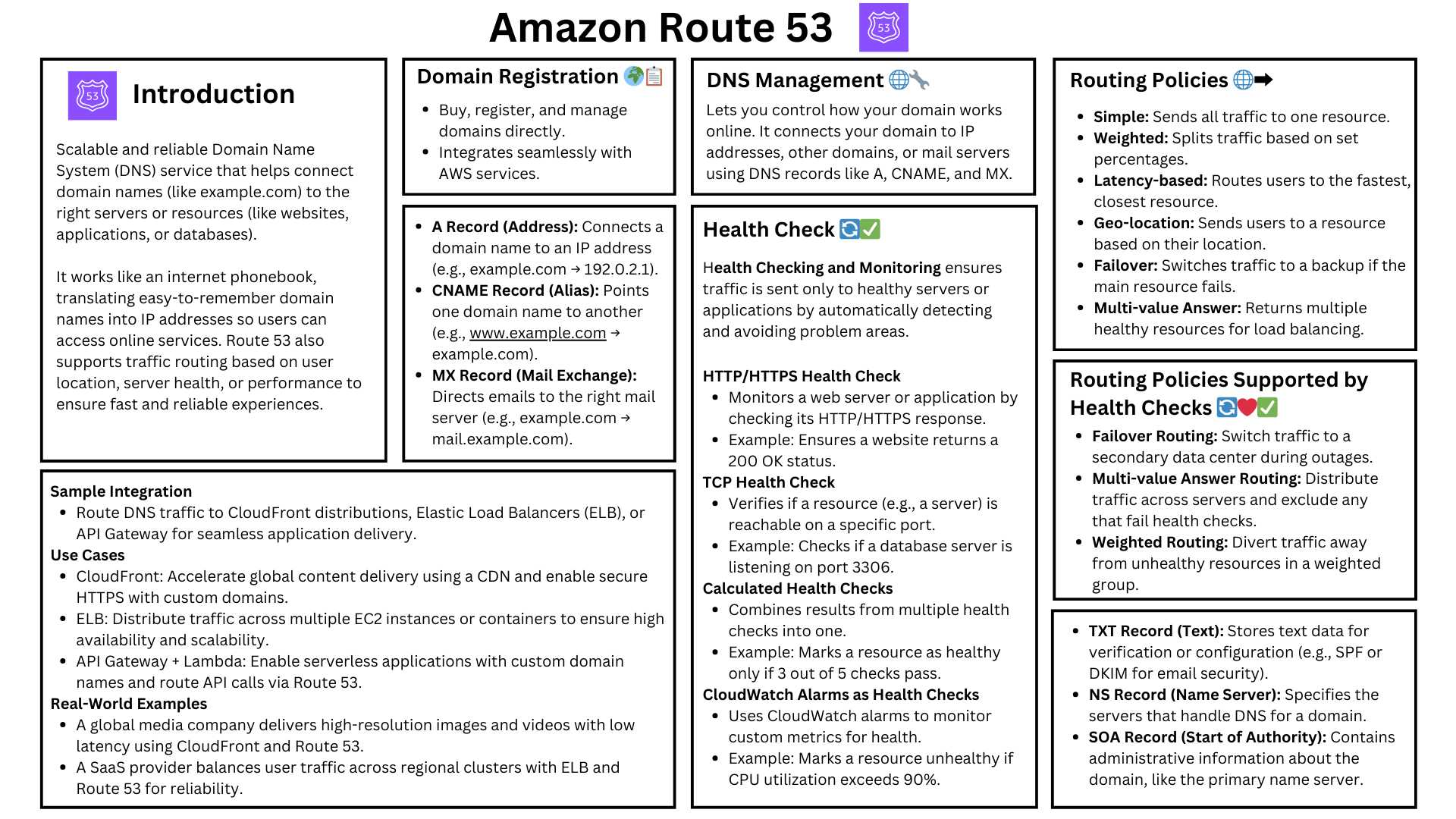
<figure><img src="/files/ng7mWnuu5A5R2WhIUPtl" alt=""><figcaption></figcaption></figure>

## **What is AWS IAM?**

AWS Identity & Access Management (IAM) is the foundation of **secure access control** in AWS. It manages **who** can access AWS resources, **what** they can do, and **how** access is granted.

### **Key IAM Features**

* User authentication & authorization
* Granular access controls with policies
* Role-based access management (RBAC)
* Temporary security credentials for workloads
* Integration with Identity Providers (Okta, Azure AD, etc.)

### **How SecureCart Uses IAM**

SecureCart uses IAM to **control access to AWS services and resources** while following **security best practices** to protect customer data, prevent unauthorized changes, and enable seamless operations.

### Examples

* Developers need to manage deployments but should NOT have full admin access.
* SecureCart’s EC2 instances need to retrieve product images from S3 without storing credentials.
* A Lambda Function Needs to Process Payments Using AWS Secrets Manager
* SecureCart’s CI/CD Pipeline in the `DevOps` Account Needs to Deploy to `Production`
* SecureCart’s security engineers should be able to audit AWS resources but NOT make changes.

| **Scenario**                                      | **IAM Solution**                                      |
| ------------------------------------------------- | ----------------------------------------------------- |
| **Developer Access to AWS Accounts**              | IAM Identity Center (SSO) with Permission Sets        |
| **EC2 Access to S3 for Product Images**           | IAM Role assigned to EC2 instance                     |
| **Lambda Access to Secrets Manager for Payments** | IAM Role with Secrets Manager read access             |
| **CI/CD Deployment Across Accounts**              | Cross-account IAM Role assumption                     |
| **Security Team Read-Only Audits**                | IAM Identity Center Group with `SecurityAudit` policy |

***

## **IAM Users**

* IAM Users represent individuals who need access to AWS.
* Each IAM User has unique credentials (password, access keys, MFA) and can have assigned permissions.

### **How SecureCart Uses IAM Users**

* Only used for break-glass access (not for daily work).
* SecureCart relies on IAM Identity Center (SSO) instead of IAM Users for authentication.
* MFA is required for any IAM User with AWS Management Console access.

***

## **IAM Groups**

* IAM Groups combine multiple IAM Users and assign permissions to them collectively.
* Instead of assigning policies one by one, a group policy applies to all users inside the group.

### **How SecureCart Uses IAM Groups**

* SecureCart avoids IAM Groups in favor of IAM Identity Center (SSO).
* If IAM Groups were needed, SecureCart would create
  * `Billing-ReadOnly` (Finance Team)
  * `Security-Audit` (Security Team)
  * `DevOps-Admin` (Operations Team)

***

## **IAM Policies**

* IAM Policies define permissions for users, groups, or roles.
* They specify who can do what on which resources.

### **Types of IAM Policies**

* AWS-Managed Policies → Predefined by AWS (e.g., `AdministratorAccess`, `ReadOnlyAccess`).
* Customer-Managed Policies → Custom policies SecureCart creates for fine-grained control.
* Inline Policies → Directly attached to users, groups, or roles (not reusable).

### **How SecureCart Uses IAM Policies**

* Least privilege (Only allow necessary actions).
* Deny dangerous actions like deleting databases.
* Use AWS-Managed Policies for standard use cases.

***

## **IAM Roles**

* IAM Roles provide temporary permissions to users, AWS services, or applications.
* Unlike IAM Users, IAM Roles do not have permanent credentials.

### **IAM Role Use Cases**

* Applications running on EC2, Lambda, or ECS that need access to AWS services.
* Cross-account access between different AWS accounts.
* Temporary security credentials for users via AWS STS.

### **How SecureCart Uses IAM Roles**

* SecureCart EC2 instances assume IAM Roles to access S3 securely.
* Developers assume IAM Roles instead of using IAM Users.
* Cross-account roles allow CI/CD to deploy across multiple AWS accounts.

***

## **AWS Security Best Practices for IAM**

* Use IAM Identity Center (SSO) instead of IAM Users
* Require MFA for all human access
* Use IAM Roles instead of long-term IAM credentials
* Follow the principle of least privilege in IAM Policies
* Enable IAM Access Analyzer to detect misconfigurations
* Use AWS CloudTrail to log IAM activity


# AWS Security Token Service (STS)

AWS Security Token Service (STS) provides temporary security credentials to enable short-term access to AWS resources. STS is critical in cross-account access, federated authentication, service-to-service communication, and session-based access control, eliminating the need for long-term credentials.

## **Scenario 1: Cross-Account Access Using AssumeRole**

**Use Case:** An IAM user or AWS service in **Account A** needs to access resources in **Account B**.

### **How STS is Involved**

1. The IAM user or service in **Account A** requests temporary credentials by calling `sts:AssumeRole` for a role in **Account B**.
2. STS validates the **trust policy** on the target IAM role and issues **temporary credentials**.
3. The IAM user or service uses these credentials to access AWS resources in **Account B**.
4. Once the temporary credentials expire, the user must assume the role again.

***

## **Scenario 2: AWS Identity Center (SSO) User Accessing an AWS Account**

**Use Case:** A user logs into AWS via **AWS Identity Center (SSO)** and is granted temporary credentials to access an AWS account.

### **How STS is Involved**

1. The user authenticates via AWS Identity Center, which may be backed by an external Identity Provider (IdP) such as Okta, Active Directory, or Google.
2. Based on configured permission sets, Identity Center determines which IAM roles the user can assume.
3. AWS Identity Center automatically calls STS to assume the role and retrieve temporary credentials.
4. The user gains access to AWS resources using the credentials issued by STS.
5. Once the credentials expire, the user must log in again via Identity Center.

***

## **Scenario 3: Federated Access with an External Identity Provider (IdP)**

**Use Case:** A user authenticates via an **external Identity Provider (IdP)** (e.g., Okta, Azure AD, Google) and receives temporary AWS credentials.

### **How STS is Involved**

1. The user logs into the external IdP, which authenticates their identity.
2. The IdP generates a SAML assertion or OIDC token that the user presents to AWS.
3. The user calls STS `AssumeRoleWithSAML` (for SAML-based IdPs) or STS `AssumeRoleWithWebIdentity` (for OIDC-based IdPs).
4. STS validates the token, ensuring that the user is authorized to assume the requested IAM role.
5. STS issues temporary security credentials, allowing the user to access AWS services.

***

## **Scenario 4: Service-to-Service Access Using AssumeRole**

**Use Case:** An AWS service (e.g., Lambda, EC2, ECS) requires temporary access to another AWS service.

### **How STS is Involved**

1. The service is assigned an IAM role with permissions to access another AWS service.
2. When the service runs, AWS automatically calls STS on its behalf to assume the IAM role.
3. STS generates temporary credentials that allow the service to interact with AWS resources.
4. AWS continuously rotates the temporary credentials without user intervention.

***

## **Scenario 5: MFA-Protected API Access with GetSessionToken**

**Use Case:** An IAM user must use Multi-Factor Authentication (MFA) before performing certain AWS operations.

### **How STS is Involved**

1. The user authenticates using their regular IAM credentials.
2. Before accessing sensitive resources, they must provide an **MFA token**.
3. The user calls **STS `GetSessionToken`**, passing their MFA token.
4. STS validates the MFA token and issues **temporary credentials**.
5. The user uses these credentials for AWS operations.
6. Once the session expires, the user must reauthenticate using MFA.

***

## **Scenario 6: Role Chaining (Assuming Multiple Roles)**

**Use Case:** A user first assumes one IAM role, then assumes another role to gain different permissions.

### **How STS is Involved**

1. The user or service first calls STS `AssumeRole` to get temporary credentials for Role A.
2. While using Role A, they call STS `AssumeRole` again to assume Role B.
3. STS issues new temporary credentials for Role B.
4. The user can continue chaining roles as long as IAM policies allow it.
5. Each assumed role has a separate expiration time, and session durations can be adjusted per IAM policy.

***

## **Summary of STS Involvement**

| Scenario                            | STS API Used                                                |
| ----------------------------------- | ----------------------------------------------------------- |
| **Cross-Account Access**            | `sts:AssumeRole`                                            |
| **AWS Identity Center (SSO) Login** | `sts:AssumeRole` (Implicit)                                 |
| **Federated Access (SAML/OIDC)**    | `sts:AssumeRoleWithSAML` or `sts:AssumeRoleWithWebIdentity` |
| **Service-to-Service Access**       | `sts:AssumeRole` (Automatic)                                |
| **MFA-Protected API Calls**         | `sts:GetSessionToken`                                       |
| **Role Chaining**                   | `sts:AssumeRole` (Multiple Times)                           |

***

## **Key Takeaways**

* STS is a core part of AWS security and plays a role in issuing temporary credentials for access control.
* STS works behind the scenes in AWS Identity Center (SSO), Federated Access, and Service-to-Service authentication.
* IAM roles do not authenticate users—STS is responsible for issuing credentials after authentication.
* Short-lived credentials improve security, reducing the risk associated with long-term IAM credentials.
* Cross-account access, role chaining, and MFA enforcement all rely on STS.


# AWS Organization

AWS Organizations provides centralized management for multiple AWS accounts, enabling policy enforcement, account structure organization, and security best practices across an enterprise.

### **Why SecureCart Uses AWS Organizations & OUs for Multi-Account Security**

* **Centralized management** of multiple AWS accounts.
* **Granular access control** using Service Control Policies (SCPs).
* **Secure authentication & authorization** with IAM Identity Center (AWS SSO).
* **Isolation of workloads** with Organizational Units (OUs).
* &#x20;**Cost and billing optimization** via consolidated billing.

***

## **AWS Organizations and OUs Overview**

### **AWS Organizations**

AWS Organizations is a service that allows SecureCart to

* Manage multiple AWS accounts centrally.
* Define access policies (SCPs) across accounts.
* Use Organizational Units (OUs) to group accounts logically.
* Enable IAM Identity Center (AWS SSO) for federated access across accounts.

***

### **Organizational Units (OUs)**

* OUs help SecureCart organize AWS accounts into hierarchical groups.
* Policies (SCPs) are applied at the OU level to enforce security best practices.

**SecureCart’s AWS Organization Structure**

```
SecureCart Organization
│
├── Security OU
│   ├── securitytooling-account
│   ├── logarchive-account
│
├── Workloads OU
│   ├── prod-account
│   ├── dev-account
│   ├── staging-account
│
├── Infrastructure OU
│   ├── networking-account
│   ├── shared-services-account
│
├── Sandbox OU
│   ├── sandbox-dev-account
```

* **Workloads OU** → Runs SecureCart's production & development environments.
* **Security OU** → Manages security logs, GuardDuty, Security Hub, and auditing.
* **Infrastructure OU** → Handles networking, shared services, and global infrastructure.
* **Sandbox OU** → Used for testing & experimentation with restricted access.


# IAM Identity Center

**AWS IAM Identity Center** is an authentication and authorization service that enables organizations to centrally manage access to AWS accounts, applications, and resources. It serves as a **single sign-on (SSO) solution** that integrates with existing identity providers (IdPs) or supports native user management.

### **Key Features**

* **Centralized Access Management:** Assign user and group permissions to AWS accounts and applications from a single location.
* **SSO for AWS and Third-Party Apps:** Provides seamless authentication for AWS services and supported business applications (e.g., Salesforce, Microsoft 365).
* **Integration with Identity Providers:** Supports external IdPs such as Microsoft Entra ID (formerly Azure AD), Okta, Google Workspace, and Active Directory using SAML 2.0 and OIDC.
* **Fine-Grained Permissions:** Uses IAM policies and permission sets to control access across multiple AWS accounts in AWS Organizations.
* **Multi-Factor Authentication (MFA):** Enhances security with MFA enforcement for user authentication.
* **Audit and Compliance:** Provides AWS CloudTrail logging for access and authentication activities.

### **How SecureCart Uses IAM Identity Center**

* Developers log in once and access multiple AWS accounts.
* IAM Identity Center groups replace IAM Groups.
* Enforces MFA and session timeouts for security.

### &#x20;**Example of IAM Identity Center Group Setup**

| **IAM Identity Center Group** | **AWS Permissions Assigned** |
| ----------------------------- | ---------------------------- |
| SecureCart`Developers`        | AWSCodeDeployFullAccess      |
| `SecureCart-Security`         | SecurityAudit                |
| `SecureCart-Finance`          | Billing                      |

***

#### **How IAM Identity Center Integrates with Directory Services**

AWS **IAM Identity Center** (successor to AWS SSO) allows organizations to **centrally manage access** to AWS accounts and applications using **directory services** integrated through **AWS Directory Service**. This enables users to authenticate with their **Active Directory (AD) credentials** and seamlessly access AWS resources.

***

### **Integration Options:**

IAM Identity Center does **not directly connect to on-premises Active Directory (AD)** but supports **directory integration via AWS Directory Service**. The following options are available:

#### **1. AWS Managed Microsoft AD (Full Active Directory in AWS)**

* A fully managed **Active Directory (AD) service** within AWS.
* IAM Identity Center **natively integrates** with AWS Managed Microsoft AD.
* Allows organizations to use **existing AD users and groups** to assign AWS permissions.
* Ideal for companies **migrating from on-prem AD** or requiring **Group Policy, Kerberos, and LDAP support** in AWS.

#### **2. AD Connector (Proxy to On-Premises Active Directory)**

* **Acts as a bridge** between AWS and an **on-premises Active Directory**.
* Allows users to authenticate with their **on-prem AD credentials** without maintaining separate identities in AWS.
* **IAM Identity Center assigns AWS permissions based on on-prem AD groups**.
* Requires **network connectivity (VPN or AWS Direct Connect)** to communicate with on-prem AD.

***

### **How It Works:**

1. **AWS Directory Service is Set Up**
   * Organizations deploy **AWS Managed Microsoft AD** or **AD Connector** to link AWS with their Active Directory.
2. **IAM Identity Center Integrates with the Directory**
   * IAM Identity Center **synchronizes users and groups** from the **AWS Directory Service instance**.
3. **Administrators Assign Permissions**
   * Admins map **AD groups or users** to **IAM Identity Center permission sets**, which define **AWS account and application access**.
4. **User Authentication**
   * Users log in via the **IAM Identity Center User Portal** using **Active Directory credentials**.
5. **Access AWS Resources**
   * After authentication, users access AWS accounts, applications, and integrated services **without needing separate IAM users or passwords**.

***

## AWS IAM Identity Center (SSO) Integration with IAM

In AWS IAM Identity Center (SSO), IAM Roles are automatically created and mapped to Permission Sets when you assign users or groups to an AWS account.

### **Process Overview**

* Create a Permission Set → Defines permissions using IAM Policies.
* Assign a User/Group to an AWS Account → Assigns the Permission Set to the user/group for the specific account.
* AWS IAM Identity Center Automatically Creates an IAM Role in the Account → The Permission Set maps to an IAM Role in the assigned AWS account.
* User Assumes the IAM Role when Logging into AWS → They get the permissions defined in the Permission Set.

No need for IAM Users or IAM Groups—Identity Center manages user authentication and authorization at scale.


# AWS Policies

AWS uses different types of policies to define and enforce security, access, and governance controls. Understanding these policies helps organizations maintain least privilege access, compliance, and multi-account security.

This guide explores all AWS Policy Types, their use cases, structure, applications, key characteristics, best practices, and common mistakes, using SecureCart as a case study.

***

## **AWS Policy Types Overview**

AWS provides several policy types to control access and enforce security policies. These include

| **Policy Type**                            | **Purpose**                                                             | **What It Applies To**                                 | **Use Case Example**                                                                                                                                            |
| ------------------------------------------ | ----------------------------------------------------------------------- | ------------------------------------------------------ | --------------------------------------------------------------------------------------------------------------------------------------------------------------- |
| **IAM Policies (Identity-Based Policies)** | Defines what actions IAM identities (users, roles, groups) can perform. | IAM Users, IAM Groups, IAM Roles                       | SecureCart’s developers need access to the S3 bucket containing logs but should not have the ability to delete any files.                                       |
| **Resource Policies**                      | Controls access at the AWS resource level (e.g., S3, KMS, SNS).         | AWS Resources (S3, KMS, SNS, Lambda, API Gateway)      | SecureCart ensures that customer order data stored in S3 is only accessible by internal applications and not exposed publicly.                                  |
| **Permission Boundaries**                  | Defines the **maximum** permissions an IAM identity can have.           | IAM Users, IAM Roles                                   | SecureCart enforces a permission boundary to ensure that developers cannot grant themselves admin-level permissions, even if they attempt to create a new role. |
| **Service Control Policies (SCPs)**        | Restricts permissions across all AWS accounts in an Organization.       | AWS Organizations Accounts, Organizational Units (OUs) | SecureCart prevents unauthorized modifications in production accounts by enforcing an SCP that blocks the deletion of security logs across all accounts.        |
| **Session Policies**                       | Temporary policies applied during AWS STS AssumeRole sessions.          | AWS Temporary Sessions (via STS)                       | SecureCart provides short-term access to third-party auditors to review security configurations without granting persistent permissions.                        |
| **Access Control Lists (ACLs)**            | Controls network-based and object-level access.                         | S3 Objects, VPC Network Resources                      | SecureCart allows partner organizations to access specific product images stored in an S3 bucket without using IAM roles.                                       |

***

### **IAM Policies (Identity-Based Policies)**

IAM Policies control who can perform specific actions on AWS services. These policies are assigned to IAM users, groups, and roles to provide the necessary permissions for accessing AWS resources while ensuring security through granular permissions.

### **Key Characteristics**

* Defines permissions for users, groups, and roles.
* Uses JSON-based policy documents.
* Can be managed (AWS provided) or custom (customer-created).

### **Use Case 1: SecureCart Developer Access**

SecureCart developers require read-only access to application logs stored in an S3 bucket. To prevent unauthorized modifications or deletions, an IAM policy is attached to their IAM role, allowing only `s3:GetObject` and `s3:ListBucket` actions.

### **Use Case 2: SecureCart Database Administrator Permissions**

Database administrators in SecureCart require full access to Amazon RDS for database management but should **not** have permissions to modify IAM roles. An IAM policy is used to enforce this restriction.

### **Best Practices**

* Follow the principle of least privilege.
* Regularly audit and update policies.
* Use AWS Managed Policies for common use cases.

### **Common Mistakes:**

* Granting `*` permissions without restrictions.
* Not using IAM roles for temporary access.

***

## **Resource Policies**

Resource Policies define who has access to a particular AWS resource and under what conditions. These policies are attached directly to AWS services like S3, KMS, and Lambda, enabling fine-grained access control.

### **Key Characteristics:**

* Attached directly to AWS resources.
* Controls who can access a resource and under what conditions.
* Supports cross-account access.

### **Key Elements**

* **Effect** → `Allow` or `Deny`.
* **Action** → Specifies AWS API operations (e.g., `s3:ListBucket`).
* **Resource** → Defines which AWS resources the policy applies to.
* **Condition (Optional)** → Adds conditions to the policy (e.g., allow access only from specific IPs).

### **Use Case 1: SecureCart S3 Public Restriction**

To prevent data leakage, SecureCart enforces a **resource policy** on S3 buckets storing customer data. This policy ensures that **only internal applications** can access the data while denying all public access.

### **Use Case 2: Lambda Function Restricted S3 Access**

SecureCart’s serverless functions running on AWS Lambda need access to specific S3 buckets. A resource policy is applied to ensure that **only the Lambda execution role** can access these objects, preventing unintended access from other services or accounts.

### **Best Practices:**

* Use IAM roles where possible instead of broad resource policies.
* Enable S3 Block Public Access.

### **Common Mistakes:**

* Accidentally allowing public access.
* Not restricting cross-account access properly.

***

## **Permission Boundaries**

Permission Boundaries define the **maximum** permissions an IAM identity can be granted. They do not grant permissions themselves but restrict what an IAM user or role can receive through policies.

### **Key Characteristics:**

* Limits the maximum permissions an IAM identity can have.
* Does not grant permissions, only restricts them.
* Helps enforce company-wide security policies.

### **Use Case 1: Restricting Admin Privileges for Developers**

SecureCart enforces a permission boundary ensuring that developers cannot create new IAM users or roles to elevate their own permissions, even if they have broad permissions.

### **Use Case 2: Limiting Junior Engineer IAM Permissions**

To prevent misconfigurations, SecureCart ensures that junior engineers cannot create IAM users with higher privileges than their own assigned role, limiting their scope within the environment.

### **Best Practices:**

* Use permission boundaries to enforce security policies.
* Combine them with IAM policies for stricter access control.

### **Common Mistakes:**

* Assuming permission boundaries grant access.
* Not applying them consistently across roles.

***

## **Service Control Policies (SCPs)**

Service Control Policies (SCPs) are used in AWS Organizations to manage permissions across multiple AWS accounts. SCPs do not grant permissions but define what actions are allowed or denied for IAM users and roles within an organization.

### **Key Characteristics:**

* Used to enforce security and compliance controls.
* Does grant permissions but instead restrict actions that IAM Roles, IAM Users, and AWS Root Users can perform.
* Applies at the AWS Organizations level, meaning they affect all IAM identities (users, roles, and groups) in an account.
* Can be applied to AWS Accounts, Organizational Units (OUs), or the Root Organization.
* Do not override IAM permissions, but they act as guardrails to prevent unauthorized actions.

### **Example 1: Blocking IAM User Creation in Production**

SecureCart applies an SCP to all production accounts that blocks IAM User creation, ensuring that only IAM Roles are used for authentication.

### **Example 2: Restricting AWS Regions for Deployment**

SecureCart applies an SCP to prevent developers from launching resources in **unapproved AWS regions**, ensuring compliance with internal policies.

### **Example 3 Deny Root User Access to All Accounts**

Prevent security risks by ensuring the Root User cannot perform any action. Even if the Root User tries to create IAM Users or change policies, they are blocked

### **Example 4: Prevent Developers from Modifying IAM Policies**

Developers should not modify IAM Roles or Policies, even if they have broad permissions. Developers cannot change IAM permissions, even if an IAM Role grants them access.

### **Example 5: Require All AWS Accounts to Enable Security Services**

Ensure that AWS Security Hub, GuardDuty, and AWS Config remain enabled for compliance. No one can disable security monitoring in SecureCart AWS accounts.

### **Best Practices:**

* Apply SCPs at the Organizational Unit (OU) level.
* Use SCPs for governance, not for granular access control.

### **Common Mistakes:**

* Creating overly restrictive SCPs that block required services.
* Not structuring SCPs correctly.

***

## **Session Policies**

Session Policies provide temporary permissions for IAM users or roles when using AWS STS (e.g., AssumeRole). These policies help enforce least privilege and time-bound access.

### **Key Characteristics**

* Applied dynamically when a session is created.
* Does not persist beyond the session duration.
* Used for fine-grained access control during temporary access.

### **Use Case 1: SecureCart Vendor Temporary Access**

SecureCart allows **third-party auditors to temporarily review compliance logs** without granting long-term permissions. A session policy is applied to their AWS STS credentials to restrict access duration and scope.

### **Use Case 2: Temporary Elevated Permissions for Deployments**

SecureCart developers require **temporary elevated access** to manage critical application deployments. A session policy is enforced to grant access for a limited time, reducing security risks.

### **Best Practices:**

* Use AWS STS for temporary access.
* Apply least privilege to session policies.

### **Common Mistakes:**

* Assigning broad permissions to session policies.
* Not defining session duration limits appropriately.

***

## **Access Control Lists (ACLs)**

ACLs manage network-based and object-level permissions, primarily used for S3 objects and VPC traffic control. They provide a basic way to allow or deny access at the resource level.

### **Key Characteristics:**

* Controls inbound and outbound traffic at the subnet level.
* Defines permissions for individual S3 objects.
* Does not support granular IAM role-based access.

### **Use Case 1: SecureCart External Partner Access**

SecureCart enables **limited access for external partners** to certain product images stored in an S3 bucket. Instead of creating IAM Roles, SecureCart uses **S3 ACLs** to grant read access to specific AWS accounts.

### **Use Case 2: SecureCart Network ACL Restrictions**

To secure its VPC, SecureCart enforces **strict network ACLs** allowing only specific IP ranges to access application subnets, reducing the risk of unauthorized access.

### **Best Practices**

* Use IAM and Resource Policies instead of ACLs when possible.
* Keep ACL rules simple and specific.

### **Common Mistakes**

* Overcomplicating ACL rules leading to unintended access.
* Using ACLs instead of more scalable IAM Policies.

***

###

AWS uses different types of policies to define and enforce security, access, and governance controls. Understanding these policies helps organizations maintain **least privilege access, compliance, and multi-account security.**

This guide explores all **AWS Policy Types**, their **use cases, structure, and best practices**, using SecureCart as a case study.

## Key AWS Policy Types

AWS provides several policy types to **control access and enforce security policies**. These include:

| **Policy Type**                            | **Purpose**                                                             | **What It Applies To**                                 | **Use Case Example**                                                                                                                                                                                                                                                                      |
| ------------------------------------------ | ----------------------------------------------------------------------- | ------------------------------------------------------ | ----------------------------------------------------------------------------------------------------------------------------------------------------------------------------------------------------------------------------------------------------------------------------------------- |
| **IAM Policies (Identity-Based Policies)** | Defines what actions IAM identities (users, roles, groups) can perform. | IAM Users, IAM Groups, IAM Roles                       | SecureCart’s developers need access to the S3 bucket containing logs but should not have the ability to delete any files. SecureCart’s database administrators should have full access to RDS but no ability to manage IAM roles.                                                         |
| **Resource Policies**                      | Controls access at the AWS resource level (e.g., S3, KMS, SNS).         | AWS Resources (S3, KMS, SNS, Lambda, API Gateway)      | SecureCart ensures that customer order data stored in S3 is **only accessible by internal applications** and **not exposed publicly**. SecureCart’s Lambda functions require access to specific S3 buckets while restricting access from external accounts.                               |
| **Permission Boundaries**                  | Defines the **maximum** permissions an IAM identity can have.           | IAM Users, IAM Roles                                   | SecureCart enforces a permission boundary to ensure that **developers cannot grant themselves admin-level permissions**, even if they attempt to create a new role. SecureCart ensures that junior engineers cannot create IAM users with higher privileges than their own assigned role. |
| **Service Control Policies (SCPs)**        | Restricts permissions across all AWS accounts in an Organization.       | AWS Organizations Accounts, Organizational Units (OUs) | SecureCart prevents unauthorized modifications in **production accounts** by enforcing an SCP that **blocks the deletion of security logs** across all accounts. SecureCart applies an SCP to prevent unapproved regions from being used in development and production environments.      |
| **Session Policies**                       | Temporary policies applied during AWS STS AssumeRole sessions.          | AWS Temporary Sessions (via STS)                       | SecureCart provides **short-term access** to third-party auditors to review security configurations **without granting persistent permissions**. SecureCart developers need **temporary elevated access** to specific services during deployments, with automatic expiration.             |
| **Access Control Lists (ACLs)**            | Controls network-based and object-level access.                         | S3 Objects, VPC Network Resources                      | SecureCart allows **partner organizations to access specific product images** stored in an S3 bucket **without using IAM roles**. SecureCart enforces strict **network ACLs** to allow only specific IP ranges to access VPC subnets.                                                     |

| **Policy Type**                            | **Purpose**                                                            | **Where It Is Applied**                                                           | **Example**                                                                         |
| ------------------------------------------ | ---------------------------------------------------------------------- | --------------------------------------------------------------------------------- | ----------------------------------------------------------------------------------- |
| **IAM Policies (Identity-Based Policies)** | Grants permissions to IAM users, groups, or roles.                     | Attached to IAM Users, Groups, or Roles.                                          | SecureCart's EC2 instance role allows access to S3.                                 |
| **Resource Policies**                      | Controls who can access a specific AWS resource.                       | Attached directly to an AWS resource (e.g., S3 bucket, Lambda function, KMS key). | SecureCart allows only specific accounts to access an S3 bucket.                    |
| **Permission Boundaries**                  | Defines the maximum permissions an IAM User or Role can have.          | Applied to IAM Roles and IAM Users.                                               | SecureCart developers can only create resources within a defined boundary.          |
| **Service Control Policies (SCPs)**        | Restricts permissions across multiple AWS accounts in an Organization. | Applied at the AWS Organizations level.                                           | SecureCart prevents root users from disabling CloudTrail.                           |
| **Session Policies**                       | Temporary policies applied during an AWS session.                      | Used in STS AssumeRole calls.                                                     | SecureCart applies fine-grained permissions to temporary session tokens.            |
| **Access Control Lists (ACLs)**            | Grants permissions at the object level in S3 or networking resources.  | Applied at the S3 bucket object level and VPC networking (NACLs).                 | SecureCart allows a specific AWS account to access certain objects in an S3 bucket. |

***

##

IAM and Resource Policies are the core of access control in AWS. They define who can access AWS resources, what actions they can perform, and under what conditions.

**Managing IAM Policies and Resource Policies ensures**

* **Least Privilege Access** – Users and applications only get the permissions they need.
* **Security Compliance** – Prevents unauthorized access to sensitive AWS resources.
* **Multi-Account Security** – Controls access across AWS Organizations and accounts.
* **Granular Access Control** – IAM Policies define permissions at the identity level, while Resource Policies secure specific resources.

***

***

##

**Key Elements Explained:**

* **Effect** → `Allow` or `Deny`.
* **Action** → Specifies AWS API operations (e.g., `s3:ListBucket`).
* **Resource** → Defines which AWS resources the policy applies to.
* **Condition (Optional)** → Adds conditions to the policy (e.g., allow access only from specific IPs).

***

**Best Practices for IAM Policies**

* Use IAM Roles instead of IAM Users for permissions.
* Follow least privilege by granting only necessary permissions.
* Use AWS Managed Policies when possible.
* Enable IAM Access Analyzer to detect overly permissive policies.

***

## **Section 5: Common IAM Policy Mistakes & Fixes**

| **Common Mistake**                               | **Best Practice**                                                                      |
| ------------------------------------------------ | -------------------------------------------------------------------------------------- |
| ❌ Using `*` in `Action` & `Resource`             | ✅ Follow **least privilege** principle by specifying only necessary actions/resources. |
| ❌ Assigning policies to IAM Users directly       | ✅ Use **IAM Roles instead** for better security.                                       |
| ❌ Not enforcing encryption in resource policies  | ✅ Enforce **KMS encryption** on S3, DynamoDB, and EBS volumes.                         |
| ❌ Using overly permissive wildcard (`*`) in SCPs | ✅ Define **specific restrictions** in SCPs instead of broad denies.                    |

***

## **📌 Hands-On Lab: Implement IAM & Resource Policies for SecureCart**

🎯 **Goal:**\
✅ **Create an IAM Role with an IAM Policy to allow access to S3.**\
✅ **Attach a Resource Policy to an S3 bucket to restrict access.**\
✅ **Use SCPs to enforce security controls across AWS Organizations.**

***

## **📌 Summary**

| **Concept**                 | **AWS Service**           | **Best Practice**                                  |
| --------------------------- | ------------------------- | -------------------------------------------------- |
| **Identity-Based Policies** | AWS IAM Policies          | Assign policies to IAM Roles instead of IAM Users. |
| **Resource-Based Policies** | S3, KMS, Lambda Policies  | Restrict access directly at the resource level.    |
| **Permission Boundaries**   | IAM Permission Boundaries | Control max permissions for IAM Users/Roles.       |
| **SCPs**                    | AWS Organizations         | Restrict actions across all accounts.              |

✅ **Following these best practices ensures that SecureCart applications remain secure and compliant.**

***

SecureCart Use Case: Managing IAM Policies and Resource Policies

**Business Context**

SecureCart is an **e-commerce platform** that processes customer orders, manages inventory, and handles sensitive payment information. To protect its infrastructure, SecureCart must implement strict **identity and access controls** using **IAM Policies and Resource Policies** while ensuring compliance with security best practices.

### **📌 Security Challenges for SecureCart**

🔹 **Protect customer data and prevent unauthorized access** to AWS resources.\
🔹 **Ensure developers and services have only the required permissions** (least privilege).\
🔹 **Prevent accidental exposure of AWS resources** (e.g., public S3 buckets, excessive IAM permissions).\
🔹 **Restrict access to production environments** while allowing flexibility in development and testing.\
🔹 **Ensure compliance with internal security policies and industry regulations**.

***

### **📌 How SecureCart Uses IAM Policies & Resource Policies**

| **Requirement**                                                 | **Solution**                         | **SecureCart Implementation**                                                                           |
| --------------------------------------------------------------- | ------------------------------------ | ------------------------------------------------------------------------------------------------------- |
| **Limit developer access to specific resources**                | IAM Policies (Identity-Based)        | Developers have an **IAM Role** with restricted S3 access (no delete permissions).                      |
| **Prevent unauthorized API calls to AWS services**              | IAM Role Policies                    | Lambda functions are assigned an **IAM Role with least privilege** instead of using static credentials. |
| **Secure access to production vs. dev environments**            | IAM Policies + Permission Boundaries | SecureCart applies **IAM Policies restricting access to production accounts**.                          |
| **Prevent S3 buckets from being publicly accessible**           | S3 Bucket Resource Policy            | A **Resource Policy denies all public access** unless explicitly granted.                               |
| **Ensure only SecureCart’s AWS accounts access sensitive data** | S3 and KMS Resource Policies         | SecureCart’s **S3 and KMS keys only allow access from whitelisted accounts**.                           |
| **Restrict what AWS services teams can use**                    | Service Control Policies (SCPs)      | SCPs **prevent non-compliant actions**, such as launching unapproved instance types.                    |

***

### **📌 IAM Policy Use Case: Least Privilege for Developers**

SecureCart wants to ensure that **developers can access logs but cannot delete them**.

✅ **IAM Role Policy for Developers (Allows Read-Only Access to Logs, No Deletion)**

```json
jsonCopyEdit{
  "Version": "2012-10-17",
  "Statement": [
    {
      "Effect": "Allow",
      "Action": [
        "s3:GetObject",
        "s3:ListBucket"
      ],
      "Resource": [
        "arn:aws:s3:::securecart-logs",
        "arn:aws:s3:::securecart-logs/*"
      ]
    },
    {
      "Effect": "Deny",
      "Action": "s3:DeleteObject",
      "Resource": "arn:aws:s3:::securecart-logs/*"
    }
  ]
}
```

📌 **Impact:** Developers can **view and retrieve logs**, but they **cannot delete logs**, preventing accidental loss of critical data.

***

### **📌 Resource Policy Use Case: Restricting S3 Bucket Access**

SecureCart stores **customer invoices** in an **S3 bucket** and needs to prevent unauthorized external access.

✅ **S3 Bucket Policy to Block Public Access & Require IAM Authentication**

```json
jsonCopyEdit{
  "Version": "2012-10-17",
  "Statement": [
    {
      "Effect": "Deny",
      "Principal": "*",
      "Action": "s3:*",
      "Resource": [
        "arn:aws:s3:::securecart-invoices",
        "arn:aws:s3:::securecart-invoices/*"
      ],
      "Condition": {
        "Bool": {
          "aws:SecureTransport": "false"
        }
      }
    }
  ]
}
```

📌 **Impact:**\
✅ **Blocks all unauthenticated users** from accessing the bucket.\
✅ **Forces the use of HTTPS** for secure data transmission.

***

### **📌 SCP Use Case: Preventing IAM User Creation in Production**

SecureCart wants to **enforce a rule that prevents IAM Users from being created** in the production environment.

✅ **SCP Applied at AWS Organization Level (Denies IAM User Creation in Production Accounts)**

```json
jsonCopyEdit{
  "Version": "2012-10-17",
  "Statement": [
    {
      "Effect": "Deny",
      "Action": "iam:CreateUser",
      "Resource": "*",
      "Condition": {
        "StringEquals": {
          "aws:PrincipalArn": "arn:aws:iam::*:root"
        }
      }
    }
  ]
}
```

📌 **Impact:**\
✅ Prevents SecureCart’s AWS accounts from allowing **IAM Users**, enforcing best practices of **using IAM Roles instead**.

***

### **📌 Key Takeaways for SecureCart**

🔹 **IAM Policies control what actions users and roles can perform.**\
🔹 **Resource Policies restrict who can access specific AWS resources.**\
🔹 **SCPs enforce security policies across SecureCart’s AWS Organizations.**\
🔹 **SecureCart applies least privilege principles to minimize security risks**


# Federated Access

AWS enables federated authentication, allowing organizations to manage user access to AWS accounts and applications without maintaining credentials within AWS. Instead of creating and managing AWS-native identities, users authenticate through an external Identity Provider (IdP) such as Microsoft Entra ID (Azure AD), Okta, Google Workspace, or an on-premises Active Directory.

AWS provides **two primary methods** for integrating federated authentication:

* **IAM Identity Center (AWS SSO)** – A centralized authentication and access management service that integrates with external IdPs via SAML 2.0 or OIDC, enabling single sign-on (SSO) across multiple AWS accounts and applications.
* **IAM Role-Based Federation** – A traditional approach where users authenticate through an IdP, and AWS grants access based on IAM roles, using SAML assertions or OIDC tokens.

Both methods allow organizations to extend existing identity management solutions to AWS while ensuring secure, centralized, and scalable access control. The choice between IAM Identity Center and IAM Role-Based Federation depends on the organization’s need for multi-account access, authentication preferences, and security requirements.

***

## **Why Use Federated Access**

* Eliminates the need to create IAM users in AWS.
* Allows users to authenticate with corporate identity providers (IdPs) such as Azure AD, Okta, Google Workspace, and Ping Identity.
* Provides Single Sign-On (SSO) to multiple AWS accounts and services.
* Supports Multi-Factor Authentication (MFA) enforcement.

***

## **Federated Access via IAM Identity Center (Recommended)**

IAM Identity Center (formerly AWS SSO) simplifies federated access for AWS multi-account environments.

### Setup for IAM Identity Center Federated Authentication

1. **Enable IAM Identity Center:** Begin by turning on IAM Identity Center in the AWS Management Console. During setup, choose the identity source—either the default AWS directory (for manually managed users) or an external Identity Provider (IdP) such as Azure AD, Okta, or Google Workspace.
2. **Configure IdP Federation:** In your external IdP, set up SAML 2.0 or OIDC authentication to establish trust with AWS. Obtain the IAM Identity Center metadata file from AWS and upload it to the IdP. Define group claims in the IdP to send user group membership data during authentication.
3. **Set Up SCIM for Automatic User and Group Provisioning (Optional):** To automate user and group synchronization, enable SCIM provisioning in IAM Identity Center. Copy the SCIM endpoint URL and bearer token, then configure the IdP to automatically provision and update users and groups in IAM Identity Center.
4. **Create IAM Identity Center Groups:** IAM Identity Center does not pull groups from the IdP dynamically at login. Instead, groups must be manually created or synchronized via SCIM. These groups will be used to assign permissions within AWS.
5. **Create Permission Sets:** Define AWS access levels by creating Permission Sets in IAM Identity Center. These permission sets are similar to IAM policies and specify what actions users can perform in AWS.
6. **Assign Groups to AWS Accounts:** Map IAM Identity Center groups (not IdP groups) to AWS accounts. Assign the appropriate Permission Set to each group, granting users access to AWS resources based on their assigned group.

### Federated Authentication

1. User authenticates via an external Identity Provider (IdP) (e.g., Azure AD, Okta, Google Workspace) using SAML 2.0 or OIDC.
2. The IdP verifies the user’s identity and sends authentication information (a SAML assertion or OIDC token) to IAM Identity Center.
3. IAM Identity Center does NOT directly validate the authentication token. Instead:
   1. For SAML federation, the IdP sends the SAML assertion to IAM Identity Center.
   2. For OIDC federation, IAM Identity Center redirects users to the IdP’s authorization endpoint.
4. IAM Identity Center accepts the authentication response from the IdP and maps the user to an assigned permission set based on the user’s group or role mappings configured within IAM Identity Center.
5. IAM Identity Center grants access to AWS accounts and applications based on the permission set assigned.

***

## **IAM Identity Center vs. IAM Role-Based Federation**

| Feature                  | Federated Access via IAM Identity Center   | **Federated Access via IAM Roles**               |
| ------------------------ | ------------------------------------------ | ------------------------------------------------ |
| **Management**           | Centralized via IAM Identity Center        | Requires setting up IAM roles manually           |
| **Authentication**       | Supports SAML 2.0 & OIDC via external IdPs | Supports SAML 2.0 & OIDC via IAM roles           |
| **User Management**      | No IAM users needed, uses permission sets  | Users assume IAM roles based on federation trust |
| **Multi-Account Access** | Yes (AWS Organizations)                    | No (Single account or manual setup required)     |
| **MFA Enforcement**      | Yes                                        | No (Handled by IdP)                              |
| **Best For**             | AWS Organizations & centralized SSO        | Single account setups & custom federation        |


# Directory Service

AWS Directory Service allows organizations to use Microsoft Active Directory (AD) or AD-compatible services to manage authentication and authorization for AWS resources. It supports integration with on-premises AD, enabling seamless identity management across AWS and existing enterprise environments.

AWS provides **three main directory service options**, each suited for different use cases:

* **AWS Managed Microsoft AD** – A fully managed, scalable Microsoft Active Directory in AWS.
* **AD Connector** – A proxy that connects AWS to an existing on-premises Active Directory for authentication.
* **Simple AD** – A lightweight, AD-compatible directory based on Samba (not recommended for production).

***

### **AWS Managed Microsoft AD**

AWS Managed Microsoft AD is a **fully managed** Active Directory (AD) hosted within AWS. It supports **native AD features**, including **Group Policy, Kerberos authentication, and LDAP**.

### **Key Features**

* **Fully Managed** – AWS handles patching, backups, and availability.
* **Supports Group Policy & Kerberos** – Functions like a traditional on-prem AD.
* **Highly Available** – Runs across multiple **AWS Availability Zones (AZs)**.
* **Works with AWS Applications** – Supports **Amazon FSx for Windows, Amazon RDS for SQL Server, and AWS IAM Identity Center**.

### **Use Cases**

* Organizations that want **a standalone, cloud-based AD**.
* Businesses migrating **Windows-based workloads** to AWS.
* Companies needing **Active Directory-dependent applications** (e.g., FSx for Windows, SQL Server).

### **Best Practice**

Deploy AWS Managed Microsoft AD **across multiple AZs** for high availability and reliability.

***

## **AD Connector**

AD Connector is **a directory proxy** that enables AWS resources to authenticate **against an existing on-premises Active Directory** without syncing user accounts to AWS.

### **Key Features**

* Acts as a bridge between AWS and on-prem AD (no need to migrate users).
* Users authenticate with their existing AD credentials.
* Allows AWS applications (e.g., Amazon WorkSpaces, AWS IAM Identity Center) to use on-prem AD authentication.
* Supports MFA via on-prem AD.

### **Use Cases**

* Businesses that already have an Active Directory and want AWS authentication without migrating users.
* Organizations that need to extend on-prem AD authentication to AWS services.
* Companies that require AWS IAM Identity Center to use on-prem AD.

### **Best Practice**

Deploy **two AD Connectors** in **different AWS Availability Zones** for **high availability**.

***

## **Simple AD (Not Recommended for Production)**

Simple AD is an **AWS-hosted, lightweight directory service** based on **Samba** (an open-source implementation of Active Directory).

### **Key Features**

* Provides basic AD features, including user authentication and group management.
* LDAP-compatible – Can integrate with applications that use LDAP.
* Cheaper than AWS Managed Microsoft AD.

### **Limitations**

* Does NOT support full Active Directory functionality (e.g., Group Policy, Kerberos).
* Not recommended for production – Limited scalability and feature set.
* Cannot be used for AWS IAM Identity Center integration.

### **Use Cases**

* Small-scale workloads that require basic directory services.
* Non-production environments needing simple LDAP authentication.

### **Best Practice**

* Use **AWS Managed Microsoft AD** or **AD Connector** instead of Simple AD for enterprise workloads.

***

### **Directory Services Comparison Chart**

| **Feature**                          | AWS Managed Microsoft AD              | **AD Connector**                      | **Simple AD**                            |
| ------------------------------------ | ------------------------------------- | ------------------------------------- | ---------------------------------------- |
| **Deployment**                       | Fully managed AD in AWS               | Proxy to on-prem AD                   | Lightweight LDAP directory               |
| **Authentication**                   | Supports Kerberos, Group Policy, LDAP | Uses on-prem AD for authentication    | Basic LDAP authentication                |
| **User Sync Required?**              | No (users exist in AWS AD)            | No (uses on-prem AD)                  | Yes (users must be created in Simple AD) |
| **AWS IAM Identity Center Support?** | Yes                                   | Yes                                   | No                                       |
| **Best For**                         | Organizations needing cloud-based AD  | Companies extending on-prem AD to AWS | Small-scale, non-production environments |
| **MFA Support**                      | Yes (via AD policies)                 | Yes (via on-prem AD)                  | No                                       |

***

## **Integrating AWS Directory Service with IAM Identity Center**

1. IAM Identity Center integrates with AWS Managed Microsoft AD.
2. User authentication is handled by AWS Managed AD or on-prem AD (via AD Connector).
3. IAM Identity Center maps AD groups to AWS Permission Sets, allowing users to access AWS accounts.

**Best Practice:** Use AWS Managed Microsoft AD if you need a full cloud-based AD. Use AD Connector if you have an existing on-prem AD.

***

## **Exam Tips for Directory Services**

* AWS Managed Microsoft AD is a fully managed Active Directory in AWS.
* AD Connector acts as a proxy to on-prem AD, enabling AWS authentication without migrating users.
* Simple AD is a lightweight LDAP directory but is NOT recommended for production.
* AWS IAM Identity Center integrates with AWS Managed Microsoft AD and AD Connector.
* Deploy AD Connector in multiple AZs for high availability.
* AWS Managed Microsoft AD supports Kerberos, LDAP, and Group Policy.


# Managing Access Across Multiple Accounts

Cross Account Roles

Organizations

Managing access across multiple AWS accounts is essential for **security, scalability, and governance**. SecureCart follows AWS best practices by using **AWS Organizations, IAM Identity Center (SSO), and IAM roles** to enforce **secure and centralized access management**.

✔ **Why SecureCart Needs Multi-Account Access Management?**

* **Ensures security and compliance across environments (Dev, Staging, Production).**
* **Reduces administrative overhead by using centralized identity management.**
* **Enforces least privilege access while allowing cross-account collaboration.**
* **Provides a scalable way to grant and revoke permissions across accounts.**

***

### **🔹 Step 1: Structuring AWS Accounts for SecureCart**

✔ **SecureCart organizes accounts using AWS Organizations to simplify governance and access control.**

| **AWS Account Type**           | **Purpose**                                                     | **SecureCart Implementation**                                                    |
| ------------------------------ | --------------------------------------------------------------- | -------------------------------------------------------------------------------- |
| **Management Account**         | Controls governance, security, and billing across all accounts. | **SecureCart restricts access to security and finance teams only.**              |
| **Workload Accounts**          | Separate Dev, Staging, and Production environments.             | **SecureCart assigns different permissions to developers and operations teams.** |
| **Security & Logging Account** | Stores security logs and audit trails.                          | **SecureCart ensures logs cannot be deleted or modified by workload accounts.**  |

✅ **Best Practices:**\
✔ **Use AWS Organizations to manage multiple accounts efficiently.**\
✔ **Apply Service Control Policies (SCPs) to enforce security guardrails.**\
✔ **Use a dedicated security account for centralized logging and auditing.**\
✔ **Restrict access to the management account to security and finance teams only.**

***

### **🔹 Step 2: Centralized Authentication with IAM Identity Center (SSO)**

✔ **SecureCart uses IAM Identity Center for centralized identity and authentication management.**

| **IAM Identity Center Feature**                          | **Purpose**                                             | **SecureCart Implementation**                                                               |
| -------------------------------------------------------- | ------------------------------------------------------- | ------------------------------------------------------------------------------------------- |
| **Centralized User Management**                          | Eliminates the need for IAM Users in multiple accounts. | **SecureCart integrates IAM Identity Center with Okta for federated access.**               |
| **Permission Sets for Role-Based Access Control (RBAC)** | Defines permissions at the account level.               | **SecureCart assigns separate permission sets for Developers, Admins, and Security teams.** |
| **Multi-Factor Authentication (MFA)**                    | Enforces strong authentication across accounts.         | **SecureCart enables MFA for all privileged access.**                                       |

✅ **Best Practices:**\
✔ **Use IAM Identity Center for user authentication instead of IAM Users.**\
✔ **Assign permissions using IAM roles and permission sets instead of direct policies.**\
✔ **Enforce MFA for all privileged users accessing AWS accounts.**\
✔ **Use federated access with Okta or Azure AD for single sign-on.**

***

### **🔹 Step 3: Implementing IAM Roles for Cross-Account Access**

✔ **SecureCart grants cross-account access using IAM roles instead of IAM users.**

| **Cross-Account Access Strategy**            | **Purpose**                                     | **SecureCart Implementation**                                                                |
| -------------------------------------------- | ----------------------------------------------- | -------------------------------------------------------------------------------------------- |
| **Use IAM Roles Instead of IAM Users**       | Grants temporary, least-privilege access.       | **SecureCart developers assume roles instead of using static credentials.**                  |
| **Define Trust Policies for Secure Access**  | Ensures only authorized users can assume roles. | **SecureCart uses trust relationships to allow DevOps teams access to production accounts.** |
| **Limit Role Permissions with IAM Policies** | Prevents privilege escalation.                  | **SecureCart restricts permissions using IAM permission boundaries.**                        |

✅ **Best Practices:**\
✔ **Use IAM roles instead of creating IAM users for cross-account access.**\
✔ **Define trust policies to restrict which accounts can assume roles.**\
✔ **Apply permission boundaries to limit maximum role permissions.**\
✔ **Monitor role usage with AWS CloudTrail and IAM Access Analyzer.**

***

### **🔹 Step 4: Enforcing Governance with Service Control Policies (SCPs)**

✔ **SecureCart uses SCPs to enforce security and compliance across all accounts.**

| **SCP Rule**                             | **Purpose**                                                | **SecureCart Implementation**                                                  |
| ---------------------------------------- | ---------------------------------------------------------- | ------------------------------------------------------------------------------ |
| **Prevent IAM User Creation**            | Ensures all access is managed via IAM Identity Center.     | **SecureCart applies an SCP to block IAM user creation in workload accounts.** |
| **Restrict Deletion of CloudTrail Logs** | Prevents security logs from being tampered with.           | **SecureCart enforces an SCP that denies CloudTrail deletion.**                |
| **Block Unapproved AWS Regions**         | Ensures resources are only deployed in approved locations. | \*\*SecureCart limits deployments to **North America and Europe**.             |

✅ **Best Practices:**\
✔ **Apply SCPs at the Organizational Unit (OU) level for consistent policy enforcement.**\
✔ **Use SCPs to restrict critical actions like disabling CloudTrail or IAM changes.**\
✔ **Regularly review and update SCPs to align with security and compliance requirements.**\
✔ **Ensure SCPs do not override necessary permissions for legitimate workflows.**

***

### **🔹 Step 5: Monitoring & Auditing Multi-Account Access**

✔ **SecureCart ensures security by continuously monitoring access across accounts.**

| **AWS Monitoring Tool**     | **Purpose**                                                     | **SecureCart Implementation**                                               |
| --------------------------- | --------------------------------------------------------------- | --------------------------------------------------------------------------- |
| **AWS IAM Access Analyzer** | Detects unintended public access and cross-account permissions. | **SecureCart scans all IAM policies for overly permissive configurations.** |
| **AWS CloudTrail**          | Logs all IAM role assumptions and API calls.                    | **SecureCart monitors IAM role usage across all accounts.**                 |
| **AWS Config**              | Ensures compliance with security best practices.                | **SecureCart flags non-compliant IAM role assignments.**                    |
| **AWS Security Hub**        | Aggregates security findings across multiple accounts.          | **SecureCart enables centralized security monitoring.**                     |

✅ **Best Practices:**\
✔ **Use IAM Access Analyzer to detect unintended public and cross-account access.**\
✔ **Monitor CloudTrail logs to track IAM role assumptions and API calls.**\
✔ **Enable AWS Config to ensure IAM roles follow best practices.**\
✔ **Use AWS Security Hub to centralize security monitoring across accounts.**

***

### **🚀 Summary**

✔ **Use AWS Organizations to manage multiple AWS accounts efficiently.**\
✔ **Centralize authentication with IAM Identity Center instead of creating IAM users.**\
✔ **Use IAM roles for cross-account access instead of IAM users.**\
✔ **Apply Service Control Policies (SCPs) to enforce security guardrails.**\
✔ **Monitor multi-account access using IAM Access Analyzer, CloudTrail, and AWS Config.**


# Authorization Models in IAM

Role based

Attributed based&#x20;

AWS Identity and Access Management (IAM) supports different **authorization models** to control how users and services access AWS resources. SecureCart follows AWS best practices by implementing **role-based access control (RBAC), attribute-based access control (ABAC), and permission boundaries** to enforce **least privilege access** across multiple accounts.

✔ **Why SecureCart Needs IAM Authorization Models?**

* **Ensures fine-grained access control across AWS environments.**
* **Implements scalable access management using roles and policies.**
* **Prevents privilege escalation and enforces security compliance.**
* **Simplifies permissions management across multiple AWS accounts.**

***

### **🔹 Step 1: Understanding IAM Authorization Models**

✔ **AWS provides multiple authorization models for managing access control. SecureCart selects the right model based on security and scalability needs.**

| **Authorization Model**                   | **Purpose**                                                                      | **Key AWS Components**                               | **SecureCart Implementation**                                                                                |
| ----------------------------------------- | -------------------------------------------------------------------------------- | ---------------------------------------------------- | ------------------------------------------------------------------------------------------------------------ |
| **Role-Based Access Control (RBAC)**      | Grants access based on job roles and responsibilities.                           | IAM Roles, IAM Groups, IAM Policies                  | **SecureCart assigns IAM roles to Developers, Admins, and Security teams with predefined permission sets.**  |
| **Attribute-Based Access Control (ABAC)** | Grants access based on user attributes (e.g., department, project, environment). | IAM Policies with Tags, IAM Roles, AWS Organizations | **SecureCart tags IAM roles with attributes like `environment=prod` to restrict access dynamically.**        |
| **Permission Boundaries**                 | Defines the maximum permissions an IAM identity can have.                        | IAM Policies, IAM Roles                              | **SecureCart enforces permission boundaries to ensure developers cannot grant themselves admin privileges.** |
| **Service Control Policies (SCPs)**       | Restricts permissions across AWS accounts in an organization.                    | AWS Organizations, SCPs                              | **SecureCart applies SCPs to prevent root user access and restrict actions in production accounts.**         |

✅ **Best Practices:**\
✔ **Use RBAC for standard role-based permissions (e.g., Developer, Security Analyst).**\
✔ **Leverage ABAC to dynamically assign permissions based on user attributes.**\
✔ **Apply permission boundaries to prevent excessive privilege assignments.**\
✔ **Use SCPs in AWS Organizations to enforce security policies across accounts.**

***

### **🔹 Step 2: Implementing Role-Based Access Control (RBAC) in SecureCart**

✔ **SecureCart grants access based on job roles using IAM roles and permission sets.**

| **Role**             | **Permissions**                                   | **SecureCart Implementation**                                                                             |
| -------------------- | ------------------------------------------------- | --------------------------------------------------------------------------------------------------------- |
| **Developer**        | Read/write access to non-production environments. | **SecureCart developers assume an IAM role with `ReadOnlyAccess` to Production and `FullAccess` to Dev.** |
| **Security Analyst** | Full access to AWS security services.             | **SecureCart security teams have IAM roles with full access to AWS Security Hub, GuardDuty, and IAM.**    |
| **Admin**            | Full access to all AWS services.                  | **SecureCart’s Cloud Administrators have elevated privileges through IAM roles.**                         |

✅ **Best Practices:**\
✔ **Use IAM roles instead of IAM users to grant permissions.**\
✔ **Apply least privilege by assigning only necessary permissions.**\
✔ **Use permission sets in IAM Identity Center for cross-account RBAC.**\
✔ **Monitor IAM role usage using AWS CloudTrail.**

***

### **🔹 Step 3: Implementing Attribute-Based Access Control (ABAC) in SecureCart**

✔ **SecureCart uses IAM policies with tags to enforce dynamic access control.**

| **ABAC Strategy**                                              | **Purpose**                                | **SecureCart Implementation**                                                                            |
| -------------------------------------------------------------- | ------------------------------------------ | -------------------------------------------------------------------------------------------------------- |
| **Tag IAM roles with `environment=prod` or `environment=dev`** | Restricts access based on the environment. | **SecureCart allows only developers with `environment=dev` tags to deploy to Dev accounts.**             |
| **Use `department` tags to enforce permissions**               | Assigns permissions based on department.   | **SecureCart assigns IAM roles dynamically based on `department=engineering` or `department=security`.** |
| **Combine ABAC with RBAC for granular control**                | Provides flexible access management.       | **SecureCart combines role-based IAM policies with ABAC to fine-tune permissions.**                      |

✅ **Best Practices:**\
✔ **Use tags to manage permissions dynamically across multiple AWS accounts.**\
✔ **Combine ABAC with RBAC to provide fine-grained access control.**\
✔ **Restrict access based on attributes like `project`, `department`, or `environment`.**\
✔ **Use IAM Access Analyzer to detect unintended public access.**

***

### **🔹 Step 4: Enforcing Permission Boundaries for SecureCart’s IAM Roles**

✔ **SecureCart prevents privilege escalation using permission boundaries.**

| **Permission Boundary Strategy**              | **Purpose**                                                        | **SecureCart Implementation**                                                                                |
| --------------------------------------------- | ------------------------------------------------------------------ | ------------------------------------------------------------------------------------------------------------ |
| **Limit IAM Role Creation Privileges**        | Prevents users from creating overly permissive roles.              | **SecureCart enforces a permission boundary that prevents developers from assigning `AdministratorAccess`.** |
| **Restrict Actions for Temporary Roles**      | Ensures temporary credentials don’t exceed predefined permissions. | **SecureCart applies permission boundaries to AWS STS session policies.**                                    |
| **Apply Boundaries for Cross-Account Access** | Controls max permissions for assumed roles.                        | **SecureCart enforces permission boundaries to limit DevOps cross-account access.**                          |

✅ **Best Practices:**\
✔ **Use permission boundaries to prevent users from escalating their own privileges.**\
✔ **Combine permission boundaries with SCPs for multi-account governance.**\
✔ **Restrict temporary session permissions using session policies.**\
✔ **Monitor permission boundary violations using AWS IAM Access Analyzer.**

***

### **🔹 Step 5: Enforcing Multi-Account Governance with SCPs**

✔ **SecureCart applies SCPs to enforce security controls across all AWS accounts.**

| **SCP Strategy**                                   | **Purpose**                                           | **SecureCart Implementation**                                            |
| -------------------------------------------------- | ----------------------------------------------------- | ------------------------------------------------------------------------ |
| **Prevent IAM User Creation in Workload Accounts** | Ensures only IAM Identity Center (SSO) is used.       | **SecureCart blocks IAM user creation in non-management accounts.**      |
| **Restrict Unapproved AWS Regions**                | Ensures resources are deployed in approved locations. | **SecureCart limits deployments to `us-east-1` and `eu-west-1`.**        |
| **Deny CloudTrail Log Deletion**                   | Protects security logs from unauthorized changes.     | **SecureCart prevents security logs from being deleted in any account.** |

✅ **Best Practices:**\
✔ **Apply SCPs at the Organizational Unit (OU) level for centralized policy enforcement.**\
✔ **Use SCPs to restrict critical actions like disabling CloudTrail and IAM changes.**\
✔ **Regularly review and update SCPs to align with security best practices.**\
✔ **Ensure SCPs do not override necessary permissions for required workflows.**

***

### **🔹 Step 6: Monitoring & Auditing IAM Authorization Models**

✔ **SecureCart ensures access security through continuous monitoring and auditing.**

| **AWS Monitoring Tool**     | **Purpose**                                                     | **SecureCart Implementation**                                           |
| --------------------------- | --------------------------------------------------------------- | ----------------------------------------------------------------------- |
| **AWS IAM Access Analyzer** | Detects unintended public access and cross-account permissions. | **SecureCart scans IAM policies for overly permissive configurations.** |
| **AWS CloudTrail**          | Logs all IAM role assumptions and API calls.                    | **SecureCart tracks IAM role usage across accounts.**                   |
| **AWS Config**              | Monitors compliance with IAM best practices.                    | **SecureCart flags non-compliant IAM policy changes.**                  |
| **AWS Security Hub**        | Aggregates security findings across multiple accounts.          | **SecureCart centralizes security monitoring for IAM-related threats.** |

✅ **Best Practices:**\
✔ **Use IAM Access Analyzer to detect unintended public and cross-account access.**\
✔ **Monitor CloudTrail logs to track IAM role assumptions and API calls.**\
✔ **Enable AWS Config to detect unauthorized IAM policy modifications.**\
✔ **Use AWS Security Hub to centralize IAM security alerts.**

***

### **🚀 Summary**

✔ **Use RBAC to assign permissions based on roles and job functions.**\
✔ **Leverage ABAC to grant dynamic permissions based on user attributes and tags.**\
✔ **Apply permission boundaries to prevent privilege escalation.**\
✔ **Use SCPs to enforce security guardrails across AWS accounts.**\
✔ **Continuously monitor IAM authorization models using AWS IAM Access Analyzer, CloudTrail, and AWS Config.**


# AWS Control Tower

#### **Why Use AWS Control Tower & Landing Zone?**

AWS **Control Tower** is the **best solution for managing multi-account AWS environments** within an **AWS Organization**. It provides a **Landing Zone**, which is a **preconfigured environment** that helps standardize **account creation, governance, security, and compliance**.

***

### **📌 Key Concepts**

<table data-header-hidden><thead><tr><th width="368.7734375"></th><th></th></tr></thead><tbody><tr><td><strong>Concept</strong></td><td><strong>Description</strong></td></tr><tr><td><strong>AWS Control Tower</strong></td><td>A managed service that automates the <strong>setup and governance</strong> of multi-account AWS environments.</td></tr><tr><td><strong>Landing Zone</strong></td><td>A <strong>secure, preconfigured AWS environment</strong> with best practices for account provisioning and security.</td></tr><tr><td><strong>AWS Organizations</strong></td><td>A centralized way to manage and group AWS accounts into <strong>Organizational Units (OUs)</strong>.</td></tr><tr><td><strong>Guardrails</strong></td><td>Predefined policies in AWS Control Tower that <strong>enforce security best practices and detect violations</strong>.</td></tr><tr><td><strong>Account Factory</strong></td><td>An AWS Control Tower feature that <strong>automates AWS account creation</strong> with standard security settings.</td></tr></tbody></table>

***

### **📌 Why is AWS Control Tower the Best Choice?**

✔ **Least effort solution** – Provides an **automated, out-of-the-box** setup.\
✔ **Standardizes account creation** – Ensures that new accounts follow the same **security and networking configurations**.\
✔ **Enforces compliance** – Uses **pre-packaged guardrails** to **prevent or detect policy violations**.\
✔ **Multi-account governance** – Works with **AWS Organizations** to **manage accounts at scale**.

***

### **📌 How AWS Control Tower Works**

#### **1️⃣ Setting Up a Landing Zone**

When you **enable AWS Control Tower**, it automatically: ✔ Configures **AWS Organizations** with **Organizational Units (OUs)**.\
✔ Sets up **IAM Identity Center (AWS SSO)** for centralized authentication.\
✔ Creates **Logging and Security accounts** for monitoring.\
✔ Enables **AWS Config and AWS CloudTrail** for compliance tracking.

#### **2️⃣ Enforcing Security with Guardrails**

AWS Control Tower applies **two types of guardrails**: ✅ **Preventive Guardrails:** **Block non-compliant actions** (e.g., blocking public S3 buckets).\
✅ **Detective Guardrails:** **Monitor and detect violations** (e.g., detecting non-compliant resources).

#### **3️⃣ Using the Account Factory**

✔ **Automates account creation** with **predefined security configurations**.\
✔ **Allows Organizational Units (OUs) to launch standardized accounts**.

***

### **📌 How AWS Control Tower Compares to Other Solutions**

| **Solution**                                     | **Why It’s Not Ideal**                                                                                         |
| ------------------------------------------------ | -------------------------------------------------------------------------------------------------------------- |
| **AWS Systems Manager OpsCenter + Security Hub** | Not designed for **automated account creation**. Requires **manual processes** to configure security settings. |
| **AWS Config Aggregator + Conformance Packs**    | Helps with **compliance monitoring** but **does not automate** account setup.                                  |
| **AWS Resource Access Manager (AWS RAM)**        | AWS RAM is for **sharing AWS resources across accounts**, not for managing account creation.                   |

***

### **📌 Implementation Steps**

#### **✅ Step 1: Enable AWS Control Tower**

1. **Sign in to AWS Control Tower** in the **management account**.
2. Click **Set Up Landing Zone**.
3. **Configure Organizational Units (OUs)**:
   * `SecurityOU`: For logging and security accounts.
   * `WorkloadsOU`: For dev, staging, and production accounts.
4. Select **pre-configured guardrails**.
5. Enable **AWS IAM Identity Center (SSO)** for user authentication.
6. Click **Set Up Landing Zone** and wait for the setup to complete.

***

#### **✅ Step 2: Define Account Factory for Standardized AWS Accounts**

1. Go to **AWS Control Tower** → **Account Factory**.
2. Click **Enroll Account**.
3. Enter **Account Name & Email**.
4. Choose the **Organizational Unit (OU)**.
5. Click **Enroll** to provision a **new AWS account** with **security best practices**.

***

#### **✅ Step 3: Enforce Security & Compliance Using Guardrails**

1. **Navigate to AWS Control Tower** → **Guardrails**.
2. Enable **Preventive Guardrails**:
   * **Prevent public S3 buckets**
   * **Restrict root user access**
   * **Ensure logging is enabled**
3. Enable **Detective Guardrails**:
   * **Monitor IAM policies for overly permissive access**
   * **Detect unencrypted storage**
4. Click **Apply Guardrails** to enforce compliance.

***

### **📌 Best Practices for AWS Control Tower & Landing Zone**

✅ **Organize AWS accounts into OUs** (e.g., Security, Dev, Production).\
✅ **Enable Guardrails** to enforce security and compliance best practices.\
✅ **Use AWS IAM Identity Center (SSO)** for centralized authentication.\
✅ **Monitor compliance violations** using AWS Security Hub and AWS Config.\
✅ **Regularly review AWS account permissions** to follow least privilege access.

***

### **📌 Summary**

🚀 **AWS Control Tower with a Landing Zone provides:**\
✔ **Automated AWS account creation** with security best practices.\
✔ **Pre-packaged guardrails** to enforce security policies.\
✔ **Multi-account governance** using **AWS Organizations**.\
✔ **Easier compliance tracking** with AWS Config and CloudTrail


# AWS Service Control Policies (SCPs)

AWS **Service Control Policies (SCPs)** provide **organization-wide governance** and **permission boundaries** for AWS accounts within **AWS Organizations**.

#### **✅ Key Characteristics of SCPs**

* SCPs **do not grant permissions**; they only **restrict** what IAM users, roles, and groups can do.
* Applied at the **account or Organizational Unit (OU) level**, not to individual IAM users or roles.
* Useful for **compliance, security enforcement, and cost control**.

***

### **📌 Common SCP Use Cases & Examples**

#### **1️⃣ Restricting AWS Services**

**Use Case:** Prevent usage of **unauthorized AWS services** in specific AWS accounts.\
✅ Helps enforce compliance by **blocking non-approved services**.\
✅ Ensures developers only use **approved services** for workloads.

***

#### **2️⃣ Preventing IAM User & Role Creation**

**Use Case:** Ensure IAM roles and users can only be created in the **management account**.\
✅ Avoids security risks from uncontrolled IAM roles.\
✅ Prevents **unauthorized IAM role escalation** by developers.

***

#### **3️⃣ Blocking Public S3 Buckets**

**Use Case:** Prevent developers from **making S3 buckets public**, ensuring sensitive data remains secure.\
✅ Prevents **accidental exposure of S3 objects**.\
✅ Ensures **compliance with security policies** by enforcing bucket-level security.

***

#### **4️⃣ Enforcing AWS Region Restrictions**

**Use Case:** Restrict AWS resource creation to **approved regions** (e.g., only allow `us-east-1` and `eu-west-1`).\
✅ Helps with **data residency compliance** (e.g., GDPR).\
✅ Prevents unauthorized **deployment in high-cost or restricted regions**.

***

#### **5️⃣ Preventing CloudTrail Log Deletion**

**Use Case:** Ensure **audit logs remain intact** by **blocking deletion of CloudTrail logs**.\
✅ Prevents **malicious log deletion** that could cover up security incidents.\
✅ Ensures compliance with **audit and regulatory requirements**.

***

#### **6️⃣ Preventing Root User Actions**

**Use Case:** Restrict AWS **root user actions** to prevent unauthorized changes.\
✅ Enhances security by **reducing root account usage**.\
✅ Encourages **IAM role-based access control** instead of root access.

***

#### **7️⃣ Enforcing Encryption on All AWS Storage Services**

**Use Case:** Ensure **all stored data is encrypted at rest** across **S3, RDS, and EBS**.\
✅ Helps meet **compliance and security best practices**.\
✅ Ensures **data confidentiality** by enforcing encryption.

***

#### **8️⃣ Enforcing AWS Config for Compliance Monitoring**

**Use Case:** Ensure AWS Config is enabled across all accounts to track resource changes and compliance.\
✅ Helps with **security audits and compliance reporting**.\
✅ Ensures **resources are continuously monitored** for misconfigurations.

**Implementation Considerations:**

* Apply SCPs to enforce AWS Config in all accounts.
* Combine with AWS Config rules to **detect and remediate non-compliant resources**.
* Use **AWS Config Aggregator** in the **management account** to collect compliance data across all accounts.

✅ Example Scenario:\
A company wants to **enforce encryption on all S3 buckets** across its AWS Organization. They implement an AWS Config rule that checks for S3 bucket encryption and an SCP that **prevents disabling AWS Config**.

***

### **📌 Best Practices for SCP Implementation**

✅ **Apply SCPs at the Organizational Unit (OU) level** for better manageability.\
✅ **Use Allow/Deny strategically** to **enforce security while avoiding disruption**.\
✅ **Test SCPs before applying them** using the **IAM Policy Simulator**.\
✅ **Combine SCPs with IAM Policies** for **fine-grained access control**.\
✅ **Monitor SCP enforcement using AWS Organizations logs**.

***

### **📌 Common Mistakes**

❌ **Overly restrictive SCPs blocking essential services**.\
❌ **Applying SCPs without testing, leading to broken workflows**.\
❌ **Forgetting that SCPs do not grant permissions** (IAM policies are still required).\
❌ **Not applying SCPs at the Organizational Unit (OU) level**, leading to inconsistency.

***

### **📌 Summary**

🚀 **AWS Service Control Policies (SCPs) provide centralized governance for AWS accounts, enabling security, compliance, and cost management.**\
✔ **Restrict IAM role creation to prevent privilege escalation.**\
✔ **Block public S3 bucket access for data security.**\
✔ **Prevent CloudTrail deletion to ensure auditability.**\
✔ **Restrict AWS service usage to avoid unnecessary costs.**\
✔ **Enforce encryption across AWS storage services for compliance.**\
✔ **Ensure AWS Config is enabled to track compliance and security changes.**


# Use Cases


# Using IAM Policies and Tags for Access Control in AWS

AWS **IAM Policies** and **resource tags** work together to provide **fine-grained access control**. Using **IAM conditions**, organizations can enforce **role-based, environment-specific, and team-based access** to AWS resources.

✅ **Why Use Tags in IAM Policies?**

* **Granular control** over AWS resources.
* **Dynamic permissions** based on resource attributes.
* **Scalability** by avoiding static resource ARNs in policies.
* **Better security and governance** by enforcing tag-based conditions.

***

### **📌 IAM Policy & Tag Use Cases**

Below are **real-world scenarios** where **IAM Policies leverage resource tags** for **fine-grained access control**.

#### **1️⃣ Restrict Access to Specific EC2 Instances (UAT vs. Production)**

🔹 **Use Case:**\
SecureCart has **UAT and Production EC2 instances**. Developers should access **UAT instances only**, while **Operations teams manage production**.

✅ **Solution:**

* **Tag EC2 instances**:
  * `Environment=UAT` (for development instances).
  * `Environment=Production` (for critical workloads).
* **IAM Policy:** Restrict developers to `UAT` instances.

```json
jsonCopyEdit{
    "Version": "2012-10-17",
    "Statement": [
        {
            "Effect": "Allow",
            "Action": "ec2:*",
            "Resource": "*",
            "Condition": {
                "StringEquals": {
                    "ec2:ResourceTag/Environment": "UAT"
                }
            }
        }
    ]
}
```

📌 **Result:**

* Developers **can only manage UAT instances**.
* **Access to Production is denied** unless explicitly allowed.

***

#### **2️⃣ Limit Access to S3 Buckets Based on Department**

🔹 **Use Case:**\
SecureCart **stores logs, customer data, and application assets in S3**.

* **Finance Team → Access only Finance-related S3 buckets**.
* **Engineering Team → Access only code & application S3 buckets**.

✅ **Solution:**

* **Tag S3 buckets**:
  * `Department=Finance`
  * `Department=Engineering`
* **IAM Policy:** Restrict access based on tags.

```json
jsonCopyEdit{
    "Version": "2012-10-17",
    "Statement": [
        {
            "Effect": "Allow",
            "Action": "s3:*",
            "Resource": "arn:aws:s3:::*",
            "Condition": {
                "StringEquals": {
                    "s3:ResourceTag/Department": "${aws:PrincipalTag/Department}"
                }
            }
        }
    ]
}
```

📌 **Result:**

* **Finance Team can access Finance S3 buckets** but not Engineering.
* **Engineering Team is restricted to Engineering buckets**.

***

#### **3️⃣ Enforcing Least Privilege for IAM Users & Roles**

🔹 **Use Case:**\
SecureCart wants **developers to create IAM roles** but **prevent them from granting excessive privileges**.

✅ **Solution:**

* **IAM policy allows role creation**, but the role **must be tagged with "Allowed" permissions only**.

```json
jsonCopyEdit{
    "Version": "2012-10-17",
    "Statement": [
        {
            "Effect": "Deny",
            "Action": "iam:PutRolePolicy",
            "Resource": "*",
            "Condition": {
                "StringNotEquals": {
                    "aws:RequestTag/Allowed": "True"
                }
            }
        }
    ]
}
```

📌 **Result:**

* **Developers can create IAM roles**, but they **must use predefined permission sets**.

***

#### **4️⃣ Prevent Accidental Deletion of Resources**

🔹 **Use Case:**\
SecureCart wants **to prevent accidental deletion** of critical resources like **RDS databases, S3 buckets, and CloudTrail logs**.

✅ **Solution:**

* **Tag critical resources** with `Protected=True`.
* **IAM Policy:** Deny delete operations on protected resources.

```json
jsonCopyEdit{
    "Version": "2012-10-17",
    "Statement": [
        {
            "Effect": "Deny",
            "Action": ["s3:DeleteBucket", "rds:DeleteDBInstance"],
            "Resource": "*",
            "Condition": {
                "StringEquals": {
                    "aws:ResourceTag/Protected": "True"
                }
            }
        }
    ]
}
```

📌 **Result:**

* Users **cannot delete tagged critical resources**.
* Accidental deletions are **mitigated**.

***

#### **5️⃣ Restrict Access to AWS Resources Based on Project Assignment**

🔹 **Use Case:**\
SecureCart assigns developers to **different projects**.

* **Project Alpha Developers → Should only access "Project Alpha" resources**.
* **Project Beta Developers → Should only access "Project Beta" resources**.

✅ **Solution:**

* **Tag AWS resources** with `Project=Alpha` or `Project=Beta`.
* **IAM policy:** Restrict access based on `Project` tag.

```json
jsonCopyEdit{
    "Version": "2012-10-17",
    "Statement": [
        {
            "Effect": "Allow",
            "Action": "ec2:*",
            "Resource": "*",
            "Condition": {
                "StringEquals": {
                    "aws:RequestTag/Project": "${aws:PrincipalTag/Project}"
                }
            }
        }
    ]
}
```

📌 **Result:**

* **Project Alpha developers** **cannot access Project Beta resources** and vice versa.
* **Enhances security & resource isolation**.

***

### **📌 Best Practices for IAM Policies & Tags**

✅ **Use Least Privilege:** Grant only the permissions required.\
✅ **Enforce Tagging:** Use **Service Control Policies (SCPs) to enforce mandatory tagging**.\
✅ **Use IAM Conditions for Flexibility:** Instead of static ARNs, use **IAM Conditions** with tags.\
✅ **Review & Monitor IAM Policies:** Use **IAM Access Analyzer** and **AWS Config** to track policy changes.\
✅ **Implement Multi-Factor Authentication (MFA):** Secure IAM users **who manage tag-based access policies**.

***

### **📌 Common Mistakes to Avoid**

⚠️ **Not enforcing consistent tagging:** Without **mandatory tagging**, IAM policies will not work as expected.\
⚠️ **Using overly permissive conditions:** Avoid `*` in IAM policies when using tags.\
⚠️ **Not auditing IAM policies regularly:** Ensure **IAM policies do not have unintended permissions**.\
⚠️ **Not combining IAM with Resource Policies:** Some AWS services **require resource-based policies for cross-account access**.

***

### **📌 Summary**

🚀 **IAM policies + tags** provide **dynamic, scalable, and secure access control** for AWS environments.\
🚀 SecureCart implements **tag-based access** to ensure **proper workload isolation**, **least privilege enforcement**, and **secure resource management**.\
🚀 This strategy **enhances security while simplifying IAM policy management** across multiple AWS services.


# Task Statement 1.2: Design Secure Workloads and Applications

In this study group, we will **secure workloads and applications on AWS** by learning **best practices for application security, network segmentation, credential protection, and external threat mitigation**.

This guide follows **SecureCart**, an e-commerce company, as they **implement a secure AWS architecture** while protecting their infrastructure from **external and internal threats**.

***

### **📅 Study Group Agenda**

| **Week**   | **Topic**                                         | **Key AWS Services**                                       |
| ---------- | ------------------------------------------------- | ---------------------------------------------------------- |
| **Week 1** | Application Configuration & Credential Security   | AWS Secrets Manager, AWS Systems Manager Parameter Store   |
| **Week 2** | Securing Network Traffic & AWS Service Endpoints  | VPC Endpoints, Security Groups, Network ACLs, Route Tables |
| **Week 3** | Network Segmentation Strategies & Traffic Control | Public/Private Subnets, NAT Gateway, VPC Peering           |
| **Week 4** | Protecting Applications from External Threats     | AWS WAF, AWS Shield, Amazon GuardDuty                      |
| **Week 5** | Securing External Network Connections             | AWS Direct Connect, VPN, Transit Gateway                   |
| **Week 6** | Hands-on Labs & Final Challenge                   | Implementing End-to-End Secure Workloads                   |

***

### **🎯 Final Study Group Summary**

| **Week**   | **Focus Area**                   | **Outcome**                                           |
| ---------- | -------------------------------- | ----------------------------------------------------- |
| **Week 1** | Secure Application Credentials   | Use AWS Secrets Manager & IAM Policies                |
| **Week 2** | Secure AWS Service Communication | Implement VPC Endpoints & Secure Networking           |
| **Week 3** | Network Segmentation & Security  | Configure Private/Public Subnets & NAT Gateway        |
| **Week 4** | Protecting Against Cyber Threats | Use AWS WAF, Shield, GuardDuty, & Macie               |
| **Week 5** | Secure External Connectivity     | Implement AWS VPN, Direct Connect, Transit Gateway    |
| **Week 6** | Hands-on Scenarios               | Apply all security best practices to real-world cases |

###


# SecureCart Journey

SecureCart is an **AWS-native e-commerce platform** that prioritizes **security, scalability, and resilience** across all workloads. As SecureCart expands, **securing workloads and applications** becomes a top priority to protect customer data, maintain compliance, and prevent unauthorized access.

This section focuses on **how SecureCart secures its applications and workloads** in AWS by leveraging AWS security best practices, secure network configurations, and access control mechanisms.

***

## **Secure Application Configuration & Credentials**

**Goal:** Prevent credential leaks and unauthorized access to configuration data.

#### **Implementation**

* **Use AWS Secrets Manager** to store sensitive data such as
  * Database credentials (Amazon RDS PostgreSQL)
  * API keys for payment gateways
  * OAuth tokens for third-party services
* **IAM Role-based access** ensures that
  * Only authorized applications retrieve secrets.
  * Developers do not have direct access to production secrets.
* **AWS Systems Manager Parameter Store** manages **non-sensitive application configurations** securely.

**Use Case:** SecureCart’s ECS Fargate tasks retrieve RDS credentials from AWS Secrets Manager, ensuring credentials are never stored in application code.

***

### **Implement Network Segmentation & Security**

**Goal:** Enforce network-level security to isolate workloads and minimize exposure.

#### **Implementation**

* **VPC Architecture & Segmentation**
  * **Public Subnets** → Only for Load Balancers (ALB) and API Gateway.
  * **Private Subnets** → Application servers, RDS databases, and backend services.
* **Security Groups**
  * Restrict inbound/outbound access for each application component.

#### **Security Group Rules for SecureCart Components**

| **Component**                       | **Traffic Type** | **Source**                     | **Port Range** | **Direction** | **Purpose**                                            |
| ----------------------------------- | ---------------- | ------------------------------ | -------------- | ------------- | ------------------------------------------------------ |
| **Application Load Balancer (ALB)** | HTTP/HTTPS       | 0.0.0.0/0 (Public)             | 80, 443        | Inbound       | Accepts web traffic from customers.                    |
| **Application Load Balancer (ALB)** | HTTP/HTTPS       | VPC CIDR                       | 80, 443        | Outbound      | Sends traffic to backend services.                     |
| **ECS/EC2 Backend Services**        | HTTP             | ALB Security Group             | 8080           | Inbound       | Only allows traffic from ALB.                          |
| **ECS/EC2 Backend Services**        | Database         | RDS Security Group             | 5432           | Inbound       | Allows backend services to connect to RDS.             |
| **ECS/EC2 Backend Services**        | All              | Internet                       | Deny           | Inbound       | Blocks direct internet access.                         |
| **ECS/EC2 Backend Services**        | HTTPS            | S3 (AWS Services)              | 443            | Outbound      | Allows secure connection to AWS services like S3.      |
| **Amazon RDS (PostgreSQL)**         | Database         | ECS/EC2 Backend Security Group | 5432           | Inbound       | Ensures only backend services can access the database. |
| **Amazon RDS (PostgreSQL)**         | All              | Internet                       | Deny           | Inbound       | Blocks unauthorized direct database access.            |
| **Lambda Functions**                | HTTPS            | Internet                       | 443            | Outbound      | Allows Lambda to interact with AWS APIs securely.      |

* **Network ACLs (NACLs)**
  * Provide additional filtering for subnet-level control.

#### **Network ACL (NACL) Rules for SecureCart Subnets**

| **Rule #** | **Subnet Type**                           | **Traffic Type** | **Source/Destination** | **Port Range** | **Direction** | **Action** | **Purpose**                                               |
| ---------- | ----------------------------------------- | ---------------- | ---------------------- | -------------- | ------------- | ---------- | --------------------------------------------------------- |
| 100        | **Public Subnet (ALB)**                   | HTTP/HTTPS       | 0.0.0.0/0 (Internet)   | 80, 443        | Inbound       | Allow      | Allows public web traffic to ALB.                         |
| 110        | **Public Subnet (ALB)**                   | All              | 0.0.0.0/0              | All            | Inbound       | Deny       | Blocks all other inbound traffic.                         |
| 120        | **Public Subnet (ALB)**                   | HTTP/HTTPS       | VPC CIDR               | 80, 443        | Outbound      | Allow      | Allows traffic to backend services.                       |
| 130        | **Public Subnet (ALB)**                   | All              | 0.0.0.0/0              | All            | Outbound      | Deny       | Blocks unintended outbound traffic.                       |
| 200        | **Private Subnet (ECS/Backend Services)** | HTTP             | Public Subnet (ALB)    | 8080           | Inbound       | Allow      | Allows ALB to send traffic to backend services.           |
| 210        | **Private Subnet (ECS/Backend Services)** | Database         | Database Subnet        | 5432           | Inbound       | Allow      | Allows backend services to connect to RDS.                |
| 220        | **Private Subnet (ECS/Backend Services)** | All              | 0.0.0.0/0              | All            | Inbound       | Deny       | Blocks all other inbound traffic.                         |
| 230        | **Private Subnet (ECS/Backend Services)** | HTTPS            | 0.0.0.0/0              | 443            | Outbound      | Allow      | Allows secure AWS API access (e.g., S3, Secrets Manager). |
| 300        | **Database Subnet (RDS)**                 | Database         | Private Subnet (ECS)   | 5432           | Inbound       | Allow      | Ensures only backend services can access the database.    |
| 310        | **Database Subnet (RDS)**                 | All              | 0.0.0.0/0              | All            | Inbound       | Deny       | Blocks unauthorized database access.                      |
| 320        | **Database Subnet (RDS)**                 | All              | 0.0.0.0/0              | All            | Outbound      | Deny       | Prevents unintended outbound connections.                 |

* **AWS WAF (Web Application Firewall)**
  * Protects API Gateway and ALB from attacks like SQL Injection and XSS.

The following **AWS WAF rule set** is applied to **SecureCart’s ALB and API Gateway**.

| **Rule Name**                            | **Type**           | **Action**                       | **Purpose**                                                   |
| ---------------------------------------- | ------------------ | -------------------------------- | ------------------------------------------------------------- |
| Block SQL Injection                      | AWS Managed Rule   | Block                            | Prevents SQL Injection attempts targeting API requests.       |
| Block XSS Attacks                        | AWS Managed Rule   | Block                            | Protects against JavaScript injection in web forms.           |
| Rate Limiting                            | Rate-Based Rule    | Block if > 100 requests in 5 min | Prevents bot-driven brute force attacks.                      |
| Block Known Malicious IPs                | IP Reputation List | Block                            | Uses AWS Threat Intelligence feeds to block malicious actors. |
| Block Requests from Unapproved Countries | Geo-Blocking       | Block                            | Restricts access to SecureCart’s API to U.S. and Europe only. |

**AWS WAF automatically updates managed rulesets**, ensuring **continuous protection** against evolving threats.

* **AWS Shield**
  * Defends SecureCart against **DDoS attacks** on its public endpoints.

**Use Case:** SecureCart’s **RDS database is placed in a private subnet**, ensuring **only ECS tasks** can connect through **Security Groups** and blocking all external access.

***

### **Enforce Secure Application Access**

**Goal:** Implement strong authentication and authorization mechanisms to prevent unauthorized access.

#### **Implementation**

* **Amazon Cognito for Authentication**
  * SecureCart customers authenticate via **Cognito User Pools** before accessing the platform.
* **IAM Role-based Access for Services**
  * **ECS tasks assume IAM roles** to interact with S3 and DynamoDB.
  * **Lambda functions assume roles** to process customer orders securely.
* **API Gateway Authorization**
  * Enforces **Cognito-based authentication** for API endpoints.

**Use Case:** SecureCart’s **API Gateway allows only authenticated Cognito users** to fetch order history, ensuring **unauthorized requests are blocked**.

***

### **Protecting Workloads from External Threats**

**Goal:** Detect, prevent, and mitigate security threats targeting SecureCart’s workloads.

#### **Implementation**

* **AWS GuardDuty**
  * Monitors for **anomalous API calls, unauthorized access attempts, and data exfiltration**.
* **AWS WAF Rules**
  * Blocks **malicious traffic** such as SQL Injection and XSS attacks.
* **AWS Config**
  * Ensures compliance by checking security settings (e.g., **encrypted S3 buckets, security group rules**).
* **AWS CloudTrail**
  * Logs every API request for **security auditing and investigation**.

**Use Case:** If **AWS GuardDuty detects a brute-force attack**, SecureCart **automatically updates WAF rules** to block the attacker’s IP.

***

### **Automating Security & Compliance**

**Goal:** Continuously enforce security controls and automatically respond to threats.

#### **Implementation**

* **AWS Security Hub**
  * Centralizes security findings across **GuardDuty, AWS Config, and IAM Access Analyzer**.
* **AWS Lambda for Automated Security Remediation**
  * Automatically revokes excessive permissions when detected.
  * Disables unused IAM access keys.
* **IAM Access Analyzer**
  * Identifies unintended public access to resources.
* **AWS Config Rules**
  * Ensures encryption is enabled for **S3, RDS, and EBS volumes**.

**Use Case:** SecureCart enforces **automatic encryption** for **new S3 buckets** using an **AWS Config rule**, preventing misconfigurations.


# Application Configuration & Credential Security

Application Configuration and Credentials Security refers to securing sensitive application settings (e.g., API keys, database credentials, encryption keys, and environment variables) to prevent unauthorized access, leaks, or compromise. It ensures that secrets are protected, rotated, and never hardcoded in application code.

### **Why Is It Important?**

**Mismanaged credentials are a major security risk.**

* Hardcoded secrets in code can be exposed in public repositories (e.g., GitHub leaks).
* Unencrypted credentials in configuration files can be accessed by attackers.
* Poorly secured secrets lead to unauthorized access to databases, APIs, and cloud resources.

Proper security measures prevent credential leaks and unauthorized access while ensuring applications run securely in production environments.

***

### **What Needs to Be Secured**

| **Category**                  | **Examples**                                                        |
| ----------------------------- | ------------------------------------------------------------------- |
| **Application Configuration** | Database connection strings, API endpoints, authentication settings |
| **Secrets & Credentials**     | API keys, OAuth tokens, AWS access keys, RDS passwords              |
| **Encryption Keys**           | AWS KMS keys, TLS certificates                                      |
| **Environment Variables**     | Sensitive settings used in containerized workloads                  |

***

## **Secrets & Credential Management**

✔ Use **AWS Secrets Manager** to store API keys, database credentials, and encryption keys securely.\
✔ Enable **automatic rotation** for credentials used by SecureCart’s backend services.\
✔ **Never hardcode secrets** in application code or environment variables.

Enable **automatic rotation** in AWS Secrets Manager. Rotate **database passwords, API keys, and access tokens** periodically.

#### **Use IAM Roles Instead of Hardcoding Credentials**

**Use Case:** SecureCart **stores its RDS database credentials in AWS Secrets Manager** and retrieves them securely at runtime.

## **Key AWS Services for Secure Application Configuration & Credential Management**

| **Service**                             | **Purpose**                                                                      | **How SecureCart Uses It**                                                               |
| --------------------------------------- | -------------------------------------------------------------------------------- | ---------------------------------------------------------------------------------------- |
| **AWS Secrets Manager**                 | Securely store, manage, and rotate secrets like database passwords and API keys. | SecureCart stores **RDS credentials, API keys, and encryption keys** in Secrets Manager. |
| **AWS Systems Manager Parameter Store** | Store and retrieve configuration data securely.                                  | SecureCart uses Parameter Store for **environment variables and app configs**.           |
|                                         |                                                                                  |                                                                                          |
| **AWS IAM Roles & Policies**            | Control access to AWS resources with least privilege.                            | SecureCart enforces **role-based access** for services and applications.                 |

***

## **Common Threats & Mitigation Strategies**

| **Threat**                                 | **Mitigation Strategy**                                                                   |
| ------------------------------------------ | ----------------------------------------------------------------------------------------- |
| **Hardcoded Credentials in Code**          | Use **IAM Roles, Secrets Manager, and Parameter Store** instead of embedding credentials. |
| **Leaked API Keys in Public Repositories** | Use **AWS IAM Access Analyzer** to detect and prevent secret leaks.                       |
| **Overly Permissive IAM Policies**         | Follow **least privilege principle** when granting IAM permissions.                       |


# Copy of Application Configuration & Credential Security

### **📌 Introduction**

🔹 **Application Configuration & Credential Security** ensures that sensitive application configurations, secrets, and credentials are securely managed and protected from unauthorized access.\
🔹 **SecureCart's Goal:** Implement best practices to prevent **credential leaks, unauthorized access, and misconfigurations** in AWS workloads.

✅ **Why is this important?**

* Prevent **exposure of credentials** (database passwords, API keys).
* Ensure **secrets are encrypted** and accessed securely.
* Reduce **attack surfaces** by following **least privilege principles**.

***

## **Key AWS Services for Secure Application Configuration & Credential Management**

| **Service**                                               | **Purpose**                                                                      | **How SecureCart Uses It**                                                               |
| --------------------------------------------------------- | -------------------------------------------------------------------------------- | ---------------------------------------------------------------------------------------- |
| **AWS Secrets Manager**                                   | Securely store, manage, and rotate secrets like database passwords and API keys. | SecureCart stores **RDS credentials, API keys, and encryption keys** in Secrets Manager. |
| **AWS Systems Manager Parameter Store**                   | Store and retrieve configuration data securely.                                  | SecureCart uses Parameter Store for **environment variables and app configs**.           |
| **AWS IAM Roles & Policies**                              | Control access to AWS resources with least privilege.                            | SecureCart enforces **role-based access** for services and applications.                 |
| **AWS Lambda Environment Variables (Encrypted with KMS)** | Store environment-specific configurations securely.                              | SecureCart encrypts Lambda function **environment variables with KMS**.                  |

***

## **📌 Section 2: Best Practices for Application Configuration Security**

#### **🔹 1. Use IAM Roles Instead of Hardcoding Credentials**

❌ **Bad Practice:** Hardcoding AWS access keys in the application code.\
✅ **Best Practice:** Use **IAM Roles** to grant applications the required permissions dynamically.

✅ **Example:** Assigning an IAM Role to an EC2 instance instead of using access keys:

```sh
shCopyEditaws ec2 associate-iam-instance-profile --instance-id i-xxxxxxxx --iam-instance-profile Name=SecureCartAppRole
```

***

#### **🔹 2. Securely Store Secrets Using AWS Secrets Manager**

**AWS Secrets Manager** is the recommended way to store sensitive credentials like **database passwords, API keys, and tokens**.

✅ **Example: Store a Secret in AWS Secrets Manager**

```sh
shCopyEditaws secretsmanager create-secret --name SecureCartDBPassword \
    --secret-string "SuperSecureP@ssword123"
```

✅ **Example: Retrieve the Secret Securely**

```python
pythonCopyEditimport boto3

client = boto3.client('secretsmanager')
response = client.get_secret_value(SecretId="SecureCartDBPassword")
print(response['SecretString'])
```

📌 **Why SecureCart Uses AWS Secrets Manager?**\
✅ Automatic secret rotation.\
✅ Encrypts stored secrets using **AWS KMS**.\
✅ Access control via **IAM policies**.

***

#### **🔹 3. Use AWS Systems Manager Parameter Store for Non-Sensitive Configurations**

AWS **Systems Manager Parameter Store** is used to store **non-sensitive application configurations** securely.

✅ **Example: Store an Application Configuration Parameter**

```sh
shCopyEditaws ssm put-parameter --name "/securecart/config/db-host" --value "db.securecart.com" --type "String"
```

✅ **Example: Retrieve the Parameter in an Application**

```python
pythonCopyEditimport boto3

ssm_client = boto3.client('ssm')
response = ssm_client.get_parameter(Name="/securecart/config/db-host")
print(response['Parameter']['Value'])
```

📌 **When to Use AWS Systems Manager Parameter Store?**

* **For storing application configurations** (e.g., API endpoints, feature flags).
* **For storing non-sensitive environment variables**.
* **For centralized configuration management**.

***

#### **🔹 4. Encrypt Application Data Using AWS KMS**

**AWS Key Management Service (AWS KMS)** is used to **encrypt application secrets, logs, and sensitive data**.

✅ **Example: Encrypt Data Using AWS KMS**

```sh
shCopyEditaws kms encrypt --key-id "alias/SecureCartKey" --plaintext "SensitiveData"
```

✅ **Example: Decrypt Data in an Application**

```python
pythonCopyEditimport boto3

kms_client = boto3.client('kms')
ciphertext = b'EncryptedDataBlob'
response = kms_client.decrypt(CiphertextBlob=ciphertext)
print(response['Plaintext'])
```

📌 **Why SecureCart Uses AWS KMS?**\
✅ Centralized encryption key management.\
✅ IAM-based access control for encryption and decryption.\
✅ Audit logging via AWS CloudTrail.

***

#### **🔹 5. Use Encrypted Environment Variables for AWS Lambda**

Instead of storing secrets in plain text, **encrypt Lambda function environment variables with AWS KMS**.

✅ **Example: Encrypt Environment Variables in AWS Lambda**

```sh
shCopyEditaws lambda update-function-configuration --function-name SecureCartFunction \
    --environment "Variables={DB_PASSWORD=SuperSecureP@ssword123}" \
    --kms-key-arn arn:aws:kms:region:account-id:key/key-id
```

📌 **Best Practices for Lambda Environment Variables**\
✅ **Use AWS KMS to encrypt secrets**.\
✅ **Do not hardcode database credentials** in Lambda functions.\
✅ **Use IAM Roles instead of access keys** for authentication.

***

## **📌 Section 3: Common Threats & Mitigation Strategies**

| **Threat**                                 | **Mitigation Strategy**                                                                   |
| ------------------------------------------ | ----------------------------------------------------------------------------------------- |
| **Hardcoded Credentials in Code**          | Use **IAM Roles, Secrets Manager, and Parameter Store** instead of embedding credentials. |
| **Leaked API Keys in Public Repositories** | Use **AWS IAM Access Analyzer** to detect and prevent secret leaks.                       |
| **Unencrypted Sensitive Data**             | Encrypt data at rest and in transit using **AWS KMS** and **TLS/SSL**.                    |
| **Overly Permissive IAM Policies**         | Follow **least privilege principle** when granting IAM permissions.                       |

***

## **📌 Section 4: SecureCart Implementation Strategy**

🔹 **How SecureCart Implements Application Configuration & Credential Security** ✅ **Secrets are stored securely in AWS Secrets Manager and rotated automatically**.\
✅ **IAM Roles are used for authentication instead of hardcoded credentials**.\
✅ **Application configurations are stored in AWS Systems Manager Parameter Store**.\
✅ **Data encryption is enforced with AWS KMS**.\
✅ **Lambda function environment variables are encrypted using AWS KMS**.

***

## **📌 Hands-On Lab: Secure Application Secrets & Configurations**

#### **🎯 Goal: Implement a Secure Application Configuration Strategy**

✅ **Store an application secret in AWS Secrets Manager**.\
✅ **Retrieve the secret in an EC2 instance securely**.\
✅ **Use IAM Role instead of hardcoded credentials**.\
✅ **Encrypt an application log file using AWS KMS**.

***

## **📌 Summary**

| **Concept**                  | **AWS Service**                     | **Best Practice**                                            |
| ---------------------------- | ----------------------------------- | ------------------------------------------------------------ |
| **Store Secrets**            | AWS Secrets Manager                 | Rotate secrets automatically, encrypt with AWS KMS.          |
| **Store Configurations**     | AWS Systems Manager Parameter Store | Store non-sensitive application settings securely.           |
| **Encrypt Sensitive Data**   | AWS KMS                             | Use IAM-controlled encryption keys for secure data handling. |
| **Use IAM Roles**            | AWS IAM                             | Never hardcode access keys in the application code.          |
| **Protect Lambda Variables** | AWS Lambda + KMS                    | Encrypt sensitive environment variables.                     |

✅ **Following these best practices ensures that SecureCart applications remain secure and compliant.**

#### **Scenario:**

SecureCart’s developers need **secure access to application credentials** for databases and APIs **without hardcoding secrets** in code.

#### **Key Learning Objectives:**

✅ Store and manage secrets securely using **AWS Secrets Manager & Parameter Store**\
✅ Use **IAM permissions** to restrict access to credentials\
✅ Implement **automatic secret rotation** to enhance security\
✅ Apply **least privilege access control for applications**

#### **Hands-on Labs:**

1️⃣ **Use AWS Secrets Manager to Store & Retrieve Database Credentials**\
2️⃣ **Implement Parameter Store for Application Configurations**\
3️⃣ **Set Up IAM Policies to Restrict Secret Access**

🔹 **Outcome:** SecureCart removes **hardcoded credentials**, ensuring **secure secret management**.


# Network Segmentation Strategies & Traffic Control

Network segmentation is a key security principle that **isolates workloads** to protect sensitive data, reduce the attack surface, and **control traffic flow** within an AWS environment.

SecureCart implements **network segmentation** to:\
✔ **Prevent lateral movement of threats**\
✔ **Restrict communication between services** based on least privilege\
✔ **Optimize network performance** by reducing unnecessary traffic\
✔ **Enhance compliance and security visibility**

This guide covers:\
✔ **Core network segmentation strategies**\
✔ **Best practices for workload isolation**\
✔ **Use cases for SecureCart’s e-commerce platform**

***

### **Core Network Segmentation Strategies**

Network segmentation in AWS is achieved using **subnet isolation, VPC peering, Transit Gateway, and private networking**.

<table data-header-hidden><thead><tr><th></th><th width="154"></th><th></th></tr></thead><tbody><tr><td><strong>Segmentation Strategy</strong></td><td><strong>Description</strong></td><td><strong>Use Case in SecureCart</strong></td></tr><tr><td><strong>Public vs. Private Subnets</strong></td><td>Divides workloads into <strong>public (internet-facing)</strong> and <strong>private (internal-only)</strong> subnets.</td><td>ALB in <strong>public subnets</strong>, ECS and RDS in <strong>private subnets</strong>.</td></tr><tr><td><strong>Multi-Tier Segmentation</strong></td><td>Separates <strong>web, application, and database layers</strong> into different subnets for security and performance.</td><td>SecureCart’s frontend (ALB), backend (ECS), and database (RDS) exist in <strong>isolated tiers</strong>.</td></tr><tr><td><strong>VPC Peering</strong></td><td>Connects two VPCs <strong>privately</strong> without using the internet.</td><td>SecureCart’s <strong>payment processing service is in a separate VPC</strong> but securely peered with the application VPC.</td></tr><tr><td><strong>AWS Transit Gateway</strong></td><td>Acts as a <strong>centralized router for multi-VPC environments</strong>, avoiding multiple peering connections.</td><td>SecureCart uses <strong>Transit Gateway to connect Dev, Staging, and Production VPCs</strong> in different AWS accounts.</td></tr><tr><td><strong>AWS PrivateLink</strong></td><td>Enables <strong>private connectivity</strong> to AWS services and third-party APIs without using the internet.</td><td>SecureCart <strong>connects its payment gateway provider using PrivateLink</strong> to avoid public exposure.</td></tr></tbody></table>

**Best Practices**\
✔ **Minimize public-facing resources** – Only expose what is necessary.\
✔ **Segment workloads by function** – Use **separate subnets** for web, application, and database layers.\
✔ **Use private networking whenever possible** – Prefer **PrivateLink, VPC Peering, and VPC Endpoints**.

***

### **Designing Secure Subnet Segmentation**

SecureCart **divides its network into multiple subnets** based on workload function.

#### **A. Public vs. Private Subnets**

✔ **Public Subnet:** Used for **internet-facing resources** (e.g., ALB).\
✔ **Private Subnet:** Used for **internal-only workloads** (e.g., ECS, RDS).

| **Component**                       | **Subnet Placement** | **Access Control**                                          |
| ----------------------------------- | -------------------- | ----------------------------------------------------------- |
| **Application Load Balancer (ALB)** | Public Subnet        | Exposes SecureCart’s frontend to the internet.              |
| **ECS Services (Backend API)**      | Private Subnet       | Only accessible by ALB.                                     |
| **RDS Database**                    | Private Subnet       | Only accessible by ECS backend (no direct internet access). |

**Best Practices:**\
✔ **Never place databases in public subnets**.\
✔ Restrict **ALB access to only necessary ports (443, 80)**.\
✔ Use **Security Groups** to control internal communication.

## **Multi-VPC Network Segmentation Strategies**

### **Using VPC Peering for Secure Inter-VPC Communication**

✔ Connects two VPCs **privately** without the internet.\
✔ **Low-latency, direct network connection** between VPCs.

🔹 **Use Case:** SecureCart **peers its main application VPC with a separate payment processing VPC** for added isolation.

✅ **Best Practices:**\
✔ Peering **only when required** – Avoid unnecessary complexity.\
✔ Use **private DNS resolution** for inter-VPC communication.

***

### **Using AWS Transit Gateway for Centralized Multi-VPC Routing**

✔ Acts as a **centralized router** to simplify multi-VPC networking.\
✔ **More scalable than VPC Peering** (avoids complex many-to-many peering).

🔹 **Use Case:**

* SecureCart **connects multiple accounts (Dev, Staging, Production) using AWS Transit Gateway**.

✅ **Best Practices:**\
✔ Use **Transit Gateway over VPC Peering for large-scale architectures**.\
✔ **Apply route table segmentation** to prevent unwanted cross-VPC traffic.

***

## **Securing External Connectivity**

SecureCart ensures **private, secure access to AWS services and third-party providers**.

### **AWS PrivateLink (Secure API Access)**

✔ Allows SecureCart to **connect to third-party services privately** without using the internet.

🔹 **Use Case:**

* SecureCart **connects its payment gateway via PrivateLink** to ensure transactions occur over a **private connection**.

✅ **Best Practices:**\
✔ **Use PrivateLink over public API endpoints**.\
✔ Restrict PrivateLink access using **Security Groups & IAM policies**.

***

### **B. AWS Direct Connect (On-Premises Integration)**

✔ Provides a **dedicated private network** to on-premises environments.

🔹 **Use Case:**

* SecureCart **uses Direct Connect to securely transfer bulk order data** to a third-party logistics provider.

✅ **Best Practices:**\
✔ Encrypt Direct Connect traffic using **VPN for additional security**.\
✔ Monitor **Direct Connect link utilization** to optimize bandwidth.

#### **Scenario:**

SecureCart’s AWS environment must be **segmented into public and private subnets** to protect backend services from direct internet access.

#### **Key Learning Objectives:**

✅ Implement **public and private subnet architectures**\
✅ Configure **NAT Gateways & Internet Gateways** for controlled access\
✅ Set up **VPC Peering & Transit Gateway** for secure multi-VPC communication\
✅ Implement **network segmentation for microservices security**

#### **Hands-on Labs:**

1️⃣ **Create Public & Private Subnets in a Multi-AZ VPC**\
2️⃣ **Configure NAT Gateway for Private Subnet Internet Access**\
3️⃣ **Establish VPC Peering Between SecureCart’s Workloads**

🔹 **Outcome:** SecureCart **prevents direct access to sensitive workloads** while **ensuring controlled traffic flows**.

Network segmentation is a **fundamental security practice** that isolates workloads, restricts unauthorized access, and improves performance by managing how traffic flows within an AWS environment.

✔ **Why does SecureCart use network segmentation?**

* **Minimizes attack surface** – Prevents lateral movement of threats.
* **Enhances security** – Ensures workloads only communicate where necessary.
* **Optimizes performance** – Reduces congestion by segmenting traffic.
* **Ensures compliance** – Helps meet regulatory and security requirements.

***

### **Key Network Segmentation Strategies in AWS**

| **Segmentation Strategy**      | **Description**                                                                                  | **Use Case in SecureCart**                                                                                              |
| ------------------------------ | ------------------------------------------------------------------------------------------------ | ----------------------------------------------------------------------------------------------------------------------- |
| **Public vs. Private Subnets** | Segregates workloads into **public** (internet-facing) and **private** (internal-only) subnets.  | ALB in **public subnets**, ECS services and RDS database in **private subnets**.                                        |
| **Multi-Tier Architecture**    | Separates web, application, and database layers into **different subnets**.                      | SecureCart’s **frontend (ALB), backend (ECS), and database (RDS)** are in **isolated network tiers**.                   |
| **VPC Peering**                | Allows **secure communication between two VPCs** without using the internet.                     | SecureCart’s **payment processing service** is in a **separate VPC** but securely peered with the main application VPC. |
| **AWS Transit Gateway**        | Centralized routing for **multi-VPC environments**.                                              | SecureCart **connects multiple AWS accounts securely** with **a single routing hub**.                                   |
| **VPC Endpoints**              | Enables **private access to AWS services** (S3, DynamoDB) **without using an internet gateway**. | SecureCart **accesses S3 securely via VPC Endpoints**, preventing public exposure.                                      |

✅ **Best Practice:** **Reduce public exposure** and use **private networking whenever possible**.

***

### **🔹 Step 2: Designing a Secure VPC Architecture**

SecureCart’s **network is divided into logical zones** based on security needs.

#### **🔹 Public vs. Private Subnet Design**

✔ **Public Subnets** – Only contains ALB (internet-facing).\
✔ **Private Subnets** – ECS tasks, databases, and sensitive services **cannot be accessed directly from the internet**.

| **Component**                       | **Location**   | **Access Control**                           |
| ----------------------------------- | -------------- | -------------------------------------------- |
| **Application Load Balancer (ALB)** | Public Subnet  | Accepts public traffic, forwards to ECS.     |
| **ECS Services**                    | Private Subnet | Only ALB can communicate with ECS tasks.     |
| **RDS Database**                    | Private Subnet | Only accessible by ECS (via Security Group). |

✅ **Best Practice:** Use **private subnets for backend services and databases**.

***

### **🔹 Step 3: Controlling Traffic Flow Between Segments**

#### **A. Route Tables & Traffic Flow**

✔ SecureCart uses **custom route tables** to control communication between public/private subnets and external networks.

| **Destination** | **Target**       | **Purpose**                        |
| --------------- | ---------------- | ---------------------------------- |
| `0.0.0.0/0`     | Internet Gateway | Public internet access (ALB only). |
| `10.0.0.0/16`   | Local VPC        | Internal communication within VPC. |
| `S3 CIDR`       | VPC Endpoint     | Private access to AWS S3.          |

✅ **Best Practice:** Avoid **unrestricted routes** to the internet.


# Securing Network Traffic & AWS Service Endpoints

Securing network traffic in AWS ensures **data integrity, confidentiality, and availability** by controlling how traffic flows between resources and external connections. SecureCart follows **AWS best practices** to:

✔ **Prevent unauthorized access** by securing traffic within its VPC.\
✔ **Encrypt data in transit** using TLS and VPN tunnels.\
✔ **Use private connectivity options** (VPC Endpoints, PrivateLink) to reduce reliance on the public internet.\
✔ **Restrict external access** to critical AWS services and applications.

***

### **🔹 Step 1: Securing Network Traffic in AWS**

AWS provides multiple **network security controls** to manage inbound and outbound traffic, prevent unauthorized access, and protect sensitive data.

| **Security Mechanism**   | **Purpose**                                                    | **SecureCart Implementation**                                                    |
| ------------------------ | -------------------------------------------------------------- | -------------------------------------------------------------------------------- |
| **Security Groups**      | Control instance-level traffic                                 | ALB allows only HTTP/HTTPS; RDS allows only backend access.                      |
| **Network ACLs (NACLs)** | Enforce subnet-level traffic control                           | Blocks SSH from unknown IPs, restricts outbound traffic.                         |
| **AWS WAF**              | Protects ALB & API Gateway from **SQL Injection, XSS attacks** | SecureCart API Gateway blocks malicious requests.                                |
| **AWS Shield**           | DDoS protection                                                | ALB & CloudFront are protected against volumetric attacks.                       |
| **VPC Peering**          | Secure, direct connectivity between VPCs                       | SecureCart connects its main application VPC to the payment processing VPC.      |
| **AWS Transit Gateway**  | Centralized routing for multi-VPC environments                 | SecureCart enables **secure communication** between different workload accounts. |

✅ **Best Practices:**\
✔ **Use Security Groups to allow only required traffic.**\
✔ **Implement AWS WAF to block web-based threats.**\
✔ **Use AWS Shield for automatic DDoS protection.**

***

### **🔹 Step 2: Encrypting Network Traffic (Data in Transit Security)**

✔ **Why encrypt network traffic?** – Protects sensitive data from interception during transmission.\
✔ **How SecureCart secures data in transit:**

| **Encryption Method**             | **Description**                                          | **Use Case in SecureCart**                                                                                        |
| --------------------------------- | -------------------------------------------------------- | ----------------------------------------------------------------------------------------------------------------- |
| **TLS (HTTPS)**                   | Encrypts web traffic between clients & ALB/API Gateway.  | SecureCart’s frontend enforces HTTPS for all user traffic.                                                        |
| **AWS Certificate Manager (ACM)** | Manages TLS certificates automatically.                  | ALB & API Gateway **use ACM for SSL termination**.                                                                |
| **IPsec VPN**                     | Encrypts traffic between AWS & on-premises data centers. | SecureCart **uses VPN to securely connect its office network**.                                                   |
| **AWS Direct Connect**            | Provides a dedicated private connection.                 | SecureCart **uses Direct Connect for faster and more secure data transfer** with third-party logistics providers. |

✅ **Best Practices:**\
✔ **Use TLS (HTTPS) for all public endpoints.**\
✔ **Rotate SSL certificates automatically using AWS Certificate Manager.**\
✔ **Use VPN/Direct Connect for secure private network connections.**

***

### **🔹 Step 3: Using AWS Service Endpoints Securely**

AWS services such as **S3, DynamoDB, and Secrets Manager** can be accessed privately using **VPC Endpoints** to eliminate public exposure.

#### **A. Why Use VPC Endpoints?**

✔ **Avoids internet exposure** – Service traffic stays within AWS.\
✔ **Reduces latency & cost** – No need for a NAT Gateway or public internet bandwidth.\
✔ **Improves security** – Traffic cannot be intercepted via the internet.

| **AWS Service**     | **Endpoint Type**          | **Use Case in SecureCart**                                                   |
| ------------------- | -------------------------- | ---------------------------------------------------------------------------- |
| **Amazon S3**       | **VPC Gateway Endpoint**   | SecureCart backend services fetch images from S3 privately.                  |
| **DynamoDB**        | **VPC Gateway Endpoint**   | SecureCart logs orders to DynamoDB **without public internet access**.       |
| **Secrets Manager** | **VPC Interface Endpoint** | SecureCart retrieves **database credentials privately** via Secrets Manager. |

✅ **Best Practices:**\
✔ Use **VPC Endpoints** to keep AWS service traffic private.\
✔ Apply **IAM policies to restrict access to VPC Endpoints**.

***

### **🔹 Step 4: Restricting Outbound Internet Access from AWS Resources**

Many workloads **do not need internet access**, but they might require updates or communicate with third-party APIs. SecureCart controls outbound internet access by:

✔ **Blocking unnecessary outbound traffic using Security Groups & NACLs**.\
✔ **Using NAT Gateway for outbound traffic** when internet access is required.\
✔ **Restricting direct internet access from private subnets**.

#### **A. SecureCart NAT Gateway Setup**

| **Subnet**                    | **Internet Access?** | **Traffic Flow**                                                         |
| ----------------------------- | -------------------- | ------------------------------------------------------------------------ |
| **Public Subnet (ALB)**       | ✅ Allowed            | **ALB can accept internet traffic**                                      |
| **Private Subnet (ECS, RDS)** | ❌ Denied             | **No direct internet access; outbound traffic goes through NAT Gateway** |

✅ **Best Practices:**\
✔ Place **NAT Gateway in a public subnet** and route outbound traffic through it.\
✔ **Restrict outbound internet access** using Security Groups and NACLs.

***

### **🔹 Step 5: Securing API & Application Traffic**

API traffic is **a common attack vector**. SecureCart protects API communications using:

#### **A. AWS WAF (Web Application Firewall)**

✔ Blocks **SQL Injection, Cross-Site Scripting (XSS), and bot attacks**.\
✔ SecureCart **protects API Gateway & ALB using AWS WAF rules**.

| **AWS WAF Rule**             | **Threat Protection**                      |
| ---------------------------- | ------------------------------------------ |
| **SQL Injection Protection** | Blocks malicious SQL payloads.             |
| **XSS Protection**           | Blocks Cross-Site Scripting (XSS) attacks. |
| **Rate Limiting**            | Prevents brute force & bot attacks.        |

#### **B. AWS Shield**

✔ **Defends against DDoS attacks**.\
✔ SecureCart’s **ALB and API Gateway are automatically protected by AWS Shield Standard**.

✅ **Best Practices:**\
✔ Use **AWS WAF managed rules** for common security threats.\
✔ **Enable AWS Shield Advanced** for critical applications that require enhanced DDoS protection.

***

### **🔹 Step 6: Secure External Network Connectivity**

SecureCart ensures **private, secure access to AWS services and third-party providers**.

#### **A. AWS PrivateLink (Private API Communication)**

✔ SecureCart connects **third-party payment providers via PrivateLink** to ensure API calls do not go over the internet.

#### **B. AWS Direct Connect (On-Premises Connectivity)**

✔ SecureCart **uses Direct Connect to securely integrate with a third-party logistics system**.

####

#### **Scenario:**

SecureCart must ensure **secure communication between AWS services** while **minimizing exposure to the public internet**.

#### **Key Learning Objectives:**

✅ Secure API calls using **AWS VPC Endpoints**\
✅ Implement **Security Groups and Network ACLs** for controlled access\
✅ Configure **Route Tables for efficient network traffic flow**\
✅ Protect AWS applications using **firewall rules and encryption**

#### **Hands-on Labs:**

1️⃣ **Create VPC Endpoints for S3 & DynamoDB to Prevent Internet Traffic**\
2️⃣ **Configure Security Groups & Network ACLs for EC2 & RDS**\
3️⃣ **Implement Route Tables for Isolated Application Traffic**

🔹 **Outcome:** SecureCart ensures that **AWS service communications stay private** while **securing network access**.


# Protecting Applications from External Threats

Protecting applications from **external threats** is critical for ensuring **availability, integrity, and security** in AWS. SecureCart follows AWS security best practices to **prevent, detect, and mitigate threats**, including **DDoS attacks, SQL injection, and unauthorized access attempts**.

✔ **Why is external threat protection important?**

* **Prevents data breaches** – Stops unauthorized access to sensitive customer data.
* **Blocks malicious requests** – Protects APIs and web applications from exploitation.
* **Mitigates service disruptions** – Prevents **DDoS attacks** that can impact uptime.
* **Ensures regulatory compliance** – Meets security and privacy standards.

***

### **🔹 Step 1: Understanding Common External Threats**

AWS applications are **constantly exposed** to various attack types. SecureCart mitigates the following threats:

| **Threat Type**                               | **Description**                                                          | **AWS Protection Mechanism**                                               |
| --------------------------------------------- | ------------------------------------------------------------------------ | -------------------------------------------------------------------------- |
| **DDoS (Distributed Denial of Service)**      | Overwhelms an application with excessive traffic, making it unavailable. | AWS Shield, AWS WAF, CloudFront.                                           |
| **SQL Injection**                             | Injects malicious SQL queries to gain unauthorized access to databases.  | AWS WAF managed rules, Parameterized Queries, IAM database authentication. |
| **Cross-Site Scripting (XSS)**                | Injects malicious scripts into a web page to hijack user sessions.       | AWS WAF, Content Security Policy (CSP).                                    |
| **Credential Stuffing & Brute Force Attacks** | Automated attempts to guess user passwords using known credentials.      | AWS WAF rate limiting, Amazon Cognito MFA.                                 |
| **Man-in-the-Middle (MitM) Attacks**          | Intercepts traffic between users and applications to steal data.         | TLS Encryption with AWS Certificate Manager, VPN, PrivateLink.             |
| **Malware & Phishing**                        | Uses malicious software or deceptive emails to compromise systems.       | Amazon GuardDuty, Amazon Macie, AWS Security Hub.                          |

✅ **Best Practices:**\
✔ Use **multiple layers of protection (defense-in-depth)**.\
✔ Enable **automated threat detection and response**.\
✔ Regularly **monitor traffic for anomalies**.

***

### **🔹 Step 2: Implementing AWS WAF to Block Malicious Traffic**

✔ **What is AWS WAF?** – A Web Application Firewall that protects applications from **common web threats**.\
✔ **How SecureCart uses AWS WAF:**

* **Attaches AWS WAF to ALB & API Gateway** to filter malicious traffic.
* Uses **managed rule groups** to automatically block known attack patterns.
* Configures **custom rules** to limit API abuse and brute force attacks.

#### **AWS WAF Rules Implemented in SecureCart**

| **Rule Type**                | **Protection Against**                                    | **Example**                                              |
| ---------------------------- | --------------------------------------------------------- | -------------------------------------------------------- |
| **SQL Injection Protection** | Malicious SQL queries attempting to manipulate databases. | Blocks requests containing `"DROP TABLE users"` queries. |
| **XSS Protection**           | Prevents script injection attacks.                        | Blocks `<script>alert(‘hacked’)</script>` requests.      |
| **IP Rate Limiting**         | Prevents abuse by limiting requests per second.           | Blocks IPs making **more than 100 requests per second**. |

✅ **Best Practices:**\
✔ Enable **AWS WAF Managed Rules** for instant protection.\
✔ Monitor **AWS WAF logs in CloudWatch** to detect attack patterns.\
✔ Apply **Geo-Restrictions** to block traffic from untrusted regions.

***

### **🔹 Step 3: Mitigating DDoS Attacks with AWS Shield**

* **AWS Shield Standard** (free) protects ALB, API Gateway, and CloudFront from common DDoS attacks.
* **AWS Shield Advanced** (paid) provides **real-time monitoring, mitigation, and cost protection** for SecureCart’s production environment.
* [✔ **What is AWS S**](#user-content-fn-1)[^1]**hield?** – A **managed DDoS protection service** that safeguards AWS applications.\
  ✔ **How SecureCart uses AWS Shield:**

| **DDoS Protection Strategy** | **Description**                                                                       |
| ---------------------------- | ------------------------------------------------------------------------------------- |
| **AWS Shield Standard**      | Automatic protection against **common volumetric DDoS attacks**.                      |
| **AWS Shield Advanced**      | Enhanced protection with **real-time mitigation & attack analytics**.                 |
| **CloudFront & Route 53**    | Absorbs traffic spikes and provides **low-latency, globally distributed protection**. |

✅ **Best Practices:**\
✔ Use **AWS CloudFront with Shield** to distribute traffic globally and absorb DDoS spikes.\
✔ **Enable AWS Shield Advanced** for critical applications requiring **higher DDoS protection**.

***

### **🔹 Step 4: Preventing Unauthorized Access with AWS Cognito**

✔ **What is Amazon Cognito?** – A managed authentication service for securing user logins.\
✔ **How SecureCart uses Cognito:**

* **Enforces Multi-Factor Authentication (MFA)** for all user logins.
* Implements **passwordless authentication** using OTPs and magic links.
* Uses **Cognito User Pools & Identity Pools** to securely authenticate API access.

🔹 **Use Case:**

* A **SecureCart user logs in using Cognito**, receives an MFA prompt, and gets a secure JWT token to access the application.

✅ **Best Practices:**\
✔ Require **MFA for all users**.\
✔ Use **Cognito Federated Access** for single sign-on (SSO) with **Okta or Azure AD**.\
✔ Monitor **user authentication logs in AWS CloudTrail**.

***

### **🔹 Step 5: Securing Data Transfers & External API Communications**

✔ **Why is data in transit security important?** – Prevents **eavesdropping and tampering** of sensitive transactions.\
✔ **How SecureCart ensures secure data transfers:**

* **TLS (HTTPS) encryption** for all API and web traffic.
* **AWS PrivateLink** for secure API access **without exposing endpoints to the internet**.
* **AWS Direct Connect & VPN** for secure external communication.

| **Security Mechanism**            | **Purpose**                                 | **Implementation in SecureCart**                                |
| --------------------------------- | ------------------------------------------- | --------------------------------------------------------------- |
| **AWS Certificate Manager (ACM)** | Manages SSL/TLS certificates.               | ALB, API Gateway use **ACM-provisioned certificates**.          |
| **AWS PrivateLink**               | Enables **private access to AWS services**. | SecureCart **connects payment APIs privately via PrivateLink**. |
| **AWS Direct Connect**            | Secure, dedicated network connection.       | SecureCart **integrates with third-party logistics securely**.  |

✅ **Best Practices:**\
✔ **Disable weak cipher suites** and enforce **TLS 1.2+**.\
✔ Use **PrivateLink over public API endpoints** whenever possible.\
✔ Implement **IAM policies to restrict sensitive API calls**.

***

### **🔹 Step 6: Automated Threat Detection & Monitoring**

✔ **Why use automated threat detection?** – Identifies and responds to security threats in real time.\
✔ **How SecureCart automates threat monitoring:**

* **Amazon GuardDuty** detects unauthorized access & suspicious API calls.
* **AWS Security Hub** provides centralized security insights.
* **Amazon Macie** scans for **sensitive data exposure (e.g., leaked credentials)**.

🔹 **Use Case:**

* GuardDuty **alerts SecureCart’s security team** when an API key is used from an unrecognized location.

| **AWS Security Service** | **Threat Detection Purpose**                                |
| ------------------------ | ----------------------------------------------------------- |
| **Amazon GuardDuty**     | Identifies **suspicious activity and unauthorized access**. |
| **AWS Security Hub**     | Centralizes security alerts from AWS services.              |
| **Amazon Macie**         | Detects **sensitive data exposure in S3 buckets**.          |

✅ **Best Practices:**\
✔ Enable **GuardDuty across all AWS accounts**.\
✔ Use **AWS Security Hub for centralized visibility** of security events.\
✔ Continuously **scan S3 buckets for exposed sensitive data with Macie**.

***

## **🚀 Summary**

✔ **Use AWS WAF & Shield** to protect against SQL Injection, XSS, and DDoS attacks.\
✔ **Enforce MFA with Cognito** to prevent unauthorized access.\
✔ **Encrypt all data in transit** using TLS, PrivateLink, and Direct Connect.\
✔ **Use GuardDuty, Security Hub, and Macie** for real-time threat detection.\
✔ **Restrict outbound internet access** using Security Groups, NACLs, and NAT Gateway.

Would you like **a hands-on lab, step-by-step guide, or Terraform implementation** for setting up **SecureCart’s threat protection strategy**? 🔐🚀

window.\_\_oai\_logHTML?window.\_\_oai\_logHTML():window.\_\_oai\_SSR\_HTML=window.\_\_oai\_SSR\_HTML||Date.now();requestAnimationFrame((function(){window.\_\_oai\_logTTI?window.\_\_oai\_logTTI():window.\_\_oai\_SSR\_TTI=window.\_\_oai\_SSR\_TTI||Date.now()}))

<br>

O

#### **Scenario:**

SecureCart’s web applications are under attack from **DDoS attempts, SQL injections, and bot traffic**. The security team must implement **AWS security services** to protect against these threats.

#### **Key Learning Objectives:**

✅ Block **DDoS attacks** using **AWS Shield**\
✅ Implement **AWS WAF rules to prevent SQL injection & XSS**\
✅ Use **Amazon GuardDuty to detect malicious activities**\
✅ Monitor **Amazon Macie for sensitive data exposure**

#### **Hands-on Labs:**

1️⃣ **Deploy AWS WAF & Set Up Rules to Block SQL Injection**\
2️⃣ **Enable AWS Shield Advanced for DDoS Protection**\
3️⃣ **Analyze Security Threats Using Amazon GuardDuty**

🔹 **Outcome:** SecureCart **prevents cyberattacks**, ensuring **application security and compliance**.

[^1]:


# Securing External Network Connections

Securing external network connections ensures **safe communication between AWS resources and external environments** such as **on-premises networks, third-party services, and the internet**. SecureCart implements AWS best practices to:

✔ **Prevent unauthorized access** – Controls inbound/outbound network traffic.\
✔ **Encrypt data in transit** – Protects sensitive customer and payment information.\
✔ **Minimize exposure to the public internet** – Uses private networking options whenever possible.\
✔ **Ensure high availability & performance** – Avoids single points of failure.

***

### **🔹 Step 1: Understanding External Network Connectivity in AWS**

AWS provides **multiple ways** to securely connect AWS resources to external networks:

| **Connection Type**        | **Description**                                                                                        | **Use Case in SecureCart**                                                                               |
| -------------------------- | ------------------------------------------------------------------------------------------------------ | -------------------------------------------------------------------------------------------------------- |
| **AWS Direct Connect**     | Dedicated, private connection between AWS and an on-premises network.                                  | SecureCart **sends bulk order data** securely to a logistics provider.                                   |
| **AWS VPN (IPSec VPN)**    | Secure, **encrypted tunnel** between on-premises and AWS.                                              | SecureCart **allows corporate offices to securely access AWS workloads**.                                |
| **AWS PrivateLink**        | Private connectivity between **AWS services and third-party applications** without using the internet. | SecureCart **processes payments via PrivateLink to avoid exposing transactions to the public internet**. |
| **AWS VPC Peering**        | Connects **two VPCs privately**, without internet exposure.                                            | SecureCart’s **payment service runs in a separate VPC but communicates with the main application VPC**.  |
| **AWS Transit Gateway**    | Centralized routing for **multi-VPC and multi-account** environments.                                  | SecureCart **connects multiple AWS accounts securely** for its e-commerce workloads.                     |
| **AWS Global Accelerator** | Improves **global traffic routing and security** for external-facing applications.                     | SecureCart **enhances performance & security for customers accessing from different regions**.           |

✅ **Best Practices:**\
✔ **Use private connectivity options (Direct Connect, PrivateLink) instead of public APIs.**\
✔ **Encrypt all external traffic using TLS, VPN, or AWS-managed encryption.**\
✔ **Restrict access to external networks using Security Groups, NACLs, and IAM policies.**

***

### **🔹 Step 2: Establishing a Secure VPN Connection**

SecureCart uses **AWS Site-to-Site VPN** to securely connect its **on-premises environment to AWS**.

✔ **Why use AWS VPN?**

* **Encrypts traffic** between on-premises and AWS using **IPsec tunnels**.
* **Redundant tunnels** ensure **high availability**.
* **Cheaper & quicker to deploy than Direct Connect**.

#### **VPN Configuration in SecureCart**

| **Component**        | **Configuration**                                                       |
| -------------------- | ----------------------------------------------------------------------- |
| **AWS VPN Endpoint** | Hosted in AWS **Virtual Private Gateway (VGW)** or **Transit Gateway**. |
| **Customer Gateway** | Configured on SecureCart’s **on-premises firewall/router**.             |
| **Encryption**       | AES-256 for **data encryption**.                                        |
| **Tunnels**          | Two redundant tunnels for **failover protection**.                      |

✅ **Best Practices:**\
✔ Use **dual tunnels** for redundancy.\
✔ Enable **CloudWatch monitoring** to detect VPN connectivity issues.\
✔ **Limit VPN traffic** to only required subnets/services using **route tables & Security Groups**.

***

### **🔹 Step 3: Using AWS Direct Connect for Private Network Access**

SecureCart leverages **AWS Direct Connect** for a **high-speed, private network connection** between its data center and AWS.

✔ **Why use AWS Direct Connect?**

* **Bypasses the public internet**, reducing latency & increasing security.
* **More reliable than VPN**, offering **dedicated bandwidth**.
* **Cost-efficient for large data transfers**.

#### **Direct Connect Configuration in SecureCart**

| **Component**          | **Configuration**                                             |
| ---------------------- | ------------------------------------------------------------- |
| **Connection Type**    | Dedicated 1 Gbps Direct Connect link.                         |
| **VLAN & BGP Routing** | Private Virtual Interface (VIF) for **secure communication**. |
| **Failover Strategy**  | **VPN backup tunnel** for high availability.                  |

✅ **Best Practices:**\
✔ Use **Direct Connect over VPN for large-scale, high-speed connectivity**.\
✔ **Enable redundancy** with VPN as a failover backup.\
✔ Use **AWS Direct Connect Gateway** for connecting to multiple VPCs across regions.

***

### **🔹 Step 4: Protecting External API Calls with AWS PrivateLink**

SecureCart processes **external API transactions (e.g., payment gateway, third-party logistics)** via **AWS PrivateLink** to ensure **private connectivity without exposing data to the public internet**.

✔ **Why use AWS PrivateLink?**

* **Avoids public exposure** – Services remain accessible only via **private VPC endpoints**.
* **Prevents data interception** – No data traverses the public internet.
* **Improves performance & compliance** – Traffic stays **within AWS’s private network**.

#### **PrivateLink Configuration in SecureCart**

| **Component**              | **Configuration**                                           |
| -------------------------- | ----------------------------------------------------------- |
| **VPC Interface Endpoint** | Connects SecureCart’s VPC privately to third-party APIs.    |
| **Access Control**         | IAM policies restrict access **only to approved services**. |
| **TLS Encryption**         | Enforced to **secure API calls** end-to-end.                |

✅ **Best Practices:**\
✔ Use **PrivateLink over public API endpoints** whenever possible.\
✔ Restrict **which VPCs/services can connect to PrivateLink endpoints**.\
✔ Monitor **PrivateLink traffic using AWS CloudTrail & VPC Flow Logs**.

***

### **🔹 Step 5: Securing Internet Traffic with AWS Global Accelerator**

SecureCart enhances **global application security and performance** using **AWS Global Accelerator**, which:\
✔ **Routes user traffic through AWS's global backbone instead of the public internet**.\
✔ **Improves DDoS protection** by automatically mitigating attacks.\
✔ **Provides automatic failover** between AWS Regions.

| **Component**           | **Configuration**                                         |
| ----------------------- | --------------------------------------------------------- |
| **Global Entry Points** | Anycast IP addresses ensure **fast user connections**.    |
| **Health Monitoring**   | Redirects traffic **to healthy endpoints automatically**. |
| **DDoS Mitigation**     | Built-in **AWS Shield Standard protection**.              |

✅ **Best Practices:**\
✔ Use **AWS Global Accelerator** to improve application security & performance globally.\
✔ Enable **automated health checks** to ensure requests always reach healthy servers.\
✔ Leverage **AWS Shield** for **DDoS protection**.

***

### **🔹 Step 6: Restricting External Access with Security Groups & NACLs**

✔ **Security Groups (Instance-Level Firewall)**

* **Allows only necessary inbound and outbound traffic**.
* Example: SecureCart’s RDS database **only allows traffic from ECS backend services**.

✔ **Network ACLs (Subnet-Level Firewall)**

* **Restricts unwanted traffic at the subnet level**.
* Example: SecureCart **blocks SSH access** from the public internet.

#### **Example Security Group Rules**

| **Resource**     | **Traffic Type** | **Source**         | **Port** |
| ---------------- | ---------------- | ------------------ | -------- |
| **ALB**          | HTTPS            | Internet           | 443      |
| **ECS Backend**  | HTTP             | ALB Security Group | 8080     |
| **RDS Database** | PostgreSQL       | ECS Security Group | 5432     |

✅ **Best Practices:**\
✔ **Deny all inbound traffic by default**, then allow only what is necessary.\
✔ Use **IAM roles instead of opening SSH/RDP ports**.

***

### **🚀 Summary**

✔ **Use AWS Direct Connect & VPN** for secure external connections.\
✔ **Use AWS PrivateLink to protect API traffic** from public internet exposure.\
✔ **Enable AWS Shield, WAF, and Global Accelerator** for secure external connectivity.\
✔ **Restrict outbound & inbound traffic** using Security Groups and NACLs.\
✔ **Encrypt all external communication** using **TLS, VPN, and Direct Connect**.

####

#### **Scenario:**

SecureCart’s headquarters needs **secure access to AWS resources** while ensuring that **data is encrypted in transit**.

#### **Key Learning Objectives:**

✅ Implement **AWS Direct Connect for secure & high-speed connectivity**\
✅ Configure **VPNs for encrypted communication with AWS**\
✅ Set up **Transit Gateway to manage multiple VPC connections**\
✅ Secure **hybrid cloud environments with AWS PrivateLink**

#### **Hands-on Labs:**

1️⃣ **Establish an AWS Site-to-Site VPN for Secure Connectivity**\
2️⃣ **Configure AWS Direct Connect for Low-Latency Hybrid Cloud**\
3️⃣ **Use AWS Transit Gateway to Connect Multiple VPCs**

🔹 **Outcome:** SecureCart ensures **secure, encrypted connections** between on-premises networks and AWS.


---

[Next Page](/llms-full.txt/1)